
TL;DR
Open a free Amazon Business account
Business pricing, bulk buying and tax-exempt orders.
Create a free accountAs an affiliate, we earn on qualifying purchases.
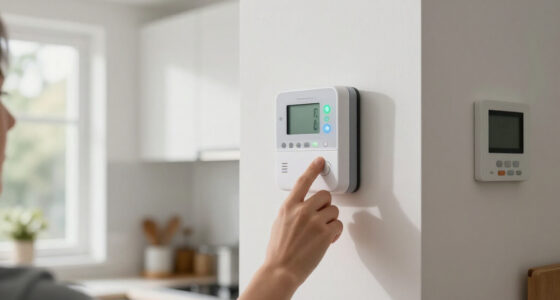
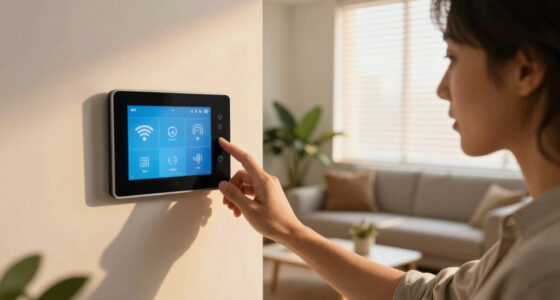
Automating your home with scheduled lights, water controls, and security boosts safety and saves money. Modern systems learn habits, sync devices, and offer remote control—making vacation prep easier and smarter.
Leaving home for vacation? Don’t just lock the door and hope for the best. Instead, turn your house into a smart fortress that’s alive and responsive—even when you’re miles away. Automating lights, water, and security isn’t just about convenience; it’s about peace of mind, cost savings, and protecting what matters most.
Think of it as giving your home a simple, reliable brain that follows your schedule, adapts to your habits, and keeps everything running smoothly. In this guide, you’ll learn how to set up a foolproof vacation automation system that makes your house seem occupied, prevents water disasters, and keeps intruders at bay—all on a schedule that works for you.
Schedule lights to mimic occupancy, deterring burglars and reducing energy bills.
Use smart water valves and leak detectors to prevent costly water damage during your absence.
Integrate security cameras and sensors for remote monitoring and instant alerts.
Unify your automation devices through a central hub for seamless control and routines.
Prioritize network security and backup power to keep your automation reliable and safe.
Lights, Water and Security on a Schedule
TL;DR: Automating your home with scheduled lights, water controls, and security boosts safety, saves money, and keeps your house responsive while you are away.
Think of it as giving your home a simple, reliable brain: lights mimic occupancy, water controls prevent damage, and security systems monitor every entry point from your phone.
Proper scheduling can reduce home energy use by up to 30% when lights and water systems run only when needed.
Lights, water, and security form the minimum effective vacation automation stack.
A convincing away mode is consistent, layered, and boringly reliable: the home looks occupied without wasting energy.
Build the vacation stack in four moves.
Start with the highest-risk systems, then connect them through one hub. The goal is not complexity; it is a repeatable schedule you can test before leaving.
Schedule lights
Use smart bulbs, timers, and motion sensors to mimic normal evening routines.
Guard water
Add leak detectors near sinks, basements, heaters, and the main water line.
Arm security
Connect cameras, sensors, locks, and alerts to your mobile app.
Unify control
Create one vacation routine across Google Home, Alexa, HomeKit, or your hub.
Every device needs a job before it joins the schedule.
Reliable automation comes from matching each device to a clear outcome: deter entry, prevent damage, reduce waste, or preserve remote access.
Make the house look lived in.
Program porch, hallway, and living-room lights around sunset, dinner, and bedtime patterns. Keep schedules natural and consistent.
Stop small leaks before they spread.
Pair leak sensors with a smart shutoff valve, then schedule irrigation around rain sensors and local weather.
Watch entry points in real time.
Use cameras, door sensors, automated locks, and alerts to verify activity and respond quickly from anywhere.
Turn separate devices into routines.
A central platform lets one schedule coordinate lights, locks, sensors, cameras, valves, and outdoor systems.
Secure the remote-control path.
Use strong passwords, two-factor authentication, encrypted apps, firmware updates, and private networks for remote changes.
Plan for outages before leaving.
Battery backup, cellular fallback, and local automations help critical systems continue when power or internet drops.
Where automation delivers the biggest vacation payoff.
Energy savings are measurable, but the bigger value is risk reduction: making the home appear occupied, catching leaks early, and getting immediate security alerts.
Choose controls by risk, not novelty.
The best vacation setup covers the obvious failure points first. Use this matrix to prioritize what belongs in your checklist.
| Automation layer | Vacation job | Remote alerts | Cost savings | Risk reduction | Must test before leaving |
|---|---|---|---|---|---|
| Smart lighting | Simulate occupancy and reduce wasted lighting | ~ | ✓ | ✓ | Schedules, brightness, motion triggers |
| Water valves and leak sensors | Detect leaks and shut off water automatically | ✓ | ✓ | ✓ | Valve closure, battery level, sensor placement |
| Security cameras and sensors | Monitor doors, windows, driveway, and yard | ✓ | ~ | ✓ | Alerts, night vision, motion zones, storage |
| Central hub | Coordinate routines across devices | ✓ | ~ | ✓ | Device compatibility and routine logic |
| Unsecured remote access | Convenience without proper protection | ~ | ✗ | ✗ | Passwords, 2FA, firmware, VPN habits |
Vacation-readiness scale
A basic setup starts with timers. A resilient setup adds sensors, central routines, secure remote access, and backup power.
One connected chain makes the home feel alive.
Each piece should trigger the next useful action: detect, decide, alert, respond, and recover.
Lights
Schedules and sensors create believable occupancy.
Water
Leak detection protects floors, walls, and appliances.
Security
Cameras and contacts report unusual movement fast.
Hub
Central routines coordinate schedules and alerts.
Backup
Power and network resilience keep critical systems online.
Leave with routines tested, not just devices installed.
Modern systems can learn habits and sync across brands, but vacation mode still needs intentional setup. Test the whole chain before you trust it.
The rule of three.
Lights create presence, water controls prevent expensive surprises, and security systems keep you informed. Together, they turn vacation prep from a last-minute scramble into one repeatable routine.
How to Set Up Automated Lighting That Fools Thieves and Saves Energy
Automated lighting is your home’s silent actor, creating shadows and glow that mimic real occupancy. It’s a simple way to deter burglars and cut energy bills at the same time. Using smart bulbs or timers, you can schedule lights to turn on and off at specific times or based on motion sensors.
Picture this: your porch light flicks on at 7 pm and off at 11 pm, simulating someone’s home. Or, interior lights turn on gradually in the evening, mimicking natural sunset. For example, smart lighting systems can be programmed to flood your living room with warm, inviting light just before sunset, then dim to a cozy glow later.
Here’s how to do it:
- Choose a compatible smart lighting system that integrates with your home hub.
- Create a schedule that aligns with your usual routines—dinner time, evening TV, bedtime.
- Incorporate occupancy sensors that turn lights on when movement is detected, especially in hallways and entryways.
- Test the schedule to ensure it appears natural and consistent.
This setup not only keeps your home lively but also reduces unnecessary lighting, saving energy and money. Properly timed lighting can also influence how intruders perceive your home—making it look lived-in, even when you’re away. However, overdoing it or setting erratic schedules might raise suspicion, so consistency is key. The tradeoff is balancing energy savings with the authenticity of occupancy signals, which smart systems can help optimize.
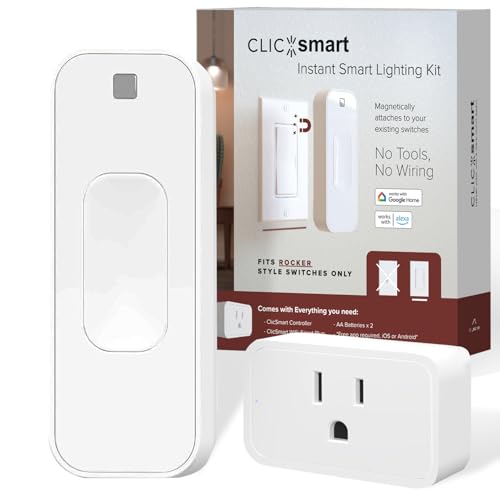
ClicSmart Rocker Smart Home Lighting Automation Starter Kit for Rocker Style Wall Switches Includes One WiFi Outlet Smart Plug and One Magnetic Bluetooth Rocker Switch Controller Free ClicSmart App
- Smart Home Starter Kit: Includes Bluetooth controller, batteries, and WiFi smart plug
- Rocker Style Wall Switch Controller: Fits securely over existing rocker switches
- Magnetic Mounting: Secures easily with built-in magnets
As an affiliate, we earn on qualifying purchases.
As an affiliate, we earn on qualifying purchases.
Prevent Water Damage with Smart Water Valves and Scheduling
Water leaks are a homeowner’s nightmare—costly and disruptive. Smart water valves and leak detectors act as your house’s vigilant watchdogs, automatically shutting off water if a leak is detected or on a schedule to prevent waste.
Imagine you’re away for a week. A leak detector notices a slow drip in the basement. Instantly, the smart valve shuts off the main water line, stopping a minor issue from becoming a flood. Or, you schedule your sprinkler system to run early mornings, avoiding overwatering or water wastage during rain.
Here’s how to implement water automation:
- Install a smart water valve on your main line or individual appliances.
- Add leak detectors in vulnerable spots—basements, under sinks, near water heaters.
- Set schedules for irrigation and outdoor watering, considering weather forecasts or rain sensors.
- Test your system regularly to ensure proper operation.
The importance of scheduling water controls extends beyond just preventing damage; it also involves understanding your household’s water usage patterns. For example, overwatering can lead to water waste and higher bills, but under-watering might harm your garden. Balancing these factors requires thoughtful scheduling that considers local weather and your home’s needs. Additionally, the tradeoff involves the potential for false alarms or schedule conflicts, which can be mitigated with regular testing and calibration of sensors and valves.

Moen Flo Shutoff, 3/4" Automatic Water Leak Detector & Shutoff, 900-001
- Automatic Water Shutoff: Learns usage patterns to prevent leaks
- Real-Time Leak Alerts: Sends notifications via app, call, email
- Remote App Control: Manage water flow from anywhere
As an affiliate, we earn on qualifying purchases.
As an affiliate, we earn on qualifying purchases.
Create a Security System That Monitors & Alerts Remotely
Smart security systems keep an eye on your home 24/7, even when you’re away. Cameras, door/window sensors, and alarms connect to your smartphone, providing instant alerts and live footage. Automated locks let you control access remotely, giving a false sense of security to intruders.
Picture receiving a notification that your front door was opened unexpectedly. You check the camera feed and see a delivery person or a potential intruder. You unlock or lock the door remotely, or trigger an alarm if necessary. Many systems now include facial recognition and motion detection, making alerts more accurate.
Steps to set up your security automation:
- Install cameras at key points—front door, backyard, driveway.
- Connect sensors to windows and doors, set to alert you on unusual activity.
- Configure remote access through your home hub or app.
- Schedule routine checks or activate arming modes before leaving.
This layered approach makes your home look occupied and deters burglars, plus you stay in control no matter where you are. Understanding why these systems matter is crucial: they do more than record—they actively prevent intrusion by creating uncertainty for potential intruders and providing peace of mind for homeowners. The tradeoff involves ensuring your devices are properly secured against hacking and false alarms, which requires regular updates and careful configuration.

ZOSI 3K Lite Security Camera System Indoor Outdoor,AI Human/Vehicle Detection,Night Vision,Remote Access,4pcs 1080P 1920TVL Weatherproof Surveillance Cameras,H.265+ 8CH 5MP Lite CCTV DVR(NO HDD)
- High-Quality 8CH DVR: Supports 3K Lite and 1080P cameras
- Weatherproof Cameras: Indoor and outdoor installation, rust-resistant
- Infrared Night Vision: Up to 80 feet in darkness
As an affiliate, we earn on qualifying purchases.
As an affiliate, we earn on qualifying purchases.
Bringing It All Together: Seamless Automation & Central Control
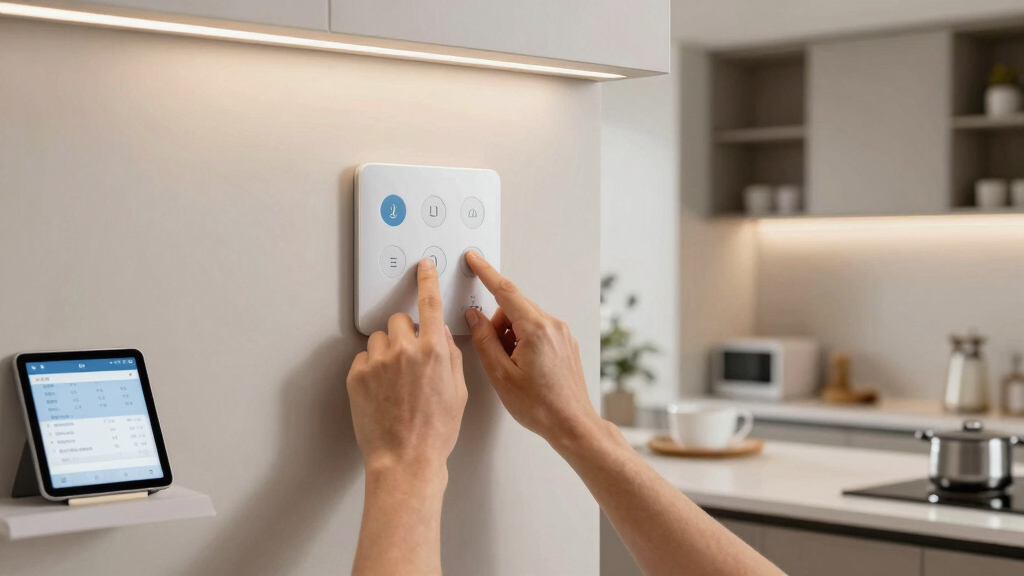
The real magic happens when all your systems—lights, water, and security—talk to each other through a central hub. Platforms like Google Home or Apple HomeKit unify your devices, allowing you to create complex routines with a tap or voice command.
Imagine arriving home after a trip. You say, “Good evening,” and your house dims the lights, unlocks the door, and turns off the sprinkler system. Or, set it so that when your security system detects no movement, your smart locks automatically lock up, and outdoor lights turn off—saving energy and ensuring safety.
To make this happen:
- Choose a compatible smart hub or platform.
- Ensure all devices—lights, water valves, cameras—integrate seamlessly.
- Create routines that activate multiple systems with a single command or schedule.
- Test the routines regularly to ensure smooth operation.
Integrating these systems allows for unprecedented convenience, but it also introduces complexity. The main implication is that a failure in one component can affect others, so thorough testing and regular updates are vital. The tradeoff is between streamlined control and the need for ongoing maintenance to prevent system conflicts or malfunctions.

YoLink Hub, 1/4 Mile Super Long Range Smart Hub LoRa Enabled Smart Home Automation Bridge Home Security Monitoring System – Central Controller for YoLink Smart Home Devices – White
As an affiliate, we earn on qualifying purchases.
As an affiliate, we earn on qualifying purchases.
Keep Systems Accessible & Secure for Peace of Mind
Remote access is the backbone of vacation automation—no matter where you are, you can monitor and adjust your systems. Ensure your Wi-Fi is secure, and use strong, unique passwords for your automation apps.
Look for systems with encrypted connections and two-factor authentication. Regularly update your device firmware to patch vulnerabilities. Avoid public Wi-Fi when managing your home remotely—use a VPN if possible.
Additionally, maintaining secure remote access is about more than just passwords. It’s about understanding the potential risks of hacking, which can lead to unauthorized control of your home systems. Using encrypted connections and multi-layered authentication significantly reduces this risk. Regular firmware updates patch known vulnerabilities, and a VPN adds an extra layer of security when accessing your system from public networks. Backup power options like UPS or batteries are essential, because even the most secure system is vulnerable during power outages; ensuring continuous operation prevents gaps in security and automation that could be exploited.
Frequently Asked Questions
How do I set up a vacation automation system?
Begin by selecting compatible smart devices—lights, water valves, cameras—and a central hub or platform. Create schedules for each system based on your routine or desired occupancy patterns. Testing each component ensures everything runs smoothly before your trip.
Can I control my vacation automation remotely?
Yes. Most systems connect via Wi-Fi and mobile apps, allowing you to monitor and adjust settings from anywhere. Make sure your network is secure, and enable two-factor authentication to keep access safe.
What’s the typical cost for a comprehensive automation setup?
Prices vary depending on device quality and complexity. Basic setups with timers and sensors can start around $200, while full systems with cameras, water control, and hubs may run $1,000 or more. Consider your home size and automation goals to budget accordingly.
Will these systems work during power outages?
Many automation devices include battery backups or can connect to uninterruptible power supplies (UPS). For critical systems like security cameras, backup power is highly recommended to maintain protection during outages.
Are all smart devices compatible across brands?
Compatibility varies. Look for devices that support common platforms like Google Assistant, Amazon Alexa, or Apple HomeKit. Using a central hub can help unify disparate devices for smoother automation routines.
Conclusion
Preparing your home for vacation isn’t just about locking up. It’s about creating a smart, responsive environment that safeguards your house and saves money. Automation transforms your house into a vigilant, energy-wise partner that works tirelessly in your absence.
Start small—schedule your lights, install water sensors, and connect your security. Over time, these routines will become second nature, giving you total confidence wherever your travels take you.
Flea & tick season Picks
flea and tick prevention
As an affiliate, we earn on qualifying purchases.