TL;DR

Get home appliances delivered free with Prime
- Fast, free delivery on millions of items
- Prime Video, Amazon Music and more included
- Member-only deals all year
Ubiquiti’s UniFi Network 11 adds monitoring for compatible Matter-over-Thread devices, displaying supported device details and placing Thread connections in UniFi’s network topology. Users must add individual devices with Matter pairing codes, and the feature requires a compatible UniFi OS gateway and network settings.
Ubiquiti’s UniFi Network 11 adds monitoring for compatible Matter-over-Thread devices, bringing them into the same network topology view as Wi-Fi and Ethernet equipment. The update can show device details such as manufacturer, model, firmware, battery status and signal strength where supported, giving UniFi users more information for troubleshooting than a basic online-or-offline status.
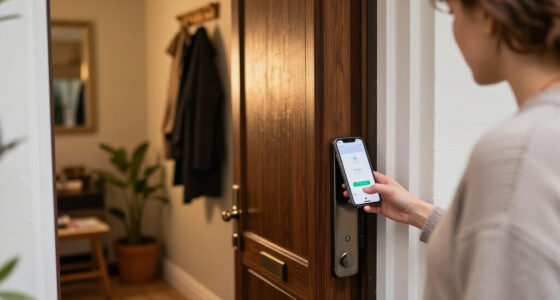
To add a Matter-over-Thread device, users enter its Matter pairing code in UniFi Network. The system can then associate Matter information about the product with Thread network data. According to the source report, UniFi can display the manufacturer, model and firmware version, as well as battery status and wireless signal strength when the device provides those details.
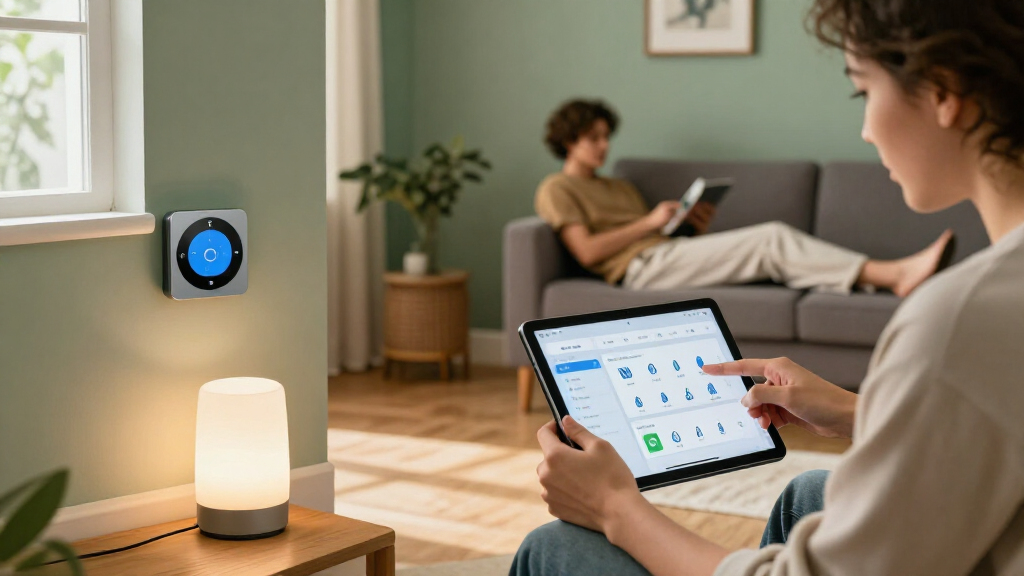
Thread devices also appear in UniFi’s network topology view, alongside wired and Wi-Fi devices. The view shows how Thread-connected devices reach the rest of the network through their border routers. UniFi Network 11 also adds a Time Machine feature for historical network topology, allowing users to review network changes around the time a device stopped responding.
The feature is for monitoring and diagnostics, not smart-home control. UniFi is not presented as a replacement for Apple Home or another Matter controller: users should not expect to operate lights, build automations or manage their home through UniFi Site Manager based on this update. The report says Thread border routers are discovered automatically, but individual Matter devices need to be added manually; it describes no bulk-import option.
More Clues When Thread Devices Fail
Smart-home apps can often report that a device is unreachable without showing whether it lost power, moved out of mesh range or lost a connection through another Thread node. UniFi’s approach could give network operators more visibility into device identity and connectivity in one place, rather than leaving them to infer the cause from a generic offline alert.
That may be useful to households and installers already using UniFi equipment, especially when several network technologies share the same home. Historical topology could help users identify a change that coincided with a device going offline. But the feature is a diagnostic aid, not a guarantee that it will identify the cause of every failure; the amount of information available depends in part on what each device supports.
Matter-over-Thread smart home devices
As an affiliate, we earn on qualifying purchases.
As an affiliate, we earn on qualifying purchases.
Matter Identity Meets Thread Topology
Thread is a low-power wireless networking protocol based on IPv6. It manages network connections and routing, but a Thread network view may not identify a connected device as a particular product. Matter provides device-level information, such as manufacturer and product details, but accessing that information generally requires an authorised Matter controller.
The report says UniFi appears to combine information from both layers. Requiring a Matter pairing code suggests the system is establishing an authorised Matter connection rather than identifying individual products through passive Thread scanning. Matter’s multi-admin capability allows a compatible device to be commissioned into more than one smart-home ecosystem while remaining part of an existing setup.
UniFi Network 11 follows earlier interest in Ubiquiti’s SuperLink Gateway HA, which the source report says combines the company’s long-range wireless technology with a Thread border router. Ubiquiti has not confirmed in the supplied material how that hardware will work with the new monitoring features.
““The focus is on monitoring and diagnostics.””
— Matter Alpha report
Ubiquiti UniFi Network 11 compatible gateways
As an affiliate, we earn on qualifying purchases.
As an affiliate, we earn on qualifying purchases.
Setup Limits and Support Details
The source report says users need a compatible UniFi OS gateway running version 6.0.10 or later, with IPv6 and mDNS enabled on the relevant network. It does not provide a complete list of compatible gateways or Matter devices, or specify which manufacturers expose battery and signal-strength information to UniFi.
It is also unclear how much diagnostic detail UniFi will show in different network configurations. The report notes that separating smart-home devices across VLANs can complicate IPv6 and mDNS communication. No bulk import is described, so adding a large existing Matter installation may require entering pairing codes one device at a time. The source material does not specify a general release schedule or confirm how UniFi Network 11 will integrate with the SuperLink Gateway HA.
As an affiliate, we earn on qualifying purchases.
Gateway Compatibility and Rollout
UniFi users will need to check that their gateway and network settings meet the stated requirements, then add compatible devices with their Matter pairing codes. Users with segmented networks may need to review IPv6 and mDNS configuration before expecting discovery and monitoring to work.
Further details from Ubiquiti would clarify the supported hardware and devices, availability, and how the feature relates to the SuperLink Gateway HA. Until those details are provided, the confirmed development is a new monitoring and topology capability—not a new UniFi smart-home control platform.
Matter pairing codes for smart devices
As an affiliate, we earn on qualifying purchases.
As an affiliate, we earn on qualifying purchases.
Key Questions
What does UniFi Network 11 add for Matter and Thread?
It can monitor compatible Matter-over-Thread devices, show supported device information and place Thread connections in UniFi’s network topology view.
Can UniFi Network control Matter lights or automations?
No such control is described in the source report. The feature is for network monitoring and diagnostics, not replacing a smart-home controller.
Do Thread devices appear automatically?
The report says UniFi automatically discovers existing Thread border routers, but users must add individual Matter devices manually with pairing codes. It describes no bulk-import option.
What is required to use the feature?
The report specifies a compatible UniFi OS gateway running version 6.0.10 or later, with IPv6 and mDNS enabled on the relevant network, plus Matter pairing codes for individual devices.
Will UniFi identify why a device went offline?
UniFi adds device and topology information, and its Time Machine feature lets users review historical network changes. The source does not say the system can identify the cause of every outage; available details vary by device and network setup.
Source: rss
Cold & flu season Picks
humidifiers
As an affiliate, we earn on qualifying purchases.