TL;DR
Home Assistant enables you to control timers and plugs locally, boosting privacy and reducing delays. This guide covers setup tips, device compatibility, and troubleshooting, perfect for beginners wanting reliable automation.
Imagine flickering lights or a coffee maker that turns on exactly when you want, without waiting for the cloud to respond. That’s the power of local control with Home Assistant. It’s not just about convenience — it’s about privacy, speed, and reliability.
If you’re new to home automation, setting up timers and smart plugs might seem daunting. But with Home Assistant, it’s straightforward. You’ll learn how to make your devices work on your schedule, without depending on an internet connection. Ready to make your home smarter and more private? Let’s dive in.
Use Home Assistant’s automation editor to create simple timers that turn devices on or off at specific times.
Choose smart plugs that support local protocols like Shelly or Zigbee for faster, more reliable responses.
Troubleshoot lag issues by checking network strength, device firmware, and ensuring local API support.
Automate not just for convenience but also for energy savings by scheduling devices intelligently.
Stay updated with recent Home Assistant features that enhance local device control and automation ease.
What is Home Assistant and Why Should Beginners Care?
Home Assistant is an open-source platform that runs on devices like a Raspberry Pi or a dedicated server in your home. It acts as the brain behind your smart devices, controlling everything from lights to thermostats.
For beginners, its biggest advantage is local control. Unlike cloud-dependent apps, Home Assistant processes commands within your home network. This means faster responses, enhanced privacy, and fewer outages due to internet issues. Think of it as giving your home a brain that’s not reliant on external servers.
Imagine turning on a lamp with a tap on your phone, and it responds instantly — no lag, no waiting. That’s the beauty of local control, especially when managing timers and plugs.

GHome Smart Plug, WiFi Smart Plugs Work with Alexa and Google Home, Smart Outlet Timer with APP Remote Control, 2.4GHz Wi-Fi Only, No Hub Required, ETL FCC Listed
- Stable WiFi Connection: Supports quick, stable 2.4GHz WiFi connection
- Voice Control Compatible: Works with Alexa and Google Assistant
- Remote App Control: Control outlets remotely via app anywhere
As an affiliate, we earn on qualifying purchases.
As an affiliate, we earn on qualifying purchases.
How to Set Up Timers and Schedule Devices in Home Assistant
Home Assistant makes automating timers simple through its visual automation editor. Here’s a quick step-by-step:
- Open the Home Assistant dashboard and go to the Automations section.
- Click “Add Automation” and choose “Start with an empty automation”.
- Name your automation — for example, “Turn off Living Room Light at 11 PM”.
- Select the trigger type — choose “Time” and set the specific time.
- Add action — pick your device (like a smart plug or light) and set it to turn off.
- Save and activate your automation.
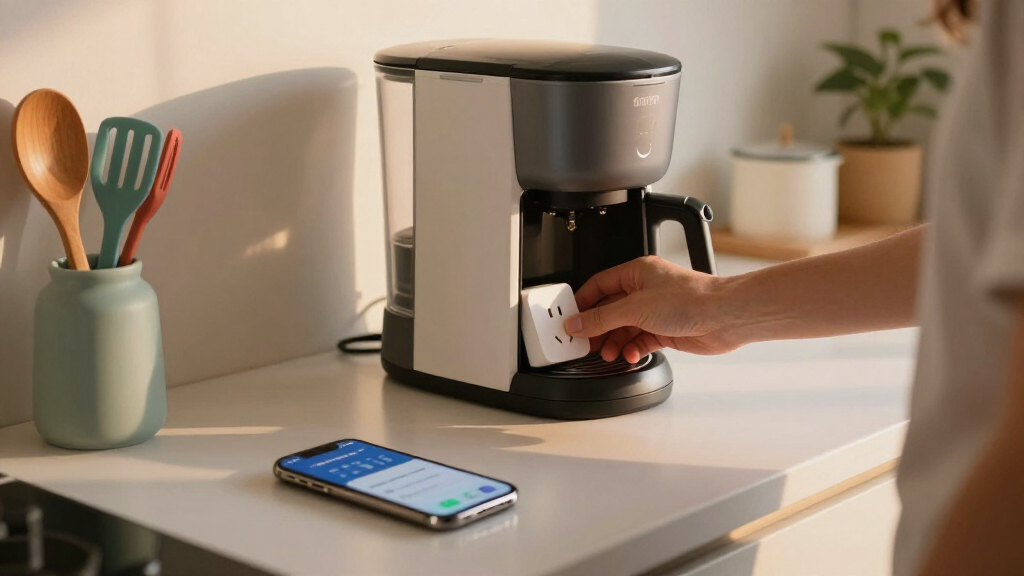
For example, you might create a routine where your smart plug powers your coffee machine at 6:30 AM every weekday. The setup takes just a few minutes and can be fine-tuned later.
Pro tip: Use the automation editor’s copy function to duplicate routines for different days or devices.

SONOFF Zigbee Smart Plug with ETL Certified, S40 Lite 15A Outlet, Zigbee Repeater, Works with SmartThings and Amazon Echo Plus, Hub Needed for Amazon Alexa
- Zigbee Compatibility: Requires ZigBee hub for control
- Smartphone Control: Turn devices on/off via app
- Scheduling Feature: Set appliance schedules
As an affiliate, we earn on qualifying purchases.
As an affiliate, we earn on qualifying purchases.
Best Smart Plugs for Local Control and Why They Matter
Not all smart plugs are created equal when it comes to local control. Some rely heavily on cloud servers, which can introduce delays or outages. The best options support local APIs and protocols like Zigbee or Z-Wave, ensuring your commands stay within your home. This support is crucial because it reduces latency — your commands are executed instantly, which is especially important for routines that need to happen precisely or quickly, such as turning off a device before leaving the house.
| Brand | Protocol | Local Control Support | Ease of Setup |
|---|---|---|---|
| Shelly | Wi-Fi | Yes | Simple, app-based setup |
| TP-Link Kasa | Wi-Fi | Yes, with local API | Easy, with app and integrations |
| Zigbee/Z-Wave | Zigbee/Z-Wave | Yes | Requires hub or compatible controller |
For example, Shelly plugs connect directly to your Wi-Fi network and respond instantly to local commands. They don’t need internet once set up, making routines more reliable and less prone to delays caused by network congestion or cloud issues. Supporting local control not only improves responsiveness but also enhances privacy because your data stays within your home network, reducing potential security vulnerabilities.
Choosing devices that support local control reduces lag, keeps your data private, and ensures your routines run smoothly even if your internet drops. This is especially important if you rely on automation for security or energy management.
GHome Smart Plug, WiFi Smart Plugs Work with Alexa and Google Home, Smart Outlet Timer with APP Remote Control, 2.4GHz Wi-Fi Only, No Hub Required, ETL FCC Listed
- Stable WiFi Connection: Supports quick, stable 2.4GHz WiFi connection
- Voice Control Compatible: Works with Alexa and Google Assistant
- Remote App Control: Control outlets remotely via app anywhere
As an affiliate, we earn on qualifying purchases.
As an affiliate, we earn on qualifying purchases.
Troubleshooting and Making Sure Your Devices Respond Fast
If your timers or plugs aren’t responding quickly, it’s often a network or setup issue. First, ensure your device supports local control and is connected to the same Wi-Fi network as your Home Assistant server.
Check for firmware updates on your devices. Outdated firmware can slow responses or cause connectivity problems. Restart your devices and your Home Assistant server if needed.
For example, if your smart plug turns on 10 seconds after you trigger it, verify the Wi-Fi signal strength and try repositioning the device closer to your router. Sometimes a simple reboot or firmware update fixes the lag. Additionally, consider network congestion — multiple devices competing for bandwidth can cause delays. Using a wired connection for your Home Assistant server or prioritizing traffic can improve response times. Regularly monitoring your network’s performance helps identify bottlenecks that slow down device responses, ensuring your automation runs smoothly and reliably.
Pro tip: Use network monitoring tools to check device response times and see if any interference or congestion is slowing things down.

TP-Link 𝗧𝗮𝗽𝗼 Smart Plug Wi-Fi Mini, Energy Monitoring, Compatible with Alexa & Google Home & Samsung SmartThings, Timer, 15A/1800W Max, ETL Certified, 2.4G Wi-Fi Only, Tapo P115(4-Pack)
- Energy Monitoring: Track energy use with charts and stats
- Cost Estimation: Estimate energy bills and schedule devices
- Smart Device Charging: Auto cut power to prevent overcharging
As an affiliate, we earn on qualifying purchases.
As an affiliate, we earn on qualifying purchases.
Energy Savings and Smarter Home Scheduling
Home Assistant not only automates but also helps you save energy. By scheduling devices to turn off when not needed, you reduce wasted power and lower bills. For instance, set your smart plug to cut power to your TV and gaming console after 11 PM.
Additionally, you can monitor energy consumption of plugged-in devices. Seeing real-time data helps you identify energy hogs. An example: your smart kettle uses 1500W when boiling, but it runs for only 3-4 minutes, so scheduling it reduces unnecessary energy use. Understanding these patterns allows you to optimize your routines further, such as delaying or batching device usage during off-peak hours. This proactive approach not only saves money but also extends the lifespan of your appliances by reducing unnecessary wear.
Thinking ahead, you can create routines that adapt to your habits. If you typically leave the bathroom light on for 15 minutes, set a timer to turn it off automatically, avoiding waste and extending bulb life. These small adjustments cumulatively lead to significant energy savings over time, making your home more efficient and environmentally friendly.
Frequently Asked Questions
How do I set up a timer for my smart plug in Home Assistant?
Begin by creating an automation in the dashboard. Set a trigger based on a specific time, then add an action to turn your smart plug on or off. Save and activate your automation — it’s that simple.
Can I control my smart devices without internet access?
Yes. Devices like Shelly plugs or Zigbee/Z-Wave switches operate locally. Once integrated into Home Assistant, they respond instantly without relying on cloud servers, even if your internet is down.
What’s the best way to troubleshoot slow responses?
Check your Wi-Fi signal strength, update device firmware, and verify local API support. Rebooting devices and your Home Assistant server can also clear up lag issues.
Are there security risks with automation devices?
Since Home Assistant emphasizes local control, your devices don’t expose data to the cloud. Still, keep your network secure with strong passwords and regular firmware updates to minimize risks.
Where can I find beginner-friendly tutorials?
The official Home Assistant documentation, community forums, and YouTube channels offer step-by-step guides, perfect for starting your automation journey.
Conclusion
Mastering local control with Home Assistant transforms your home into a responsive, private space. Timers and smart plugs become reliable helpers that work exactly when you want, without waiting or risking connectivity issues.
Start with simple automations, pick devices that prioritize local APIs, and watch your home run smoother and smarter. Your home isn’t just smarter — it’s safer, faster, and more private. Now, go turn your house into the ultimate automated haven.