
TL;DR

Get home appliances delivered free with Prime
- Fast, free delivery on millions of items
- Prime Video, Amazon Music and more included
- Member-only deals all year
Matter Alpha published a guide to adding Govee Matter-compatible lighting inside IKEA’s YXSTABY gaming side table without drilling or permanently altering the furniture. The installation uses 3D-printed fixtures seated in existing screw holes, though it requires access to a 3D printer and the report does not establish compatibility with every setup.
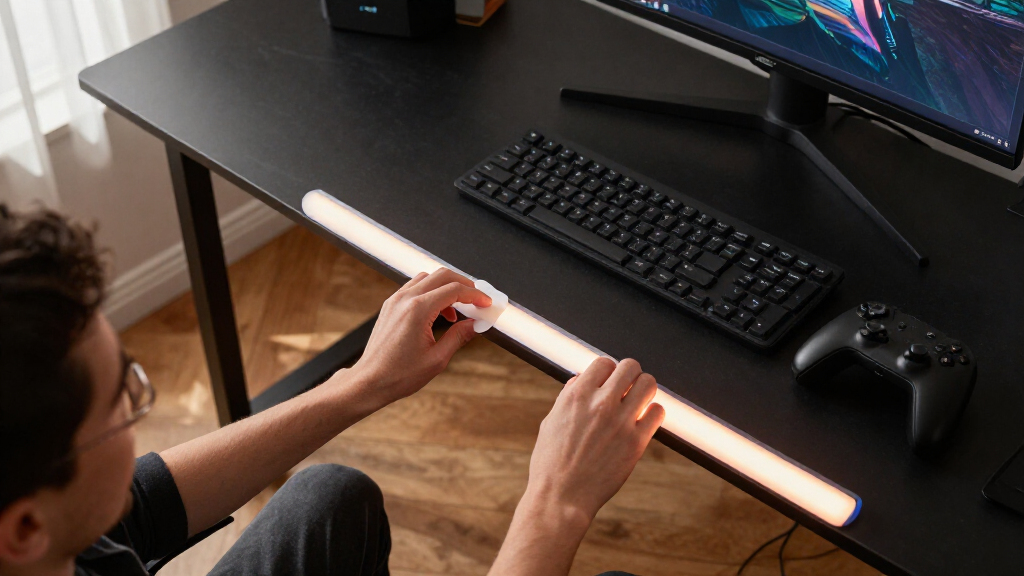
Matter Alpha has published a guide to fitting a Govee COB light strip inside IKEA’s YXSTABY gaming side table, using small 3D-printed fixtures fitted into existing screw holes rather than drilling or making permanent changes. The setup brings the lighting into a Matter-compatible smart home, while addressing the table’s dim enclosed storage area.
The guide uses the Govee COB Strip Light 2 Pro and two sets of 3D-printed mounts: four for upper mounting points and four for lower ones. The fixtures hold the strip in place in existing holes identified in IKEA’s assembly instructions. The report says the mounts require no additional screws or glue. Their design files are available on MakerWorld, according to the article.
Installation is easier before the table is fully assembled. Matter Alpha advises stopping IKEA’s assembly process before fitting the bottom panel and feet, leaving space to route the strip. Owners of an assembled table can still attempt the installation, but the report says access is more difficult because the sliding panel must be moved around to reach the mounting points.
The strip is routed around the table’s interior, with the lighting facing inward. The guide recommends avoiding tight bends, cutting only at the strip’s marked cut points, and disconnecting power before cutting. The remaining power cable exits through a hole in the bottom panel. After assembly, the strip can be paired with a platform such as Apple Home, Home Assistant or SmartThings; the Govee app is used to recalibrate the shortened strip and access effects not exposed through Matter.
A Reversible Lighting Upgrade
The method offers YXSTABY owners a way to add interior ambient light without drilling into the furniture or relying on adhesive that may not hold well on its surfaces. That could make the table’s enclosed storage easier to see and give it lighting controlled alongside other smart-home devices.
The approach also shows a practical division between Matter controls and app features: the report says Matter provides basic functions such as power, brightness and color, while more advanced Govee effects remain in the manufacturer’s app. The result is not a fully app-independent setup, and the process has a barrier to entry: users need access to a 3D printer and must fit the mounts to their own table and strip.
Products Worth Considering

EGO POWER+ LB7654 Cordless Leaf Blower with 5.0Ah Battery

Greenworks 40V 16-Inch Cordless Snow Blower with 5.0Ah Battery and Charger

EGO Power+ HT2601 26-Inch Cordless Hedge Trimmer with 56V 2.5Ah Battery and Charger
As an affiliate, we earn on qualifying purchases.
How the Table Mounts Work
IKEA’s YXSTABY collection was developed with Xbox for gaming spaces, and the side table includes enclosed storage for controllers and accessories. Matter Alpha’s report focuses on adding light to that space rather than changing the table’s structure or electronics.
The key adaptation is replacing the strip’s adhesive as the main support with custom printed fixtures. The report says the COB strip produces a more continuous glow than conventional strips, but is thicker and more elastic, which can make tight corners difficult. Its author printed the mounts in translucent PETG and says PLA may also work, although the fit can vary. The guide describes the project as easy to moderate and says it involves no soldering or permanent modification.
““without drilling extra holes or making permanent changes to the furniture””
— Matter Alpha report
Fit and Feature Limits
The supplied report does not give independent testing of how securely the fixtures hold over time, or whether the fit is consistent across different printers, materials and YXSTABY tables. It says PLA can work but that the fit may vary. The article also does not provide details on long-term durability, the lighting strip’s performance in every Matter platform, or whether all advanced Govee effects can be controlled outside the Govee app.
The source material ends while describing an AI-generated lighting effect, so its full description of that customization is unavailable. The report does not state its publication date, and no separate IKEA or Govee response is included.
Pairing and Setup Checks
Readers following the guide would need to print and test the fixtures, install the strip without forcing sharp bends, and confirm the cable can exit through the bottom panel before completing assembly. The guide says users should then add the light to a Matter-compatible platform and use the Govee app to recalibrate it after trimming.
No further product announcement or follow-up testing is identified in the supplied material. Whether the mounts work reliably across different print settings and how well the lighting integrates with particular smart-home systems remain points for users to verify in their own setups.
Key Questions
Does the YXSTABY lighting installation require drilling?
No. The Matter Alpha guide uses 3D-printed fixtures fitted into existing screw holes and says the installation does not require drilling or permanent changes.
What parts and tools does the project require?
The reported setup uses an IKEA YXSTABY gaming side table, a Govee COB Strip Light 2 Pro, access to a 3D printer and PETG or PLA filament, plus a Matter-compatible smart-home platform. The report also lists a Matter motion sensor and energy-monitoring smart plug as optional.
Can the light be controlled with Matter?
According to the report, pairing with platforms such as Apple Home, Home Assistant or SmartThings provides basic controls for power, brightness and color. More advanced effects are available through the Govee app.
Can the installation be done after assembling the table?
The guide says it is possible, but more difficult because the sliding panel must be moved to access the mounting points. It recommends installing the fixtures and routing the strip before fitting the bottom panel and feet when possible.
What should users check before cutting the light strip?
Disconnect the strip from power and cut only at a marked cutting point, the report says. It also advises recalibrating the shortened strip in the Govee app afterward.
Source: matteralpha.com