
TL;DR
Get ready for Prime Big Deal Days — try Prime free
Exclusive member deals on October 6–7, plus fast free delivery. Cancel anytime.
Start your free trialAs an affiliate, we earn on qualifying purchases.
Many smart plugs and timers send data to cloud servers, risking privacy breaches. Using local control options, open-source firmware, and secure networks keeps your data safe inside your home. This approach minimizes external threats and gives you real control over your personal routines.
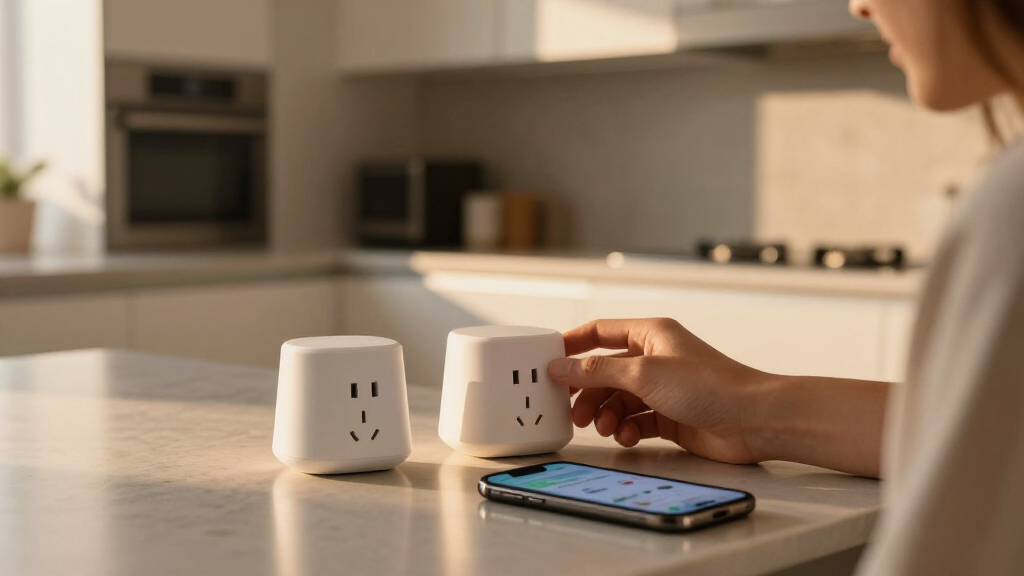
Imagine waking up to a cozy, dim-lit living room, your smart plug quietly managing your coffee machine without sending a single byte of data to the internet. That’s the power of keeping your smart home data local. But many devices still send your routines and energy use to cloud servers, exposing your personal habits to potential breaches or third-party surveillance.
If you want to truly own your home automation setup, understanding how to keep your plug and timer data local is essential. Not only does it protect your privacy, but it also boosts reliability—no more waiting for cloud servers to respond when you want your lights on or your heater running.
Prioritize devices that support local control or open-source firmware to keep your data in your hands.
Replacing firmware like Tasmota or ESPHome can turn cloud-dependent devices into local-only controllers.
Segment your smart devices on a separate, encrypted network to prevent unauthorized access.
Always change default passwords and keep firmware updated to patch vulnerabilities.
Research devices thoroughly—many popular smart plugs transmit data by default, but alternatives exist.
Why Your Smart Home Data Deserves to Stay Inside Your Walls
Smart plugs and timers collect data about your routines—like when you turn on your coffee or power down the lights. If this info is stored in the cloud, it can be accessed by hackers, advertisers, or even government agencies. Keeping this data local means it stays on your devices or within your private network, reducing exposure.
For example, a smart plug that records energy consumption could reveal your sleep schedule or when you’re away. If that data leaks, it’s a privacy breach waiting to happen. Local control keeps your habits private, like a diary locked behind your own firewall.
Beyond privacy, local data storage also impacts reliability. Cloud-dependent devices can become unresponsive due to internet outages or server issues, leaving you unable to control your devices when you need them most. Local control ensures your routines are resilient, functioning even if the internet drops.
However, this approach often involves a tradeoff: it may require more technical knowledge to set up and maintain, and not all devices support local control out of the box. Understanding these tradeoffs helps you choose devices and configurations that align with your privacy priorities and technical comfort level.
smart home local control smart plug
As an affiliate, we earn on qualifying purchases.
As an affiliate, we earn on qualifying purchases.
How to Keep Your Plug and Timer Data Safe and Local in 3 Easy Steps
- Select devices that support local control. Look for smart plugs and timers compatible with open-source firmware or capable of operating without cloud dependencies. This choice is crucial because many modern devices prioritize cloud features over local control, making it necessary to verify specifications or community support for local operation.
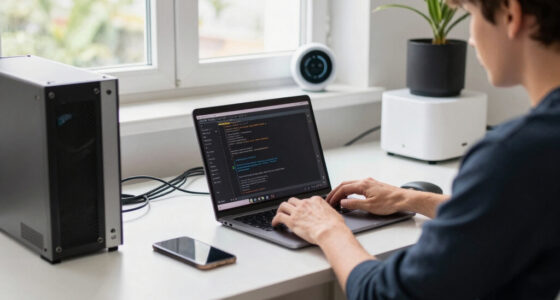
- Use custom firmware. Install firmware like Tasmota or ESPHome on compatible devices. This process involves flashing the firmware onto the device, which can be complex but transforms your device into a fully local controller. The benefit is complete data sovereignty—your routines stay within your network, free from external servers—and you gain transparency over what data is stored and transmitted.
- Secure your network. Segment your smart devices on a separate VLAN or Wi-Fi network, change default passwords immediately, and enable WPA3 encryption if available. These steps are vital because they prevent unauthorized access from within or outside your home, safeguarding the local data that your devices generate. A well-secured network acts as a fortress, reducing the risk of breaches that could expose your routines or allow malicious control of your devices.
Additionally, consider creating a decision framework to evaluate device privacy features before purchase. For example, ask yourself: Does this device support local control? Can I install custom firmware? How easy is it to secure the network? Answering these questions helps you make informed choices that align with your privacy goals.
By following these steps and applying a structured decision approach, you create a layered defense that prioritizes your privacy without sacrificing functionality. While some steps require technical effort, the long-term benefits include greater control, enhanced security, and peace of mind.
As an affiliate, we earn on qualifying purchases.
Frequently Asked Questions
Why is keeping smart home data local so important?
Keeping data local prevents outside access, reducing risks of hacking, data breaches, and unwanted surveillance. It ensures your personal routines stay private within your home network.Can I retrofit my existing smart devices for better privacy?
Yes. If your device supports custom firmware like Tasmota or ESPHome, you can replace the official firmware. This makes your device operate locally, without sending data to the cloud.Are there smart plugs that work entirely offline?
Some models designed for local control or compatible with open-source firmware operate fully offline. Look for devices explicitly supporting local APIs or dedicated automation platforms like Home Assistant.What’s the biggest tradeoff when choosing cloud vs. local devices?
Cloud devices are usually easier to set up and integrate but pose privacy risks. Local-only devices may require more technical effort but give you complete control over your data.What’s the best way to verify if a device supports local control?
Check the manufacturer’s specs, community forums, or firmware support pages. Look for mentions of open-source firmware compatibility or local API access.As an affiliate, we earn on qualifying purchases.
Conclusion
Owning your smart home means controlling more than just gadgets—it means controlling your privacy. Choosing devices that operate locally, replacing firmware when possible, and securing your network are simple steps that shield your routines from prying eyes.
Imagine your home as a fortress, where every device is an ally guarding your personal space. Staying informed and proactive turns your smart setup into a private sanctuary, not a data goldmine.
As an affiliate, we earn on qualifying purchases.
Fall Picks
fall essentials
As an affiliate, we earn on qualifying purchases.