
TL;DR

Get home appliances delivered free — and shop member deals
- Fast, free delivery on millions of items
- Access to Prime Big Deal Days deals on October 6–7
- Prime Video, Amazon Music and more included
Document your home timer settings with photos, notes, and labels. Keep a dedicated record in a safe spot, and update it regularly. This simple habit prevents reprogramming errors after power outages or seasonal changes.
Have you ever stared at a blinking ’12:00′ on a timer after a power outage, feeling lost about what to do next? That familiar frustration can be avoided with a simple system. When your home’s timers—on irrigation, water heaters, or porch lights—lose their schedules, guesswork takes over. But a quick, consistent documentation habit can save you hours of reprogramming and guesswork. This guide shows you how to record every timer’s exact settings, so you never have to reprogram blindly again.
From photos of mechanical pins to notes on digital screens, you’ll learn practical ways to keep your home’s schedules safe and accessible. Whether it’s a quick snapshot, a labeled sticker, or a digital note, these steps create a safety net for your home automation. Ready to make reprogramming a thing of the past? Let’s get started.
Always take a clear photo of mechanical timer pins and note the current time before any reset.
Keep a dedicated record in a safe, accessible location—physical or digital—and update it regularly.
Label each timer with a sticker indicating where the documentation lives for quick reference.
Document seasonal and override settings separately, especially for irrigation and HVAC systems.
Use our free template to streamline your timer documentation process and prevent guesswork.
What You Need to Know About Your Home’s Timer Inventory
Before recording, you need a clear list of every timer device. Think of it as taking a home inventory—each device, its location, and its current schedule. Typical homes have 5 to 15 timers: irrigation controllers, pool pumps, water heaters, porch light timers, smart plugs, and more. For example, your outdoor irrigation system might run for 15 minutes at 6 am on Mondays, Wednesdays, and Fridays.
Making this inventory isn’t just about listing devices; it’s about understanding the role each timer plays in your home’s comfort, safety, and efficiency. For instance, an irrigation timer that runs at the wrong time can waste water and increase your bill, but if you know its schedule, you can quickly correct it after a reset. Conversely, missing an important device from your list might leave you guessing when it’s time to reprogram, leading to unnecessary delays or missed schedules. Creating a detailed checklist helps you see the bigger picture, identify potential points of failure, and prioritize which settings need frequent review. This comprehensive approach reduces the risk of overlooking critical adjustments during reprogramming and helps you maintain optimal operation of your home systems.
Understanding the full scope of your timer inventory is crucial because it directly impacts how quickly and accurately you can restore your home’s routines after disruptions. When you have a complete picture, you avoid the trap of overlooking key devices or misremembering schedules, which could lead to water waste, energy inefficiency, or security issues. This proactive approach ensures that your reprogramming process is efficient, minimizes downtime, and extends the lifespan of your devices by catching misconfigurations early.
As an affiliate, we earn on qualifying purchases.
The 5-Minute Method to Document Timer Settings
Here’s the quick, no-fuss way to record your timers: take a photo, write a note, and label the device. For mechanical timers, snap a close-up of the dial showing the pin positions. For digital timers, screenshot the schedule screen or write down on a sticky note. For example, a pool pump timer with pins set at 10 am and 4 pm on weekdays gets a photo and a note like ‘Pool pump: weekdays 10 am & 4 pm.’
Next, stick a small label on the device with the note ‘Settings documented in [location].’ Use your phone’s notes app for easy access, or keep a printed sheet in a labeled binder near your electrical panel. This quick routine means that even if the power fails, your schedule is stored in a safe, accessible place.
Understanding why this method works so well is key: photos and notes provide a quick visual reference that can be interpreted instantly, reducing guesswork. Labels serve as physical reminders, especially when multiple timers are involved, so you aren’t hunting for documentation during an outage. This approach balances speed with accuracy, ensuring you capture the most critical details without overcomplicating the process. Over time, this routine builds a reliable repository of your home’s schedules, which can save hours during reprogramming and prevent mistakes that might cause system malfunctions or water waste.
Additionally, this method offers a balance between speed and detail. While it might seem simple, the act of taking a photo and jotting down notes forces you to pay attention to the specifics, reinforcing your memory and understanding of each device’s settings. This reduces the likelihood of errors and ensures that you have a clear, visual reference to return to when needed, making your reprogramming process much smoother and more reliable.
As an affiliate, we earn on qualifying purchases.
Device-Specific Tips: Mechanical, Digital, and Smart Timers
Mechanical timers—like the classic outdoor dial with pins—are straightforward but fall behind during outages. Always photograph the pin positions and note the current time on the dial before turning off or resetting. Digital timers, such as those on water heaters, often have backup batteries but still lose settings if batteries die or power fails. For these, screenshot the schedule or write down on a note.
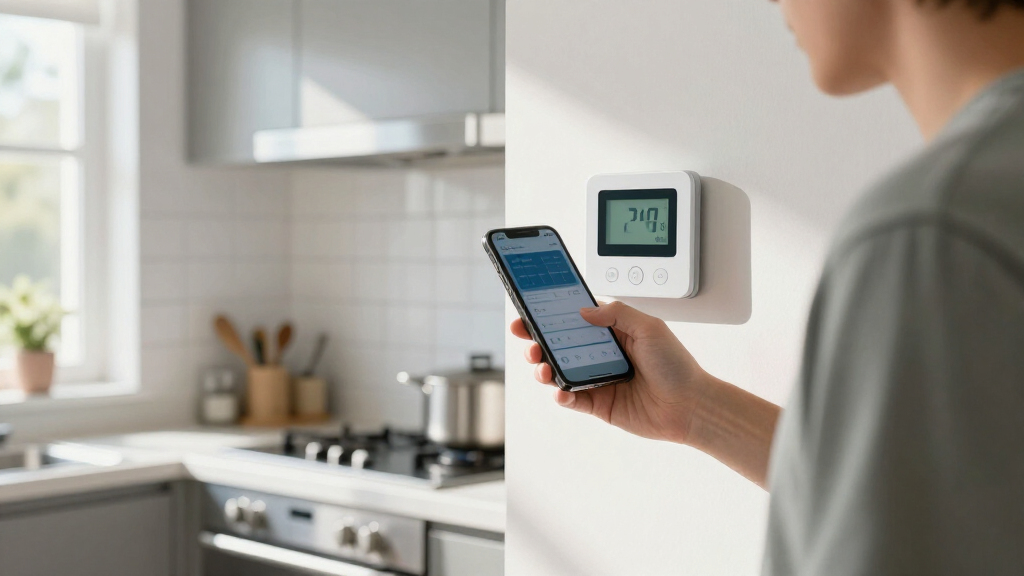
Smart timers and Wi-Fi-enabled devices store schedules in the cloud. They’re less likely to lose settings, but account credentials, app names, and schedules should also be documented. Take a screenshot of the schedule on your phone or tablet, and keep login info in your home record. For example, a smart irrigation system linked to an app should have both the schedule screenshot and login details stored securely.
Understanding the differences among device types helps you choose the most effective documentation method for each. Mechanical timers require physical photos of pin arrangements because their settings are entirely mechanical, while digital timers benefit from screenshots and written notes that capture their digital interface. Smart timers, being cloud-based, often seem foolproof but can still be vulnerable if login information is lost or if the cloud service is discontinued. Documenting these details ensures that you can quickly restore your system regardless of the device type, reducing downtime and preventing costly mistakes during reprogramming.
Beyond just taking photos or notes, understanding each device’s limitations and strengths allows you to develop a tailored documentation approach. Mechanical timers are static; their settings are entirely mechanical, so physical photos are your best bet. Digital timers, with their digital interfaces, benefit from screenshots and written notes that can be easily referenced. Smart timers’ cloud-based storage is convenient but not infallible; documenting login details and schedules ensures you’re prepared for outages or account issues. This nuanced understanding helps you create a comprehensive, reliable system for restoring your timers quickly and accurately, minimizing disruptions and ensuring your home runs smoothly.
As an affiliate, we earn on qualifying purchases.
Where to Store and How to Keep Your Timer Records Up to Date
Storing your documentation in the right place matters. Keep a dedicated folder—either digital or physical—near your electrical panel, so it’s handy when needed. A printed sheet with all device info and recent photos is ideal. For digital, use a note app with cloud sync, like Evernote or Google Keep, with backup copies stored elsewhere.
Update your records whenever you change a setting, switch to a seasonal schedule, or replace batteries. Tie reviews to familiar events—like daylight saving time shifts in March and November—and schedule a quick check every few months. For instance, you might review irrigation timers at the start of spring and fall to match seasonal watering needs. This regular updating ensures your records stay accurate, especially as your home’s schedules evolve with changing seasons or new devices.
Keeping your records current is essential because outdated information can lead to reprogramming errors, wasted time, or even damage if systems aren’t correctly set. Regular updates prevent the accumulation of stale data, which can cause confusion during emergencies. Labeling each device with a small sticker indicating where the full documentation is stored ensures quick access, especially during urgent situations. This organized approach minimizes the risk of misplacing information and helps maintain the integrity of your home’s automation system over time.
Furthermore, setting a routine for updates—like after seasonal adjustments or battery replacements—turns the task into a simple habit. This consistency ensures your records reflect current configurations, reducing the chances of errors during reprogramming. Proper storage, regular updates, and physical labels work together to create a robust system that keeps your home’s automation reliable and easy to manage, no matter what unexpected disruptions occur.
As an affiliate, we earn on qualifying purchases.
Download and Use Our Free Timer Documentation Template
To make your job even easier, download our printable, one-page timer documentation template. It includes sections for device type, location, current schedule, photo reference, last update date, and notes. Fill it out as you go along, and keep a master copy in your home maintenance folder.
This simple tool helps you stay consistent and ensures all your devices are covered. Plus, it’s easy to update or add new timers—just print a fresh sheet or fill out a digital version. Think of it as your home’s schedule safety net, always ready when you need it.
Using this template not only streamlines your documentation process but also reinforces good habits. When you fill it out regularly, you develop a routine that makes updating, troubleshooting, and reprogramming more straightforward. It acts as a quick reference guide, reducing the cognitive load during urgent situations and preventing errors that could lead to inefficient watering, heating, or lighting schedules.
Additionally, having a standardized template ensures consistency, making it easier to compare changes over time and spot discrepancies. This proactive record-keeping can also help identify patterns—like timers that frequently need adjustment—so you can troubleshoot or optimize your system more effectively. Over time, this habit creates a comprehensive, easy-to-navigate archive that empowers you to maintain your home’s automation with confidence and ease.
Frequently Asked Questions
My power went out — do I need to reprogram everything?
It depends on the device. Mechanical timers lose their clock during outages but retain pin positions. Digital timers with backup batteries often reset to default. Check each device’s manual or test it after a power loss to see if reprogramming is necessary.
What’s the fastest way to record settings?
The quickest method is a photo of the timer’s display or pins, combined with a one-line note in your phone or a label on the device. For smart devices, a screenshot of the schedule works best, along with save credentials for quick access.
Where should I keep the documentation so I can actually find it?
Store a printed copy or digital note in a dedicated folder near your electrical panel or home maintenance area. Keep a backup in the cloud or on your phone. Label each device with a sticker pointing to the record for easy location during emergencies.
How do I set a mechanical timer correctly after an outage?
First, rotate the dial to the current time. Then verify the pin positions match your photo or note. Adjust as needed, and make sure the timer is set to ‘auto’ or ‘on’ mode. This quick step prevents hours of guesswork later.
Do smart devices make this unnecessary?
Smart timers store schedules in the cloud, reducing reprogramming needs. However, document your account details, take schedule screenshots, and keep manual backups. Cloud services can disappear, so having local records adds extra security.
Conclusion
Documenting your timers isn’t just about convenience; it’s about reclaiming control. When power fails or settings drift, a quick photo and note keep your home running smoothly without guesswork. Regular updates and clear labels turn a tedious chore into a simple habit that saves you hours and headaches.
Imagine a world where your timers always hold their schedules, even after outages. Start today—grab your phone, take a snapshot, and keep your home’s routines running like clockwork.
NFL season / tailgating Picks
team gear
As an affiliate, we earn on qualifying purchases.




![[Fact Check] Lee’s Claim Blaming Oh For Seoul Home Prices? - 최보식의언론](https://timerone.com/wp-content/uploads/2026/09/fact-check-lee-s-claim-blaming-oh-for-seoul-home-prices-featured-260x140.jpg)