
TL;DR

Get home appliances delivered free with Prime
- Fast, free delivery on millions of items
- Prime Video, Amazon Music and more included
- Member-only deals all year
Google Home schedules let you automate smart plugs and switches with simple routines, saving energy and boosting convenience. Integration with third-party apps expands possibilities, making smart home management easier than ever.
Create clear, descriptive names for routines to avoid confusion and ensure reliability.
Test routines regularly, especially after daylight saving changes or firmware updates.
Use Google’s native routines for simple schedules; integrate third-party tools for complex automation.
Schedule devices to turn off during non-usage hours to save energy and reduce bills.
Keep your devices’ firmware updated and your Wi-Fi stable for consistent automation performance.
Automating Plugs and Switches Without Overthinking It
TL;DR: Google Home schedules let smart plugs and switches run on simple routines, cutting manual effort while helping devices turn off when nobody needs them.
Scheduling inactive devices off can reduce unnecessary household energy use.
Turn a lamp or outdoor plug on at dusk, then shut it down at bedtime.
Your home gets a digital to-do list: time, trigger, device, action, done.
Time-based and trigger-based schedules cover most everyday plug and switch tasks.
Wi-Fi, firmware, and conflicting routines are the usual places to inspect first.
Open app, create routine, choose device action, save the schedule.
Google routines handle basics; IFTTT and SmartThings add complex conditions.
Your First Smart Plug Schedule
Start with one simple routine before chaining together a whole home. A living room lamp at sunset or a coffee maker in the morning gives you a quick reliability test.
Use Plain Labels
Name routines by room, device, and trigger, such as Living Room Lights Sunset, so future edits stay obvious.
Pick the Moment
Choose a specific time, sunrise, sunset, bedtime, or another trigger that matches a real habit.
Control the Device
Select the plug or switch, set on or off, then save and manually test before relying on it.
From App Tap to Automated Room
The cleanest routines behave like a short chain: a clear trigger causes a specific action, then periodic checks keep the automation dependable.
Open
Launch Google Home and enter Routines or Automations.
Trigger
Set a time, sunset, sunrise, or voice starter.
Action
Choose the smart plug or switch and define on or off.
Test
Run it manually and re-check after updates or daylight saving changes.
Built-In Google Routines vs Third-Party Tools
Choose the simplest tool that can do the job. Native routines are ideal for everyday schedules; external automation platforms help when conditions and multiple ecosystems matter.
| Feature | Google Built-In Routines | Third-Party Tools | Best Fit |
|---|---|---|---|
| Ease of use | ✓ Very user-friendly inside Google Home | ~ More setup, more moving parts | Quick lamp, plug, and switch schedules |
| Flexibility | ~ Good for basic schedules and actions | ✓ Conditional logic and multi-step triggers | Advanced automations across platforms |
| Cost | ✓ Free with Google Home | ~ Free tiers or subscriptions vary | Budget-friendly routines first |
| Compatibility | ~ Google-compatible devices | ✓ Broader support, including non-Google devices | Mixed smart home ecosystems |
| Complex conditions | ✗ Limited native logic | ✓ Stronger rules and condition handling | Presence, sensor, and multi-device routines |
Where Scheduling Saves the Most
Energy savings come from removing idle time. The biggest wins usually sit in devices people forget: lamps, outdoor plugs, standby appliances, and seasonal loads.
Timer One reports that scheduled smart devices can reduce energy consumption by up to 20% by turning devices off during inactive periods.
Troubleshooting the Usual Failures
When a schedule misses its cue, the cause is usually basic infrastructure rather than the routine idea itself. Work from network to device to logic.
Check Wi-Fi First
Smart plugs and switches need a stable connection to receive routine commands on time.
Update Devices
Outdated firmware can cause delays, failed actions, or broken integrations after platform changes.
Simplify Rules
If multiple routines control the same device, remove overlaps or separate on and off windows clearly.
Routine Health Scale
How One Schedule Becomes a Smarter Home
A good automation is traceable from human habit to device behavior. That makes it easier to debug, extend, and trust.
Bedtime, sunset, morning, or non-usage hours.
Plug, switch, lamp, appliance, or outdoor outlet.
Specific action with a clear name and purpose.
Wi-Fi, firmware, app status, and routine conflicts.
Convenience, lower waste, and fewer forgotten devices.
Common Scheduling Questions
Most Google Home schedule questions come down to timing, remote control, complexity, or reliability.
Can devices turn on and off every day?
Yes. Create a routine in the Google Home app, choose exact times, and assign the plug or switch action.
Can I control schedules remotely?
Yes. Connected devices linked through Google Home can be controlled or adjusted from your phone.
Do I need third-party apps?
Not for simple schedules. Use IFTTT, SmartThings, or similar tools when you need conditional logic.
Will this save money?
It can. Turning devices off automatically during inactive hours reduces waste and helps appliances avoid needless wear.
How to Set Up Your First Google Home Schedule for Smart Devices
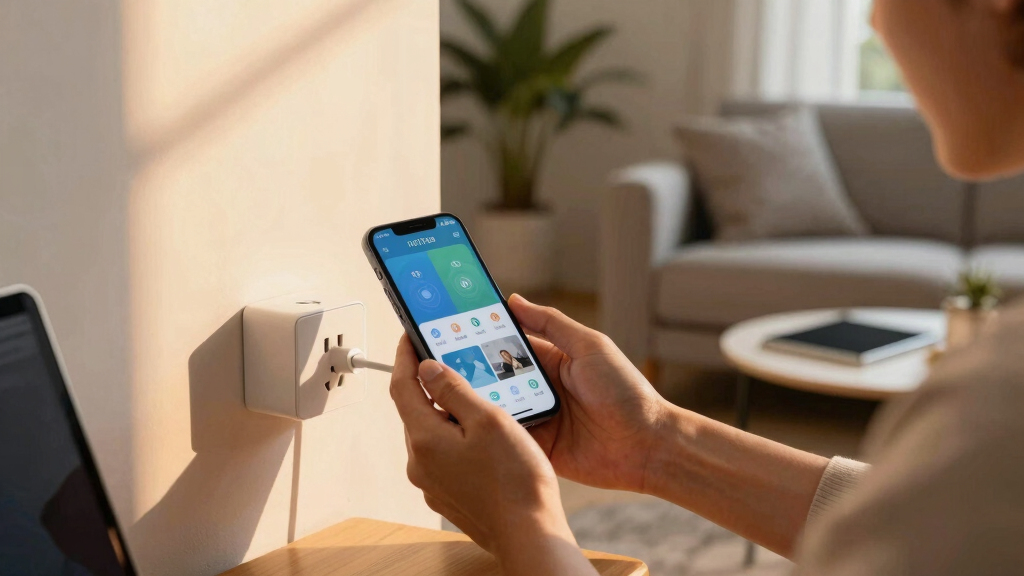
Setting up schedules in Google Home is simpler than you think. Think of it as programming your home to act on your behalf. First, open the Google Home app on your phone. Tap ‘Routines’ and then ‘Create Routine.’ From there, pick the actions, like turning on a smart plug or switch. Set the time or trigger, like sunset or a specific hour.
For example, you might want your living room lamp to turn on at sunset. Choose the device, set the time, and save. Now, every evening at dusk, your lights glow softly, welcoming you home. The process is like creating a digital ‘to-do’ list for your home—only it happens automatically.
As an affiliate, we earn on qualifying purchases.
Top 3 Tips for Reliable and Energy-Saving Schedules
- Name your routines clearly. Use descriptive titles like ‘Living Room Lights Sunset’ so you remember their purpose.
- Test your routines after setup. Make sure devices turn on/off at the right times, especially during daylight savings or seasonal changes.
- Use energy-saving schedules. Program devices to turn off during non-peak hours or when not in use, cutting down on unnecessary power drain.
For example, you could schedule your outdoor plugs to turn off at midnight, preventing energy waste. Clear naming and testing prevent mishaps and boost your confidence in automation.
As an affiliate, we earn on qualifying purchases.
Compare Built-in Google Routines vs. Third-Party Automation Tools
| Feature | Google Built-in Routines | Third-Party Tools (e.g., IFTTT, SmartThings) |
|---|---|---|
| Ease of Use | Very user-friendly, integrated into Google Home app | More complex setup, but more flexible |
| Flexibility | Limited to basic scheduling and actions | Supports complex triggers, multiple actions, conditional logic |
| Cost | Free with Google Home | Varies; some free, some require subscriptions |
| Compatibility | Works with all Google-compatible devices | Broader device support, including non-Google devices |
Choosing between built-in routines and third-party tools depends on how complex your automation needs are. For simple on/off schedules, Google’s routines are perfect. For multi-step, conditional automations, third-party platforms expand your options.
As an affiliate, we earn on qualifying purchases.
Troubleshooting Common Scheduling Problems
If your scheduled devices aren’t behaving, don’t panic. First, check your Wi-Fi connection. Devices rely on a stable network to follow routines accurately. Next, verify your device firmware is up to date—outdated software can cause delays or failures.
Sometimes, scheduling conflicts occur if multiple routines try to control the same device. Simplify your routines or set priorities. Lastly, test routines periodically. A quick tap to run a routine manually confirms if everything works as expected.
For example, if your porch light doesn’t turn off at midnight, check your Wi-Fi, update firmware, and test the routine. Often, a simple reset or re-creation solves the issue.
smart home routines for energy saving
As an affiliate, we earn on qualifying purchases.
As an affiliate, we earn on qualifying purchases.
How to Maximize Energy Savings with Google Home Schedules
To cut your energy bill, schedule your smart plugs to turn off when not needed. For instance, set your bedroom lamps to switch off automatically after bedtime, or schedule outdoor sprinklers to run during off-peak hours.
Using routines to mimic your daily habits can significantly impact your energy consumption. For example, if you typically leave the house at 8 a.m., creating a routine that turns off all non-essential devices at that time prevents unnecessary power drain throughout the day. Similarly, syncing your smart thermostat to follow a schedule ensures heating and cooling operate only when needed, reducing waste. These strategies not only save money but also extend the lifespan of your appliances by reducing wear and tear. Overall, thoughtful scheduling aligns your energy use with actual needs, making your home both smarter and more sustainable.
Frequently Asked Questions
Can I schedule my smart devices to turn on and off at specific times every day?
Yes, you can set daily schedules in the Google Home app by creating routines that specify exact times for your devices to turn on or off, making automation seamless.What should I do if my scheduled devices don’t follow the routine?
First, check your Wi-Fi connection and device firmware. Test routines manually, and re-create them if needed. Ensuring your devices and app are up to date often fixes the issue.Are third-party apps necessary for complex routines?
While Google’s native routines handle basic scheduling well, third-party tools like IFTTT or SmartThings are better suited for multi-step, conditional automations that go beyond simple on/off commands.Can I control my scheduled devices remotely?
Absolutely. As long as your devices are connected to the internet and linked through Google Home, you can control or modify routines from anywhere using your phone or voice commands.Will automating my devices save me money on energy bills?
Yes, scheduling devices to turn off when not needed reduces unnecessary energy use. According to energy studies, smart scheduling can cut household energy consumption by up to 20%. This not only saves money but also reduces your environmental impact, making your home more sustainable overall.Conclusion
Automating your plugs and switches with Google Home transforms a house into a smart home that works for you. It’s not just about convenience—it’s about saving energy and creating a safer, more efficient space. The more you set up routines today, the more effortless your home will feel tomorrow. Ready to make your home smarter? Start simple, test often, and watch your home come alive with automation.Fall yard work Picks
leaf blowers
As an affiliate, we earn on qualifying purchases.