TL;DR

Get home appliances delivered free with Prime
- Fast, free delivery on millions of items
- Prime Video, Amazon Music and more included
- Member-only deals all year
Phantom loads—standby power—can drain 5-10% of your energy bill. Using meters, timers, and smart plugs helps you identify and cut these hidden energy drains, making your home more efficient and eco-friendly.
Ever wonder why your electricity bill feels like a mystery? Some of that cost sneaks in through devices that stay ‘on’ even when you think they’re off. This sneaky energy drain, called phantom load, can easily add up without you noticing.
If you want to cut waste, save money, and shrink your carbon footprint, it’s time to hunt down those ghostly power hogs. This guide will show you how to identify the biggest culprits and decide which devices are worth keeping on timers—saving energy without sacrificing convenience.
Use a power meter to identify high standby power devices first.
Focus on devices that are seldom used or only needed during certain hours for timer automation.
Smart plugs and timers are cost-effective tools to cut phantom loads automatically.
Balance energy savings against convenience—prioritize big offenders.
Regularly re-evaluate your device list as habits and technology change.
Hunt the power that stays on after “off.”
Standby power quietly accumulates across televisions, consoles, computers, chargers and connected appliances. Measure first, automate the meaningful offenders, and keep essential devices running.
Start where standby draw and idle time overlap.
A device becomes a strong timer candidate when it consumes measurable standby power, follows a predictable schedule and can safely lose power without disrupting essential functions.
Entertainment clusters
Large TVs, consoles, speakers and accessories can create a combined always-ready load. Schedule the whole cluster when it is predictably unused.
Occasional computers
A desktop, monitor and peripherals in a guest room or home office can be isolated outside working hours.
Chargers & adapters
Group rarely needed chargers on a switched strip or schedule them for a short daily charging window.
Seasonal equipment
Guest-room electronics, basement appliances and hobby equipment often combine low use with long idle periods.
Smart-home devices
Connected devices vary widely. Confirm their draw and check whether cutting power breaks routines, updates or security functions.
Essential systems
Do not casually timer refrigerators, medical equipment, routers needed continuously, alarms or safety-critical devices.
Measure. Judge. Automate.
One measured watt is more useful than a dozen guesses. Test devices in their real standby state.
Measure the standby draw
Connect a plug-in power meter, turn the device “off,” allow it to settle, and record the stable wattage.
Map idle hours
Estimate how many hours per day the device is unused and note whether it follows a predictable routine.
Choose the control
Use a basic timer for fixed routines, a smart plug for flexible schedules, or a switched strip for grouped devices.
The standby triage scale
Above 3 watts, long idle periods make automation increasingly attractive.
Which devices deserve a timer?
Timer priority is not based on wattage alone. Predictability, safety, reconnection behavior and daily convenience all matter.
| Device group | Idle pattern | Power-loss risk | Timer verdict | Best control |
|---|---|---|---|---|
| Weekend gaming console | Unused most weekdays | Check updates and downloads | ✓ Strong candidate | Smart plug schedule |
| TV + sound system | Predictable overnight gap | May delay instant startup | ✓ Strong candidate | Timer or smart strip |
| Guest-room computer | Long periods unused | Shut down correctly first | ✓ Strong candidate | Switched power strip |
| Coffee maker with clock | Needed in morning only | Clock may reset | ~ Check convenience | Basic outlet timer |
| Wi-Fi router | Often required continuously | Connectivity interruption | ✗ Usually leave on | No timer |
| Refrigerator / safety device | Continuous essential operation | Food or safety hazard | ✗ Never routine-timer | Keep powered |
Rule of thumb · High draw + long predictable idle time + safe restart = strong automation case.
Chase the biggest practical wins.
The chart ranks timer suitability, not universal wattage. Actual results depend on the device, settings, usage pattern and electricity rate.
The phantom-load savings chain
Don’t timer everything. Timer what matters.
A plug-in meter turns vague suspicion into a device-by-device decision.
A single smart strip can control a TV, console, speakers and accessories together.
Keep refrigeration, medical, safety and genuinely continuous network equipment powered.
New devices, firmware and changing routines can alter both standby draw and timer value.
What exactly is phantom load—and why should you care?
Phantom load, also called standby power, is the tiny amount of electricity some devices use even when turned off. Think of it as a ghostly whisper of power—enough to add up over time. This seemingly insignificant waste can compound into substantial energy costs, especially as many household devices are designed to stay ready for quick use, or to update software automatically, which keeps them consuming power in the background.
Large TVs, gaming consoles, and desktop computers often sip power in standby mode. According to an anonymous researcher, these devices can consume up to 10% of your home’s total energy. Over time, this waste not only inflates your bills but also increases the overall demand on power plants, which contributes to environmental degradation. Recognizing and managing phantom load is a tradeoff: you might sacrifice a little convenience for significant savings and a smaller environmental footprint. It’s about balancing ease of use with efficiency—deciding which devices benefit from being always ready and which can be safely turned off or scheduled to save energy.
Products Worth Considering

EGO POWER+ HT2600 26-Inch Cordless Hedge Trimmer (Battery and Charger Not Included)

EGO POWER+ Cordless Electric Leaf Blower 530 CFM with Battery (LB5302)

EGO POWER+ LB7654 Cordless Leaf Blower with 5.0Ah Battery
As an affiliate, we earn on qualifying purchases.
How to find the biggest energy vampires in your home
Finding phantom loads is easier than you think. Grab a plug-in energy meter—like a Kill-A-Watt or Sense—and plug in your devices one by one. Watch for devices that draw more than 1 watt in standby. This threshold is important because many devices use a small amount of power just to maintain updates or keep a network connection, but anything over 1 watt can be considered a significant waste that adds up over time.
For example, a large flat-screen TV or gaming console often guzzle around 5-10 watts when idle, which may seem trivial but can cost you hundreds of dollars annually if left unchecked. Desktop computers in sleep mode might still use 2-4 watts, and that adds to your energy bill. Recognizing these high-consuming devices allows you to weigh the convenience of having them always ready against the cost of their standby power. The tradeoff involves deciding whether the ease of instant use outweighs the cumulative savings you could gain from turning them off when not needed. Measuring standby power with a meter turns guesswork into informed decisions, enabling you to target the real culprits and reduce waste effectively.
Which devices are really worth putting on timers?
Not every gadget needs to be on a timer. The key is to focus on devices that are rarely used or only needed during certain hours, especially those with high standby power. For example, your bedroom’s smart lamp or the old coffee maker in the basement might be good candidates, but you should consider their importance and convenience.
Here’s a quick decision guide:
- Devices with high standby power (>3 watts)—these are prime candidates for timers or unplugging.
- Items you use only during specific times (e.g., evening TV or weekend gaming consoles)—timers can help ensure they’re off when not needed, reducing waste.
- Equipment that can be safely turned off without hassle—such as chargers or small appliances—are good targets for automation.
For instance, a gaming console used only on weekends can be set on a timer or completely unplugged during the week, saving energy without sacrificing your gaming experience. The tradeoff here involves balancing the inconvenience of turning devices off against the potential savings—prioritizing devices where turning off makes a noticeable difference in your bill and environmental impact.
Smart plugs and timers: Your energy-saving sidekicks
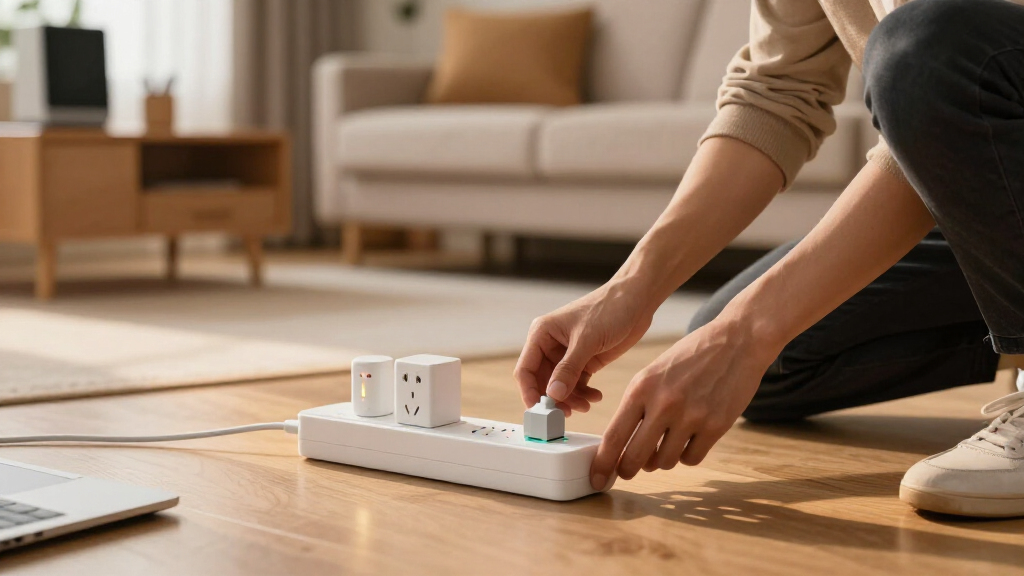
Smart plugs and timers are your best tools for controlling phantom loads. They let you turn devices off automatically, so you don’t have to remember or unplug manually. This automation reduces the mental load and ensures that devices aren’t wasting energy when not needed.
For example, a smart plug can shut down your TV and sound system after a set bedtime, saving about 1-2 watts per device. Over a year, this small saving adds up, and more importantly, it prevents the continuous drain of ghost power that often goes unnoticed. The tradeoff involves considering the initial cost and setup time against the long-term savings. For most homeowners, the convenience of scheduled shutdowns or remote control outweighs the minimal investment, especially as smart plug technology becomes more affordable and reliable. These devices make it easy to automate energy savings without sacrificing comfort or requiring complex setups.
Weighing costs, benefits, and convenience—what’s worth it?
Deciding if a device should be on a timer involves balancing savings with hassle. A high-standby TV that costs $20 a year in electricity might be worth a timer if it’s rarely used, especially if turning it off is quick and easy. However, for devices like refrigerators or Wi-Fi routers that need to stay on constantly for safety or connectivity, unplugging or timers aren’t practical and could cause inconvenience or service interruptions.
Think about how often you use each device, the importance of keeping it powered, and whether turning it off causes any inconvenience or safety concerns. The tradeoff involves weighing the immediate convenience of leaving devices on against the cumulative savings over time. Small savings on multiple devices can add up to substantial reductions in your energy bill—potentially saving you $50-$100 annually. The key is to prioritize high-energy, infrequently used devices for timer automation while leaving essential appliances on.
What’s new in energy measurement and automation?
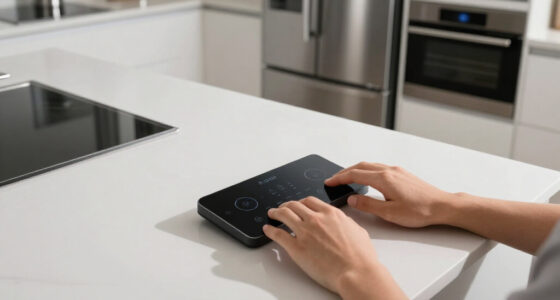
Recent tech trends make phantom load hunting easier. Affordable, accurate energy monitors like Sense or Emporia help you see real-time power use—down to the watt—and identify patterns that reveal waste. These devices not only show you live data but also provide insights into long-term consumption, helping you prioritize which devices need automation or replacement.
Smart home systems now integrate with energy monitoring, allowing you to automate device control remotely, set schedules, and even receive alerts about unexpected power spikes. Some appliances now come with built-in low standby power, thanks to evolving regulations aimed at reducing unnecessary energy use. These advancements mean you can target phantom loads more precisely, making energy management more effective and less time-consuming. The tradeoff here is the initial investment in these tools versus the long-term savings and convenience they provide—generally, the investment pays off by simplifying the process of reducing waste and lowering bills.
How much money can you save by hunting phantom loads?
On average, reducing phantom loads can save 5-10% of your energy bill. For a typical household paying around $1,500 annually, that’s about $75 to $150 saved each year. These savings are significant because they often require minimal effort once the initial identification and automation are set up.
If you focus on the biggest offenders—like a gaming console costing $50 a year in standby energy—timers and smart plugs can reduce that expense substantially, sometimes cutting it in half or more. The broader implication is that small, consistent savings on many devices compound over time, leading to a more sustainable home. The tradeoff involves initial setup time and potential inconvenience, but the financial and environmental benefits make it worthwhile for most households willing to invest a little effort upfront.
Your quick guide to hunting phantom loads in 3 simple steps
- Identify high standby devices with a power meter.
- Decide which ones are worth timers based on usage and cost.
- Set timers or smart plugs to automatically turn them off when not needed.
Repeat this process every few months to catch new offenders as technology evolves and habits change. Regularly reassessing your devices ensures ongoing savings and prevents new phantom loads from sneaking in unnoticed.
Biggest mistakes to avoid when hunting phantom load
Don’t assume all devices are equal. Some appliances, like refrigerators, need to stay plugged in for safety and functionality. Others, like old chargers or TVs, are easy wins. But be cautious—unplugging or turning off devices without understanding their purpose can cause inconvenience or disrupt routines.
Avoid unplugging devices you use daily or that have complex setups, like DVRs or smart home hubs, as this can lead to loss of settings or connectivity issues. Always double-check before unplugging, and consider safety—turn off power at the breaker if you’re working with high-voltage equipment. The key is to identify which devices truly waste energy versus those that are essential or have safety considerations. A strategic approach prevents costly mistakes and ensures your efforts are effective and safe.
Frequently Asked Questions
Which devices are the biggest culprits for phantom load?
Large flat-screen TVs, gaming consoles, desktop computers, and charger blocks often sip power in standby mode. Using a power meter can reveal exactly which ones waste the most energy in your home.
How can I measure the standby power of my devices?
Plug each device into a dedicated energy monitor, like Kill-A-Watt or Sense, and note the wattage when the device is off or in standby. This gives you a clear picture of your biggest energy drains.
Are smart plugs effective in reducing phantom loads?
Yes. Smart plugs allow you to turn off devices remotely or on a schedule, cutting standby power without unplugging. They’re a simple, effective way to manage phantom loads effortlessly.
Is it worth the effort to unplug or timer every device?
It depends on the device’s standby power and usage. High-wattage devices or ones used infrequently benefit most. For smaller or essential devices, leaving them plugged in might be more convenient.
What are the best tools or devices to identify phantom loads?
Energy monitors like Sense, Emporia, or Kill-A-Watt are highly effective. They help you see real-time power draw, so you can target the biggest offenders efficiently.
Conclusion
Hunting down phantom loads isn’t just for energy nerds. It’s a straightforward way to slash your bills and shrink your home’s environmental footprint. Start small—measure, decide, automate—and watch your savings grow.
Imagine your home as a well-oiled machine, with every watt accounted for. That’s the power of smart, intentional energy management. Why let ghostly power drains haunt your bills when simple timers can banish them?