
TL;DR
Properly scheduled holiday lights save energy, boost curb appeal, and prevent light pollution. Modern timers, especially smart options, make festive lighting easy and neighbor-friendly.
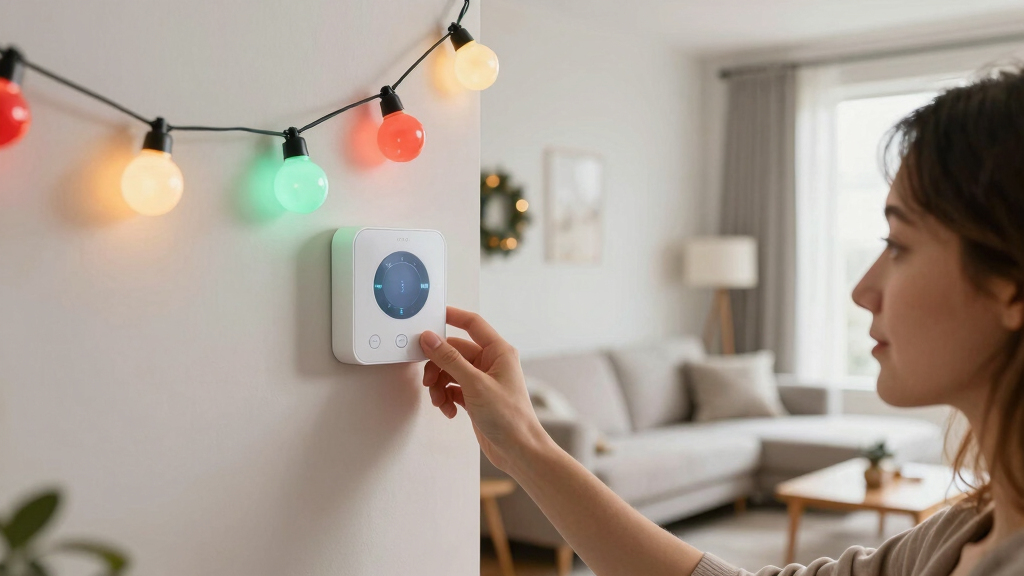
Imagine your house glowing with twinkling lights, perfectly timed to turn on at dusk and off after midnight. It’s not just about looking festive—it’s about smartly managing your holiday display so it’s beautiful, energy-efficient, and neighbor-friendly.
Automating your holiday lighting with timers isn’t just a convenience; it’s a way to save money, extend the lifespan of your lights, and avoid that awkward middle-of-the-night glow. In this guide, you’ll learn how to set up the perfect schedule that makes your home the envy of the neighborhood.
Choose the right timer type—mechanical, digital, or smart—based on your needs and tech comfort.
Schedule your lights to be on during peak evening hours and off late at night to save energy and reduce light pollution.
Use timers to extend your holiday lights’ lifespan and prevent overheating or overuse of bulbs.
Sync your schedule with neighbors for a cohesive, festive neighborhood display that everyone enjoys.
Consider energy-efficient LED lights and weatherproof timers for durability and savings.
Holiday Light Timer Schedules the Neighbors Will Love
Build a festive glow that appears at dusk, delights during prime evening hours, and disappears before bedtime—saving energy, extending bulb life, and keeping holiday cheer on everyone’s good side.
Proper scheduling avoids unnecessary overnight electricity use.
Bright for visitors and passersby, dark for late-night quiet.
Automation and lower-power bulbs multiply the practical savings.
A schedule is part of the display
Timing shapes how your lights feel beyond your property line. Consistency reduces light trespass, avoids an all-night glow, and creates a balanced streetscape that enhances rather than overwhelms neighboring homes.
Glow when people are looking
Focus electricity on the hours when families, visitors, and neighbors are most likely to enjoy the display.
Protect the quiet hours
An automatic cutoff around 10:30 or 11 PM keeps bedrooms darker and minimizes unwanted light spill.
Prevent over-illumination
Shorter, predictable run times reduce waste, overheating, and unnecessary wear while preserving the festive effect.
The neighbor-friendly evening
Recommended baseline · adjust for local sunset
GHome Smart Plug, WiFi Smart Plugs Work with Alexa and Google Home, Smart Outlet Timer with APP Remote Control, 2.4GHz Wi-Fi Only, No Hub Required, ETL FCC Listed
Stability Upgrade Quick Connection:Supports Bluetooth or WiFi connection.The improved WiFi technology let you quick connection and stay stable,no…
As an affiliate, we earn on qualifying purchases.
As an affiliate, we earn on qualifying purchases.
From sunset to switch-off
A dependable setup is a five-step chain. Verify the electrical load and outdoor rating before programming, then test the complete cycle in daylight.
Audit the load
Total the wattage and stay within the timer’s rated capacity.
Weatherproof it
Use outdoor-rated equipment protected from rain and snow.
Choose dusk
Set a fixed start time or use a sunset-aware smart routine.
Set the cutoff
Aim for 10:30–11 PM unless community guidelines differ.
Test the cycle
Schedule a near-term trial and watch both on and off events.

BN-LINK 24 Hour Heavy Duty Mechanical Timer, Outdoor Timer Outlet Waterproof with 30 Minutes Intervals, 2 Grounded Outlets for Christmas Lights Pool Pump,15A 1/2HP, ETL Listed
【Simple 48-Pin Mechanical Control】Set 48 pins for 30-min intervals. No buttons needed. This mechanical outlet timer repeats daily,…
As an affiliate, we earn on qualifying purchases.
As an affiliate, we earn on qualifying purchases.
Simple dial or smart control?
The best choice matches your comfort level and the complexity of your display. Outdoor rating and sufficient wattage capacity are essential for every category.
| Feature | Mechanical | Digital | Smart |
|---|---|---|---|
| Ease of use | ✓Simple dial and direct physical setup | ✓Buttons with a precise digital display | ✓App-based setup and remote adjustment |
| Schedule flexibility | ✗Usually one repeating fixed routine | ~Multiple programmable on/off events | ✓Weekdays, weekends, scenes, and automation |
| Remote changes | ✗Requires physical access | ✗Usually programmed at the device | ✓Control from an app or voice platform |
| Outdoor readiness | ✓Many weatherproof models available | ~Check enclosure and outdoor rating | ~Varies by model and Wi-Fi coverage |
| Relative cost | ✓Low and budget-friendly | ~Moderate | ✗Higher technology premium |
| Best for | One uncomplicated nightly schedule | Precise routines without smart-home setup | Changing plans, larger displays, and integrations |
Before buying: check capacity
Match the timer rating to the total power draw. Overloading can damage equipment and create a safety hazard.
For smart timers: secure the network
Use a reputable model, install firmware updates, and protect Wi-Fi with a strong, unique password.

OSKOS 2-Pack Indoor 24-Hour Programmable Indoor Digital Timer with Polarized Plug and Large Screen, Plug-in Outlet Timer for Lights, Lamps, and Fans, 15A/1875W, UL Listed
[Daily Repeat Setting] With one daily repeat setting and five easy-to-use buttons to program the current time and…
As an affiliate, we earn on qualifying purchases.
As an affiliate, we earn on qualifying purchases.
Spend the glow wisely
An all-night display uses electricity when few people benefit. The illustrated index compares a manually managed baseline with increasingly disciplined schedules.

TiFFCOFiO Indoor Mechanical Outlet Timer, 3 Prong Timers for Electrical Outlets, 24-Hour Programmable Plug in Christmas Light Timer, ETL Listed (2 Pack)
【Daily Repeating Light Timer】: 48 ON/OFF setting options in 24 hours; each pins means 30 minutes interval; daily…
As an affiliate, we earn on qualifying purchases.
As an affiliate, we earn on qualifying purchases.
Good timing travels
A small automation choice produces a chain of benefits—from lower electrical demand to a calmer street and a display that remains attractive throughout the season.
What makes a timer outdoor-ready?
Look for a weatherproof enclosure, outdoor-use rating, adequate wattage capacity, and safe placement away from standing water.
Will a timer work with LED lights?
Yes. LEDs are especially well suited because they draw less power and generate less heat. Confirm compatibility on the timer label.
How can neighbors coordinate?
Agree on a shared dusk start and approximate cutoff. Displays can differ while the street maintains a cohesive rhythm.
What is the fastest timer test?
Program the next on/off events a few minutes ahead, observe both actions, then restore the intended schedule before installation is complete.
Make the house glow—not the whole night.
Start at dusk, finish by 10:30 or 11 PM, choose outdoor-rated hardware, and pair your timer with efficient LEDs for a display everyone can enjoy.
Why a Good Light Schedule Matters to Your Neighbors
Your neighbors notice everything—especially the glow of your holiday lights. A well-planned schedule keeps your display festive without causing light pollution or noise complaints. It also shows you care about the community, turning your holiday cheer into a neighborly gesture.
For example, turning on your lights at 5:30 pm and turning them off at 11 pm keeps the neighborhood bright and cozy without disturbing late-night quiet. Consistent timing helps everyone enjoy the season without surprises or excess energy use.
Beyond courtesy, a thoughtful schedule can prevent issues like light trespass—where your lights spill over into neighbors’ yards—or excessive energy consumption that can lead to higher bills. It also promotes a sense of community by coordinating lighting times, especially in neighborhoods where displays are part of a shared holiday tradition. These considerations highlight that timing isn’t just about aesthetics; it’s about respecting your neighbors and the environment, creating a harmonious holiday atmosphere.
Furthermore, a consistent schedule reduces the risk of over-illumination, which can be visually overwhelming and wasteful. It encourages a balanced display that enhances your home’s charm without overshadowing others. This approach fosters neighbor goodwill, reduces complaints, and aligns with eco-conscious living—making your holiday celebration both joyful and responsible.
How To Pick the Perfect Timer for Your Holiday Lights
Choosing the right timer is key to hassle-free holiday lighting. Consider the type of lights you have, your budget, and whether you want remote access. Here’s a quick guide:
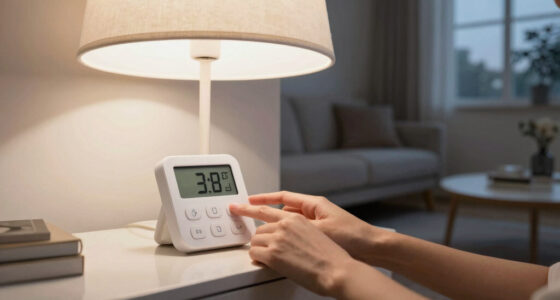
- Decide if you want a mechanical, digital, or smart timer. Mechanical timers are simple and inexpensive but lack flexibility. Digital timers offer more precise control, and smart timers provide advanced features like remote control and automation.
- Check the power requirements of your lights—some timers have limits on wattage. Overloading a timer can cause safety hazards or damage, so matching your lights’ power draw is critical.
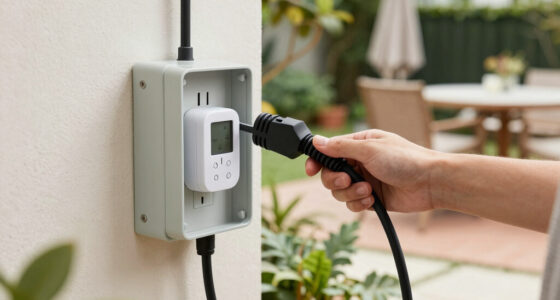
- Look for weatherproof models designed for outdoor use. Exposure to rain, snow, and temperature fluctuations demands durable equipment.
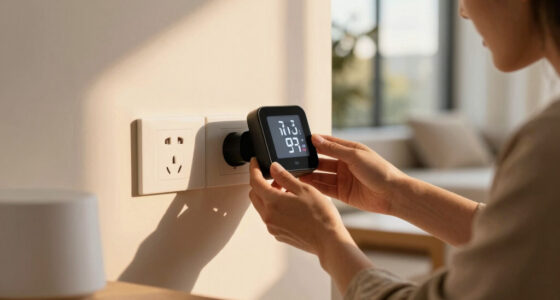
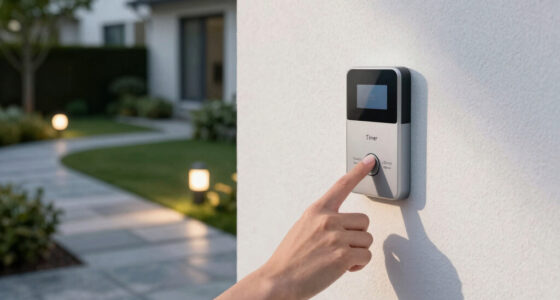
- Think about remote controls or app connectivity if you want to change schedules on the fly. This flexibility can be invaluable during busy holiday seasons or if you want to make last-minute adjustments without climbing ladders.
Investing in the right timer means balancing ease of use, durability, and features that match your lifestyle. For example, a smart timer with app control allows you to fine-tune your display from anywhere, giving you the flexibility to adapt to changing weather or last-minute plans. Additionally, consider future scalability—if you plan to expand your holiday display or integrate with other smart home devices, choosing a compatible timer now can save you headaches later.
Comparison: Mechanical vs. Digital vs. Smart Timers
| Feature | Mechanical Timers | Digital Timers | Smart Timers |
|---|---|---|---|
| Ease of Use | Simple dial, manual setup; suitable for straightforward schedules but requires physical adjustment, which can be time-consuming if multiple changes are needed. | Button controls, digital display; more precise and easier to program but still requires manual setup each time. | App-based, remote control; offers the highest convenience, allowing you to adjust schedules from anywhere, making last-minute changes effortless. |
| Flexibility | Limited, fixed schedules; once set, difficult to change frequently, which can be a drawback if your schedule varies. | Multiple on/off settings, customizable; better suited for adapting to changing routines or special occasions. | Complex schedules, voice control, automation; ideal for those who want integrated smart home systems or complex lighting arrangements. |
| Weather Resistance | Usually weatherproof, designed for outdoor use. | Weatherproof options available; verify ratings before purchase. | Depends on model; many require Wi-Fi and may have varying degrees of weatherproofing. |
| Cost | Low, budget-friendly; a good choice for simple setups. | Moderate; offers more features but at a higher price point. | Higher, tech premium; best for tech enthusiasts or those with integrated smart home systems. |
Understanding these differences helps you weigh the tradeoffs—cost versus convenience, simplicity versus customization—so you can select a timer that aligns with your holiday lighting goals and technical comfort level.
Frequently Asked Questions
How do I choose the best timer for outdoor holiday lights?
Look for weatherproof models with enough wattage capacity for your lights. Decide if you want simple mechanical control or remote app access. For convenience, smart timers that connect to Wi-Fi are a popular choice.Can smart timers be hacked or compromised?
Most reputable smart timers have built-in security features. Keep their firmware updated and use a strong, unique Wi-Fi password to minimize risks. Regular updates help patch vulnerabilities.Are timers suitable for all types of outdoor holiday lights?
Yes, but check the timer’s weatherproof rating and wattage limits. LED lights are especially compatible because they use less power and generate less heat, extending your timer’s lifespan.How long should I keep my holiday lights on each night?
Most homeowners turn lights on around sunset—about 5:30 pm—and off by 10:30 or 11 pm. This timing covers prime viewing hours while avoiding unnecessary energy use late at night.What’s a quick way to test if my timer is working correctly?
Set the timer a few minutes ahead and observe if the lights turn on and off as scheduled. Adjust the timing if needed, and always verify during daylight hours before the holiday rush.Conclusion
Smart scheduling isn’t just about convenience—it’s about making your holiday display beautiful, energy-smart, and neighbor-friendly. With just a few simple choices, you can create a festive glow that everyone appreciates.
Next time you’re setting up your lights, remember: timing is everything. A well-planned schedule turns your home into a warm beacon of holiday cheer—without wasting energy or causing neighbors to squint in annoyance.