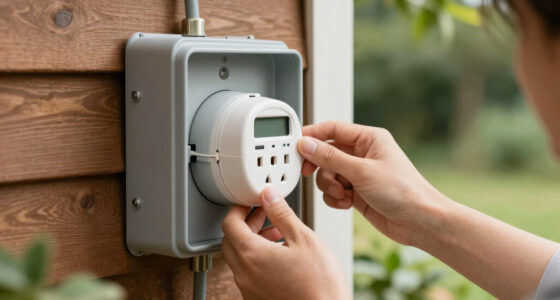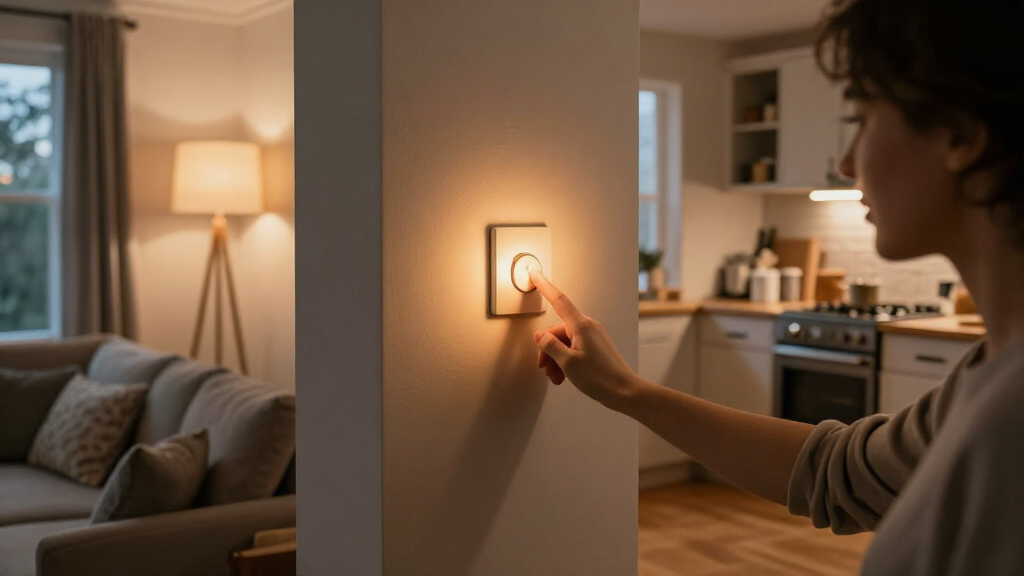

Smart light switches with timers range from Wi-Fi models that schedule lights in an app to dedicated in-wall timers with physical programming buttons. My best overall pick is the Kasa Smart Light Switch HS200 for app-based control and flexible schedules, while the BN-LINK Astronomical Timer is a better match for outdoor lights that should follow sunrise and sunset. For buyers who want Matter compatibility, the Kasa KS205 offers a different route, but still requires a neutral wire. The main tradeoffs are smart-home compatibility, wiring requirements, and whether you prefer app schedules or a timer that works directly at the switch. Read on for the full comparison and guidance on choosing the right kind of timer.

Get home appliances delivered free with Prime
- Fast, free delivery on millions of items
- Prime Video, Amazon Music and more included
- Member-only deals all year
Complete the kit



Key Takeaways
- App scheduling and dedicated timer programming serve different needs: amazon.com/dp/B01EZV35QU?tag=timerone-20&ascsubtag=dc-1178490″ target=”_blank” rel=”nofollow sponsored noopener”>Kasa, Tapo, Leviton, and Amazon Basics focus on connected control, while BN-LINK, myTouchSmart, and GE provide physical timer controls.
- Neutral-wire compatibility narrows the smart-switch choices: the Kasa HS200, HS200-2, KS205, and other listed Wi-Fi models specify a neutral wire, so check the switch box before choosing.
- Sunrise and sunset automation is a distinct advantage: the BN-LINK astronomical model and GE timer address changing daylight more directly than fixed daily schedules.
- Some entries are close variants or multipacks, not different timer approaches: the two BN-LINK 7-day listings and several Kasa or Tapo configurations call for checking exact model and pack details.
- Buying for a specific load matters: fan control, multi-gang wiring, outdoor lighting, Matter support, and Alexa compatibility are not interchangeable features.
| Kasa Smart Light Switch, Single Pole, Requires Neutral Wire, HS200 | 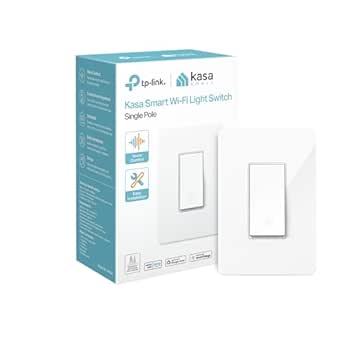 | Best Overall Smart Switch with App Timers | Wiring: Single-pole; neutral wire required | Connectivity: Wi-Fi | Control: Voice, remote, and scheduled | VIEW LATEST PRICE | See Our Full Breakdown |
| GHome Smart Switches for Lights, Single Pole WiFi, 4 Pack |  | Best Multi-Room Value | Pack size: 4 switches | Wiring: Single-pole; neutral wire required | Wi-Fi: 2.4GHz | VIEW LATEST PRICE | See Our Full Breakdown |
| BN-LINK 7-Day Programmable In-Wall Digital Timer Switch for Lights and Fans |  | Best for Detailed Weekly Schedules | Scheduling: 7-day programming; up to 18 on/off settings | Wiring: Single-pole and 3-way; neutral wire required | Operating voltage: 125V | VIEW LATEST PRICE | See Our Full Breakdown |
| myTouchSmart In-Wall Digital Timer, 4 Programmable On/Off Buttons, 2 Easy On/Off Buttons, 24 Hour Daily Cycles, Blue LED Indicators, with Battery Backup, for Indoor/Outdoor Lights, Fans |  | Best for Simple Daily Timer Routines | Schedule cycle: 24-hour daily | Controls: 4 programmable on/off buttons and 2 easy on/off buttons | Voltage: 120VAC, 60Hz | VIEW LATEST PRICE | See Our Full Breakdown |
| BN-LINK 7 Day Programmable In-Wall Digital Timer Switch for Lights and Fans |  | Best for Vacation and Daylight-Saving Schedules | Scheduling: 7-day programming; up to 18 on/off programs | Wiring: Single-pole and 3-way compatibility; neutral wire required | Operating voltage: 125V | VIEW LATEST PRICE | See Our Full Breakdown |
| Kasa Smart Switch 2-Gang HS200-2, Single Pole, Requires Neutral Wire |  | Best for Two-Circuit Scheduling | Model: HS200-2 | Circuits: 2-gang | Wiring: Neutral wire required; single-pole | VIEW LATEST PRICE | See Our Full Breakdown |
| Kasa Matter Smart Light Switch KS205, Single Pole, Neutral Wire Required | 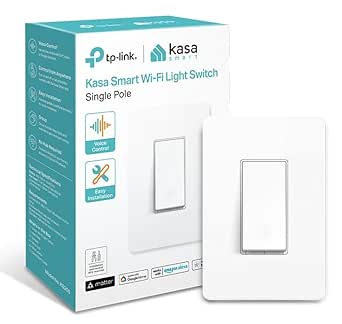 | Best for Cross-Platform Smart Homes | Model: KS205 | Wiring: Neutral wire required; single-pole | Connectivity: Wi-Fi | VIEW LATEST PRICE | See Our Full Breakdown |
| TP-Link Tapo Matter Smart Light Switch 2-Pack | 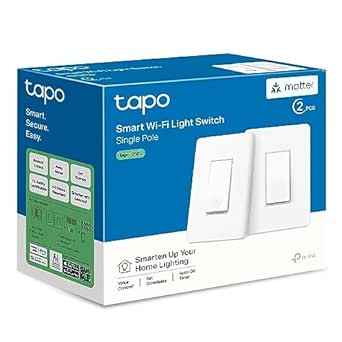 | Best Value for Multiple Scheduled Circuits | Model: Tapo S505 | Pack quantity: 2 switches | Wiring: Neutral wire required; single-pole | VIEW LATEST PRICE | See Our Full Breakdown |
| BN-LINK 7 Day Programmable Astronomical In-Wall Timer Switch for Lights |  | Best for Sunrise-and-Sunset Automation | Timer type: 7-day programmable astronomical in-wall timer | Programs: Up to 18 ON/OFF programs | Wiring: Neutral wire required; single-pole | VIEW LATEST PRICE | See Our Full Breakdown |
| Leviton Decora Smart Wi-Fi Switch, D315S-1RW, White |  | Best for Broad Bulb and Assistant Compatibility | Model: D315S-1RW | Connectivity: Wi-Fi | Wiring: Neutral wire required | VIEW LATEST PRICE | See Our Full Breakdown |
| Amazon Basics Smart Light Switch, Single Pole, Works with Alexa, Voice Control, Schedule, 2.4 GHz Wi-Fi, No Hub Required, White |  | Best for Alexa-Only Homes | Switch type: Single-pole | Circuit type: 1-way | Connectivity: 2.4 GHz Wi-Fi | VIEW LATEST PRICE | See Our Full Breakdown |
| GE 7-Day In-Wall Digital Timer Switch with Auto Sunrise/Sunset Adjustment |  | Best for Sunrise and Sunset Schedules | Timer programming: 7-day schedules | Sunrise/sunset adjustment: Automatic | Circuit compatibility: Single-pole or 3-way | VIEW LATEST PRICE | See Our Full Breakdown |
| Kasa Smart Light Switch, Single Pole, Requires Neutral Wire, HS200P3 | 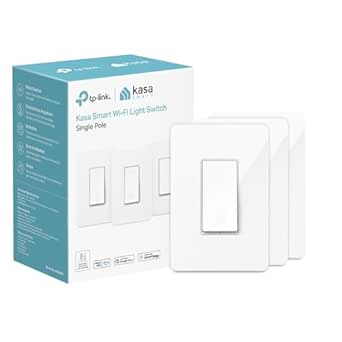 | Best for Alexa and Google Assistant Homes | Model: HS200P3 | Switch type: Single-pole | Circuit type: 1-way | VIEW LATEST PRICE | See Our Full Breakdown |
| smart light switches with timer | Wiring | Connectivity |
|---|---|---|
| Kasa Smart Light Switch | Single-pole; neutral wire required | Wi-Fi |
| GHome Smart Switches for Light | Single-pole; neutral wire required | — |
| BN-LINK 7-Day Programmable In- | Single-pole and 3-way; neutral wire required | — |
| myTouchSmart In-Wall Digital T | — | — |
| BN-LINK 7 Day Programmable In- | Single-pole and 3-way compatibility; neutral wire required | — |
| Kasa Smart Switch 2-Gang HS200 | Neutral wire required; single-pole | Wi-Fi |
| Kasa Matter Smart Light Switch | Neutral wire required; single-pole | Wi-Fi |
| TP-Link Tapo Matter Smart Ligh | Neutral wire required; single-pole | Matter, Wi-Fi |
| BN-LINK 7 Day Programmable Ast | Neutral wire required; single-pole | — |
| Leviton Decora Smart Wi-Fi Swi | Neutral wire required | Wi-Fi |
| Amazon Basics Smart Light Swit | — | 2.4 GHz Wi-Fi |
| GE 7-Day In-Wall Digital Timer | — | — |
| Kasa Smart Light Switch | — | 2.4 GHz Wi-Fi |
More Details on Our Top Picks
Kasa Smart Light Switch, Single Pole, Requires Neutral Wire, HS200
The Kasa HS200 is my strongest fit for buyers who want scheduled lighting plus control from away from home. Its Wi-Fi app lets you set schedules and timers without a separate hub, while Alexa and Google Assistant support adds hands-free control. Compared with the GHome four-pack, this is a simpler one-switch choice rather than a way to outfit several rooms at once; compared with the BN-LINK digital timers, it trades detailed button-based programming for app-based setup and remote access. The main limitation is installation: it needs a neutral wire and only suits single-pole circuits. It also relies on Wi-Fi, so it is less appealing if you want schedules controlled directly at the wall or operation independent of your network.
Pros:- App-based schedules and timers support automated daily lighting.
- Remote and voice control add flexibility beyond a wall timer.
- No separate hub is required.
- UL certified, according to the supplied product data.
Cons:- Requires a neutral wire, which some switch boxes lack.
- Works only with single-pole wiring.
- Scheduling and remote access depend on Wi-Fi.
Best for: Homeowners replacing one standard single-pole switch who want app-set timers, remote control, and Alexa or Google Assistant support.
Not ideal for: Homes without a neutral wire, multi-location three-way circuits, or buyers who want timer programming to work independently of Wi-Fi.
- Wiring:Single-pole; neutral wire required
- Connectivity:Wi-Fi
- Control:Voice, remote, and scheduled
- Voice assistants:Amazon Alexa and Google Assistant
- Input voltage:100–120 VAC
- Wattage:600 W
- Dimensions:4.13 x 1.71 x 1.74 inches
- Certification:UL certified
Our verdict“Choose the HS200 for one single-pole light circuit when app timers and voice control matter more than offline scheduling or multi-way wiring.”
GHome Smart Switches for Lights, Single Pole WiFi, 4 Pack
The GHome four-pack is the practical pick when timers are needed across several single-pole circuits, not just one. Each switch supports app scheduling, remote operation, and voice control through Alexa or Google Assistant, so a household can automate multiple rooms without adding a hub. Compared with the single Kasa HS200, the pack is better suited to a coordinated multi-room setup, but GHome specifies 2.4GHz Wi-Fi only and still requires a neutral wire at every installation point. Its timer features are tied to the app and network rather than a dedicated in-wall programming interface, unlike the BN-LINK digital timers. That makes it a better fit for people comfortable managing schedules on a phone than for buyers seeking a standalone wall control.
Pros:- Four switches make multi-room scheduling possible with one purchase.
- Supports remote control and schedules through an app.
- Works with Alexa and Google Assistant for voice commands.
- UL and FCC certifications are listed in the supplied product description.
Cons:- Requires a neutral wire at each switch location.
- Limited to 2.4GHz Wi-Fi.
- Single-pole use only; not suited to three-way circuits.
Best for: Households upgrading several single-pole light circuits at once and comfortable setting schedules through a 2.4GHz Wi-Fi app.
Not ideal for: Buyers with three-way circuits, no neutral wire, or a Wi-Fi setup that uses only 5GHz for connected devices.
- Pack size:4 switches
- Wiring:Single-pole; neutral wire required
- Wi-Fi:2.4GHz
- Voltage:120V / 60Hz
- Maximum current:15A
- Voice assistants:Amazon Alexa and Google Assistant
- Cover dimensions:4.73 x 2.76 x 0.35 inches
- Internal dimensions:4.1 x 1.75 x 1.34 inches
Our verdict“Pick the GHome pack to add app-based timers to several single-pole rooms, provided each location has a neutral wire and 2.4GHz coverage.”
BN-LINK 7-Day Programmable In-Wall Digital Timer Switch for Lights and Fans
For buyers who want schedules set at the switch instead of managed through an app, the BN-LINK 7-day timer offers a more hands-on alternative to the Kasa HS200. It provides 18 programmable on/off settings and supports single-pole and 3-way wiring, giving it more scheduling detail and circuit flexibility than that Wi-Fi smart switch. A backup rechargeable battery helps retain settings through a power outage, while the blue backlight can make the controls easier to read in a dim hallway. The tradeoff is a more involved push-button setup, and the supplied data does not list app, Wi-Fi, or voice control. It also needs a neutral wire. This is a strong match for repeat weekly routines, but less suitable for people who want to adjust timers remotely.
Pros:- Offers up to 18 programmable on/off settings across a seven-day schedule.
- Supports compatible single-pole and 3-way wiring.
- Backup rechargeable battery helps retain settings during power loss.
- Blue backlight aids visibility when programming in low light.
Cons:- Requires a neutral wire.
- Push-button programming may take more effort than app scheduling on the Kasa HS200.
- No Wi-Fi, remote app, or voice control is listed in the supplied data.
Best for: Buyers who want multiple weekly on/off programs at the wall, including households with compatible single-pole or 3-way wiring.
Not ideal for: People who want remote app access, voice commands, or simple setup without working through several timer settings.
- Scheduling:7-day programming; up to 18 on/off settings
- Wiring:Single-pole and 3-way; neutral wire required
- Operating voltage:125V
- Wattage:1875W
- Operation mode:Manual-auto
- Controls:Push button
- Compatible devices:Lights, fans, and motors
- Display:Blue backlight
Our verdict“Choose this BN-LINK timer for detailed weekly schedules and compatible three-way circuits when local push-button control is preferable to smart-app features.”
myTouchSmart In-Wall Digital Timer, 4 Programmable On/Off Buttons, 2 Easy On/Off Buttons, 24 Hour Daily Cycles, Blue LED Indicators, with Battery Backup, for Indoor/Outdoor Lights, Fans
The myTouchSmart in-wall timer suits buyers whose lighting follows a straightforward daily pattern rather than a changing weeklong plan. Its four programmable on/off buttons, two easy manual controls, and 24-hour cycle keep routine scheduling available at the wall, while battery backup helps preserve settings during outages. Compared with the 18-setting BN-LINK timer, this model puts emphasis on a simpler daily cycle rather than extensive weekly programming. It also lacks the app and voice-control features of the Kasa HS200, so schedule changes are not presented as remote tasks. The supplied data lists a neutral-wire requirement and says the wall plate is not included. Its stated load ratings cover several uses, but the fixed daily cycle is a poor match for routines that vary by day.
Pros:- Four programmable on/off buttons offer direct access to daily schedule settings.
- Two additional buttons provide straightforward manual on/off control.
- Battery backup helps retain programming during power interruptions.
- Listed for use with multiple bulb types, including LED and CFL.
Cons:- Programming is limited to 24-hour daily cycles.
- Requires a neutral wire.
- Wall plate is not included.
Best for: People who want a small set of repeatable 24-hour schedules for indoor or outdoor lights, fans, or appliances, with controls on the wall.
Not ideal for: Households needing different schedules on different weekdays, remote app control, or a complete installation with a wall plate included.
- Schedule cycle:24-hour daily
- Controls:4 programmable on/off buttons and 2 easy on/off buttons
- Voltage:120VAC, 60Hz
- Current:15A
- Tungsten load:1200W
- Ballast load:1200VA
- Horsepower:1/2 HP
- Installation:Neutral wire required; screw-terminal connections
- Backup:Battery backup
Our verdict“Choose the myTouchSmart for repeatable daily schedules and simple wall controls, but opt for BN-LINK if your routine needs multiple weekly programs.”
BN-LINK 7 Day Programmable In-Wall Digital Timer Switch for Lights and Fans
This BN-LINK version is a useful choice for buyers who want weekly on/off scheduling with added calendar and security features. It supports up to 18 programs, and its listed DST mode and random vacation mode help reduce the need for manual clock adjustments and make lighting less predictable while a home is empty. Compared with the blue-backlit BN-LINK timer, this model lists no backlight, so programming may be less convenient in a dark switch location. It also offers no app or voice control in the supplied details, unlike the Kasa HS200. A rechargeable backup battery helps preserve settings through outages, but installation still requires a neutral wire. Consider it for dependable local automation rather than smartphone-based timer management.
Pros:- Supports up to 18 on/off programs across a seven-day schedule.
- DST mode reduces manual clock adjustment.
- Random vacation mode varies operation while the home is unoccupied.
- Backup battery helps maintain settings during power outages.
Cons:- No backlight can make programming harder in low light.
- Requires a neutral wire.
- No Wi-Fi, app, or voice control is listed in the supplied data.
Best for: Homeowners seeking local weekly schedules, daylight-saving adjustment, and randomized lighting while away, with compatible single-pole or 3-way wiring.
Not ideal for: Buyers who need illuminated controls, app or voice access, or do not have a neutral wire in the switch box.
- Scheduling:7-day programming; up to 18 on/off programs
- Wiring:Single-pole and 3-way compatibility; neutral wire required
- Operating voltage:125V
- Wattage:1875W
- Modes:On-off-on
- Features:DST mode and random vacation mode
- Compatible devices:Lights, fans, motors, and listed switch types
- Display:No backlight
- Dimensions:4.92 x 3.23 x 2.44 inches
Our verdict“Choose this BN-LINK model for local weekly automation with DST and vacation features, and choose its backlit counterpart if visibility matters more.”
Kasa Smart Switch 2-Gang HS200-2, Single Pole, Requires Neutral Wire
The Kasa HS200-2 earns its place for buyers who want one wall switch to manage two separate light circuits with app scheduling and Away Mode. That makes it a more space-conscious choice than installing two individual switches when both circuits are single-pole. Its timer value comes from scheduled control and simulated occupancy, rather than the sunrise-and-sunset automation of the BN-LINK Astronomical Timer. You also get Alexa and Google Assistant support, plus SmartThings compatibility as listed in the product details. The tradeoff is a neutral-wire requirement and 2.4 GHz Wi-Fi, and this model is not for multi-way wiring. Buyers should check the wall box and wiring before choosing it; app-guided setup helps, but does not remove the need to work safely with household wiring.
Pros:- Controls two circuits from one wall switch
- Kasa app supports remote control, scheduling, and Away Mode
- Works with Alexa, Google Assistant, and SmartThings
- UL-certified and rated for up to 1800 watts
Cons:- Requires a neutral wire and 2.4 GHz Wi-Fi
- Single-pole only, so it does not fit multi-way wiring
- Two-circuit wiring may be challenging for buyers unfamiliar with electrical work
Best for: Homeowners with two single-pole lighting circuits in one wall location who want separate app schedules and Away Mode.
Not ideal for: Homes without a neutral wire, multi-way switch locations, or buyers who want automatic sunrise-and-sunset timing without app schedules.
- Model:HS200-2
- Circuits:2-gang
- Wiring:Neutral wire required; single-pole
- Connectivity:Wi-Fi
- Voice assistants:Amazon Alexa, Google Assistant
- Operating voltage:120 volts
- Maximum wattage:1800 watts
- Certification:UL certified
Our verdict“Choose the HS200-2 if you need timed control of two single-pole circuits in one location and already have a neutral wire.”
Kasa Matter Smart Light Switch KS205, Single Pole, Neutral Wire Required
The Kasa KS205 is a strong fit when your timer schedules need to work within a mixed smart-home setup. Its Matter certification brings compatibility with Apple Home, Alexa, Google Home, and SmartThings, so buyers are less tied to one assistant than they would be with a more ecosystem-specific switch. Scheduling and remote control cover everyday timed lighting, while the single-pole design keeps the intended wiring use clear. Compared with the two-circuit Kasa HS200-2, this is a one-switch, one-circuit option; its advantage is broad platform support, not circuit density. It still requires a neutral wire and 2.4 GHz Wi-Fi, and the listed 600-watt limit makes checking the connected load important. Choose it for interoperable app-based schedules, not built-in astronomical timing.
Pros:- Matter support spans major smart-home platforms
- App scheduling, remote monitoring, and voice control
- UL-certified and backed by a two-year warranty
- App-guided installation
Cons:- Requires a neutral wire and 2.4 GHz Wi-Fi
- Single-pole only
- 600-watt limit requires checking the connected lighting load
Best for: Households using a mix of Apple Home, Alexa, Google Home, or SmartThings that want scheduled control for one single-pole light circuit.
Not ideal for: Buyers without a neutral wire, those wiring a multi-way circuit, or anyone seeking a two-circuit switch or automatic sunrise-and-sunset programs.
- Model:KS205
- Wiring:Neutral wire required; single-pole
- Connectivity:Wi-Fi
- Wi-Fi frequency:2.4 GHz
- Smart-home compatibility:Apple Home, Alexa, Google Home, SmartThings
- Input voltage:100–120 VAC
- Maximum wattage:600 watts
- Certification:UL certified
Our verdict“Pick the KS205 if cross-platform Matter support matters more than two-circuit control or built-in sunrise-and-sunset timing.”
TP-Link Tapo Matter Smart Light Switch 2-Pack
This Tapo S505 two-pack makes sense for buyers fitting out more than one room: both switches offer scheduling, and Matter with local LAN control can keep local smart-home commands working without an internet connection. That reliability angle sets it apart from a conventional programmable timer such as the BN-LINK Astronomical Timer, which handles sunrise and sunset directly but does not offer the same platform flexibility. The Tapo switches work with major ecosystems, including Apple Home, Alexa, Google Home, and SmartThings. The tradeoff is that each is a 600-watt, single-pole switch requiring a neutral wire; the pair does not solve multi-way wiring or provide native astronomical scheduling in the supplied details. Installation may also feel involved if you have little electrical experience.
Pros:- Two switches cover two separate locations
- Matter compatibility supports major smart-home platforms
- Local LAN control can keep commands available without internet access
- App, touch, and voice control with scheduling
Cons:- Both switches require neutral wires
- Single-pole only, with a 600-watt limit per listed switch specification
- Setup can be demanding for people unfamiliar with electrical wiring
Best for: Homeowners adding scheduled control to two separate single-pole lighting locations who want Matter compatibility and local network control.
Not ideal for: Buyers without neutral wires, those needing multi-way switching, or anyone who wants a standalone timer with explicit sunrise-and-sunset programming.
- Model:Tapo S505
- Pack quantity:2 switches
- Wiring:Neutral wire required; single-pole
- Connectivity:Matter, Wi-Fi
- Control methods:App, touch, voice
- Input voltage:100–120 VAC
- Maximum wattage:600 watts
- Dimensions:5.04 x 3.33 x 1.41 inches
Our verdict“Choose the Tapo two-pack for scheduled control across two single-pole locations when Matter and local control matter more than astronomical timing.”
BN-LINK 7 Day Programmable Astronomical In-Wall Timer Switch for Lights
For buyers whose priority is lighting that follows the seasons without daily schedule changes, the BN-LINK Astronomical Timer is the most direct fit here. It adjusts operation to sunrise and sunset, offers up to 18 ON/OFF programs, and includes random mode and daylight-saving adjustment. Unlike the app-led Kasa KS205, this is a dedicated programmable timer rather than a Wi-Fi smart switch; its appeal is specific clock-based automation, not broad voice-assistant control. A backup battery retains settings through power outages, which helps avoid rebuilding a schedule after an interruption. The tradeoff is a single-pole, neutral-wire installation and a push-button programming approach that may take patience. The supplied details do not list app or voice control, so buyers seeking remote changes should choose a connected switch instead.
Pros:- Automatically adjusts lighting schedules to sunrise and sunset
- Supports up to 18 ON/OFF programs
- Random mode can vary operation to suggest occupancy
- Backup battery retains settings during power outages
Cons:- Requires a neutral wire and supports single-pole installation only
- Push-button programming may be less intuitive than app scheduling
- Product details do not list Wi-Fi, remote control, or voice-assistant support
Best for: Homeowners who want indoor or outdoor lights to follow sunrise and sunset automatically, with no smart-home app required.
Not ideal for: Buyers who need app or voice control, multi-way switching, or an installation that does not have a neutral wire.
- Timer type:7-day programmable astronomical in-wall timer
- Programs:Up to 18 ON/OFF programs
- Wiring:Neutral wire required; single-pole
- Operating voltage:125 volts
- Maximum wattage:1875 watts
- Control method:Push button
- Additional timing features:Sunrise/sunset adjustment, daylight-saving adjustment, random mode
- Backup:Battery backup retains settings during power outages
Our verdict“Choose this BN-LINK timer if automatic sunrise-and-sunset scheduling matters more than app-based smart-home control.”
Leviton Decora Smart Wi-Fi Switch, D315S-1RW, White
The Leviton Decora Smart Wi-Fi Switch suits buyers who want app schedules alongside familiar voice control, with support for Alexa, Google Assistant, and Siri. Its hub-free Wi-Fi operation avoids adding a separate hub, while compatibility with a range of bulb types gives it more flexibility than the more narrowly specified Kasa KS205. Optional multi-location control is another plus for households planning more than one control point, though the product data does not establish support for every wiring layout. For timer-focused shoppers, the supplied information confirms scheduling but does not specify astronomical timing or a schedule count, so the BN-LINK Astronomical Timer is a clearer pick for lights tied to sunrise and sunset. This Leviton also needs a neutral wire and has a 15A maximum load.
Pros:- Voice control support includes Alexa, Google Assistant, and Siri
- Wi-Fi operation does not require a separate hub
- Compatible with a wide range of bulb types
- In-app setup and optional multi-location control
Cons:- Requires a neutral wire
- Maximum load is 15A
- Supplied product details do not specify astronomical timing or schedule capacity
Best for: Smart-home households using Siri, Alexa, or Google Assistant that want hub-free Wi-Fi scheduling and compatibility with varied bulb types.
Not ideal for: Buyers without a neutral wire, those needing explicit sunrise-and-sunset timing, or anyone whose connected load exceeds 15A.
- Model:D315S-1RW
- Connectivity:Wi-Fi
- Wiring:Neutral wire required
- Maximum load:15A
- Voice assistants:Amazon Alexa, Google Assistant, Siri
- Hub requirement:Hub-free operation
- Dimensions:1.09 x 1.8 x 4.12 inches
- Color:White
Our verdict“Choose the Leviton if you want hub-free scheduled lighting and broad assistant support, but pick the BN-LINK for explicit sunrise-and-sunset automation.”
Amazon Basics Smart Light Switch, Single Pole, Works with Alexa, Voice Control, Schedule, 2.4 GHz Wi-Fi, No Hub Required, White
The Amazon Basics switch suits buyers who want scheduled lighting without a separate timer unit and already use Alexa. Its Wi-Fi connection supports app-based remote operation, voice commands, and schedules, with no hub to add. Compared with the Kasa HS200P3, it is a more Alexa-focused choice: Kasa also works with Google Assistant, making that model a better fit for mixed-platform homes. This switch is limited to single-pole wiring, so it will not replace a control used from two wall locations. Installation guidance may help with setup, but a neutral wire is required. Choose it for straightforward Alexa scheduling; skip it if you need broader assistant support or have no neutral wire in the switch box.
Pros:- Supports schedules and remote operation over Wi-Fi
- Works with Alexa voice control
- No separate hub required
- Guided installation support is available
Cons:- Requires a neutral wire
- Alexa compatibility is limited compared with the Kasa HS200P3
- Works only with single-pole wiring
Best for: Alexa households replacing a single-pole wall switch who want app scheduling and remote control without a hub.
Not ideal for: Homes using Google Assistant or a three-way circuit, and buyers whose switch box lacks a neutral wire.
- Switch type:Single-pole
- Circuit type:1-way
- Connectivity:2.4 GHz Wi-Fi
- Smart assistant:Amazon Alexa
- Scheduling:Supported
- Hub required:No
- Wiring requirement:Neutral wire required
- Operating voltage:120 volts
Our verdict“Choose this for scheduled lighting in an Alexa-based, single-pole setup; choose the Kasa HS200P3 if you also need Google Assistant support.”
GE 7-Day In-Wall Digital Timer Switch with Auto Sunrise/Sunset Adjustment
For lighting routines that should follow the seasons, the GE timer is the clearest fit here: its seven-day programming and automatic sunrise and sunset adjustment can shift on/off times without relying on a smart-home assistant. Its random timing feature also varies operation to make a home appear occupied. Unlike the Amazon Basics Smart Light Switch, this is best approached as an in-wall programmable timer rather than an Alexa-centered Wi-Fi switch; the supplied product data lists Wi-Fi, but does not identify an app or voice-assistant integration. It supports single-pole and three-way installations, giving it broader wiring flexibility than either single-pole smart switch in this batch. The tradeoffs are a required neutral wire, 120-volt limit, and a wallplate that is not included.
Pros:- Customizable schedules for each day of the week
- Automatically adjusts schedules to local sunrise and sunset
- Supports single-pole and three-way installations
- Randomized timing can make lighting appear less predictable
Cons:- Requires a neutral wire
- Wallplate is not included
- Limited to 120-volt systems
Best for: Homeowners who want weekly or sunrise/sunset-based lighting schedules, including control of a three-way circuit, without depending on voice assistants.
Not ideal for: Renters or buyers seeking a no-neutral installation, app-led smart-home control, or a complete switch-and-wallplate package.
- Timer programming:7-day schedules
- Sunrise/sunset adjustment:Automatic
- Circuit compatibility:Single-pole or 3-way
- Operating voltage:120 volts
- Maximum wattage:1800 watts
- Compatible loads:LED, CFL, incandescent, and halogen bulbs; lights, fans, and heaters
- Wiring requirement:Neutral wire required
- Wallplate:Not included
Our verdict“Pick the GE when calendar-based and sunrise/sunset timing matter more than Alexa-style control, especially for a three-way circuit.”
Kasa Smart Light Switch, Single Pole, Requires Neutral Wire, HS200P3
The Kasa HS200P3 is the more flexible smart-switch pick for households that want scheduled control across Alexa and Google Assistant. Its app-based scheduling and remote access make it useful for regular routines and lights you want to operate while away. Compared with the Amazon Basics Smart Light Switch, the Kasa adds Google Assistant compatibility; compared with the GE 7-Day In-Wall Digital Timer, it favors connected app control over dedicated sunrise/sunset programming. That distinction matters if schedules should be easy to manage from a phone, but less so if you want a timer that adjusts around daylight. The HS200P3 still needs a neutral wire and is for single-pole circuits only. Its Wi-Fi-dependent remote features also make it a poor fit for buyers seeking a standalone timer.
Pros:- Scheduling and remote control through a smartphone app
- Compatible with Alexa and Google Assistant
- No hub required
- UL certified
Cons:- Requires a neutral wire
- Limited to single-pole installations
- Remote features depend on a Wi-Fi connection
Best for: Households using Alexa or Google Assistant that want smartphone scheduling and remote control on a neutral-wired, single-pole circuit.
Not ideal for: Buyers without a neutral wire, homes with three-way wiring, or anyone who wants a dedicated timer that works independently of Wi-Fi.
- Model:HS200P3
- Switch type:Single-pole
- Circuit type:1-way
- Connectivity:2.4 GHz Wi-Fi
- Voice assistants:Amazon Alexa and Google Assistant
- Scheduling:Supported through smartphone app
- Wiring requirement:Neutral wire required
- Maximum wattage:600 watts
- Warranty:2 years
Our verdict“Choose the Kasa HS200P3 for assistant flexibility and app-managed schedules, but choose the GE timer for dedicated sunrise and sunset programming.”

How We Picked
I ranked these 13 switches and timers by how well their scheduling method suits real household needs, then weighed setup demands, wiring compatibility, smart-home support, and control at the wall. A connected switch can be convenient for changing schedules remotely, while a dedicated timer can be easier to operate without an app or network. Models with astronomy-based scheduling stand out for exterior lights that need to track seasonal daylight.
The order also reflects how specific each product is: a versatile app-connected switch leads, while specialized timers and ecosystem-focused models follow according to their strengths and limits. I treated near-duplicate listings, multipacks, and multi-gang versions as configuration choices rather than assuming they offer different core functions. All the listed smart switches call for checking wiring and load compatibility before purchase, and no one option suits every home.
| smart light switches with timer | Wiring |
|---|---|
| Kasa Smart Light Switch | Single-pole; neutral wire required |
| GHome Smart Switches for Light | Single-pole; neutral wire required |
| BN-LINK 7-Day Programmable In- | Single-pole and 3-way; neutral wire required |
| myTouchSmart In-Wall Digital T | — |
| BN-LINK 7 Day Programmable In- | Single-pole and 3-way compatibility; neutral wire required |
| Kasa Smart Switch 2-Gang HS200 | Neutral wire required; single-pole |
| Kasa Matter Smart Light Switch | Neutral wire required; single-pole |
| TP-Link Tapo Matter Smart Ligh | Neutral wire required; single-pole |
| BN-LINK 7 Day Programmable Ast | Neutral wire required; single-pole |
| Leviton Decora Smart Wi-Fi Swi | Neutral wire required |
| Amazon Basics Smart Light Swit | — |
| GE 7-Day In-Wall Digital Timer | — |
| Kasa Smart Light Switch | — |
Factors to Consider When Choosing Smart Light Switches With Timers
Before choosing a model, decide what you mean by a timer: a recurring schedule in an app, a programmed wall timer, or an automatic schedule tied to daylight. These details shape compatibility and everyday use more than a long feature list does.
Choose Between App Schedules and Wall-Based Programming
An app schedule is useful when you want to adjust lights remotely, coordinate routines, or manage more than one switch from a phone. A dedicated in-wall timer makes sense when you want a schedule set directly at the switch and prefer not to depend on an app for routine operation. Think about who will manage the schedule: a household member who does not use the smart-home app may find physical buttons easier. A connected model can still be convenient, but changes may rely on Wi-Fi, an account, or a compatible platform. A common mistake is choosing by the word “timer” alone without checking how schedules are created. Match the control method to the person who will actually maintain it.
Check the Switch Box and Electrical Setup First
Many smart switches in this roundup require a neutral wire, and that wire may not be present in every older switch box. Turn off power at the breaker and verify the wiring before ordering; if you cannot identify the conductors confidently, ask a qualified electrician. Also check whether the circuit is single-pole or part of a multi-way setup, since a standard single-pole switch may not replace a switch controlled from multiple locations. The faceplate and box need room for the new device and its wiring as well. Avoid assuming that a similar-looking product has the same installation requirements. Wiring fit should rule out unsuitable models before app features enter the decision.
Match the Timer to the Light’s Routine
Fixed schedules work well for predictable routines, such as turning a lamp on at a regular evening time. Sunrise and sunset scheduling can reduce seasonal readjustments for porch or landscape lights, though the exact behavior depends on the timer’s programming and location setup. A vacation-style schedule may call for different controls than a daily cycle, so check whether the product supports the pattern you need rather than assuming every timer does. For irregular routines, app control can make schedule edits less tedious. If your lights need a simple, repeated on/off window, a dedicated 7-day timer may be less complicated than a connected switch. Pick the schedule type around the load’s purpose, not just the most elaborate feature set.
Verify Smart-Home and Network Compatibility
Alexa support, Matter compatibility, and Wi-Fi control are separate compatibility questions. Matter can help a switch work across supported smart-home platforms, but it does not remove wiring requirements or guarantee that every feature appears in every app. Some models are tied more closely to a particular ecosystem, which may be fine if your home already uses it. Check the required Wi-Fi band and any hub or app requirements before buying, especially if your router uses separate network names or your setup has a weak signal near the switch. A product that works with a voice assistant may still have limits on advanced schedule management. Choose for the platform you use today and the control you expect to need later.
Account for Loads, Gang Count, and Location
Confirm that the switch is rated for the light or fan you intend to control; a timer advertised for lights and fans is not automatically suitable for every motor or fixture. Multi-gang products address a different installation problem from single switches: they can suit adjacent controls but need a compatible wall-box layout. Outdoor use also needs careful attention, since an indoor-rated switch does not become weatherproof just because it controls exterior lights. For outdoor fixtures, the timer can be indoors while the connected lighting is outside, but the wiring and load must still fit the product specifications. Compare pack quantity and exact model numbers, too: a multipack may save installation effort across several rooms but does not change the switch’s core capabilities.
Decide When Extra Features Are Worth the Added Complexity
Pay for Matter or broader platform support when you will use cross-platform control, not just because a newer standard appears on the box. A sunrise/sunset feature is valuable when changing daylight would otherwise mean repeated schedule edits; for a fixed indoor routine, it may add little. A programmable timer with physical buttons can be the simpler choice if network access is not part of the plan. Conversely, app control can be worthwhile when remote adjustments and household routines matter. Avoid paying attention only to the number of buttons, packs, or supported assistants: the deciding factor is whether those features solve a real task in your home. Favor a straightforward model when its controls already cover your schedule.
Frequently Asked Questions
Can I install one of these switches if my switch box has no neutral wire?
Do not assume a listed smart switch will work without a neutral wire: several models here specify that one is required. Check the exact product instructions and identify the wiring in your own box before purchasing. A standard wall switch may not have an unused neutral conductor available, particularly in some older homes. If you are unsure, have an electrician inspect the box rather than relying on wire color alone. A dedicated timer may have different wiring needs, so verify that model’s installation requirements too.
Should I choose a smart switch or a dedicated in-wall timer?
Choose a smart switch when you want app-based schedule changes, remote control, or integration with a compatible smart-home platform. A dedicated in-wall timer is a better fit when you want to program recurring on/off times at the switch without relying on an app. Neither approach is automatically more reliable for every home; network access, wiring, and the way you plan to adjust schedules all matter. For a routine that rarely changes, physical programming may be enough. If you expect to revise schedules often, connected control can be more convenient.
Is a sunrise/sunset timer better than a fixed schedule for porch lights?
It can be, especially when you want exterior lights to track seasonal changes in daylight without manually shifting their on and off times. A fixed schedule may suit a light that serves a regular indoor routine or should turn on at the same clock time year-round. Check whether the timer supports the location and adjustment behavior needed for astronomical scheduling. Some homes may also want a separate off-time rather than leaving both events tied to daylight. The choice depends on whether following the sun solves a recurring adjustment problem.
Does Matter support mean a switch will work with every smart-home feature?
No. Matter can improve compatibility among supported platforms, but available controls and scheduling features may still vary by app, controller, and device configuration. It also does not change the switch’s electrical requirements or make a single-pole model suitable for every circuit. Check the manufacturer’s compatibility details for the platform you use and confirm which functions are exposed there. If you mainly need basic on/off scheduling, broader compatibility may matter less than simple setup. If you expect to change ecosystems, Matter support may carry more value.
Can I use a timer switch to control a fan as well as lights?
Only if the specific switch is rated for the fan load and its motor type; product wording that mentions fans is not enough to confirm every installation. Check the manufacturer’s electrical ratings and instructions for the exact model, then compare them with the fan’s requirements. A light switch may not be an appropriate fan-speed controller, even if it can switch the fan on and off. If the fan and light share a circuit or have separate controls, confirm the wiring arrangement before buying. Ask an electrician when the load or wiring is unclear.
Conclusion
For the best overall balance, choose the Kasa HS200 if you want app-based scheduling and your wiring supports a neutral-requiring switch. For value across multiple locations, compare the GHome 4-pack and Kasa HS200P3, checking that their app and wiring requirements fit your setup. For beginners who prefer direct controls, myTouchSmart’s physical timer buttons may feel simpler than managing schedules in a smart-home app. For premium platform flexibility, the Kasa KS205 or Tapo Matter 2-pack make more sense when Matter support is part of your plan. For outdoor lights that should follow daylight, pick the BN-LINK astronomical timer; for conventional weekly schedules without app dependence, look to the BN-LINK 7-day or GE timer. Start with wiring and schedule type, then choose the model whose controls match your routine.
Fall Picks
fall essentials
As an affiliate, we earn on qualifying purchases.