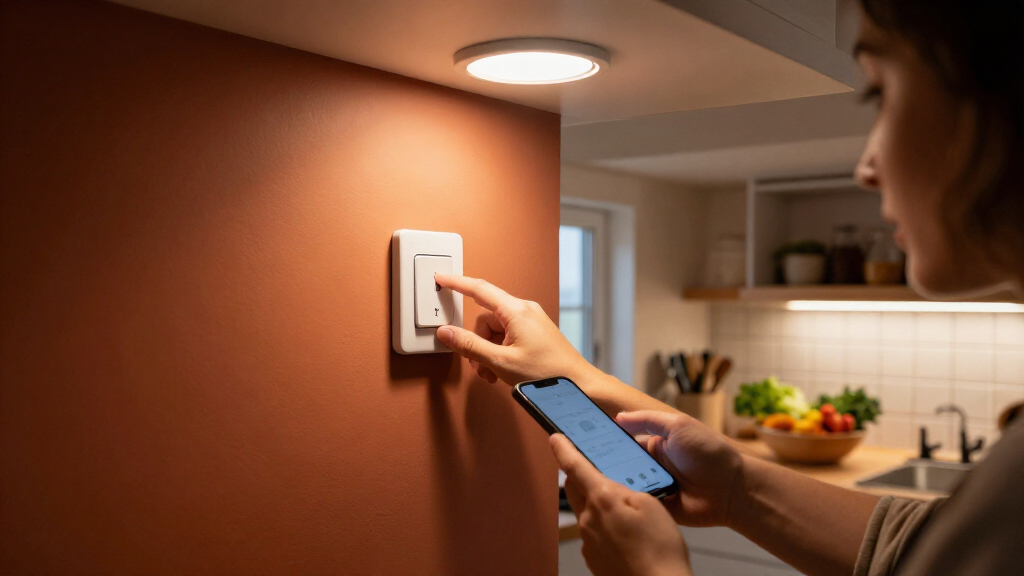

For most homes, I’d start with the TP-Link Tapo S505 Matter Smart Light Switch: it pairs app-based scheduling with Matter support, making it a flexible fit for connected homes. The Kasa KS205 is another strong choice if you want a straightforward Wi-Fi switch, while the BN-LINK 7-Day Programmable Timer suits buyers who prefer schedules set directly on the wall. The main tradeoffs are smart-home compatibility versus simpler controls, plus whether your wiring and lighting need fit the switch. Read on for the full comparison, including outdoor, countdown, dimmer, and multi-gang options.

Get home appliances delivered free with Prime
- Fast, free delivery on millions of items
- Prime Video, Amazon Music and more included
- Member-only deals all year
Complete the kit



Key Takeaways
- The Tapo S505 stands out as the most flexible starting point because its Matter support can make it easier to fit into a mixed smart-home setup; check that its wiring and single-pole design suit your circuit.
- amazon.com/dp/B01EZV35QU?tag=timerone-20&ascsubtag=dc-1262514″ target=”_blank” rel=”nofollow sponsored noopener”>Kasa offers several distinct choices rather than one interchangeable pick: the KS205 adds Matter, the HS200 keeps to a basic on/off role, the HS200-2 handles two circuits at one wall location, and the HS220 adds dimming.
- The BN-LINK and GE SunSmart timers make sense when reliable wall-based weekly schedules matter more than app control; neither should be treated as a Wi-Fi smart switch.
- The SURAIELEC 20A outdoor timer is the specialist choice for compatible outdoor loads, while the Minoston MT10W serves a different need with countdown timing instead of broad smart-home flexibility.
- The GHome 2-pack and 4-pack can simplify outfitting several single-pole locations, but buyers should check switch-box depth, neutral-wire availability, and app or voice-assistant compatibility before choosing a bundle.
| TP-Link Tapo S505 Matter Smart Light Switch, Single Pole, 2-Pack | 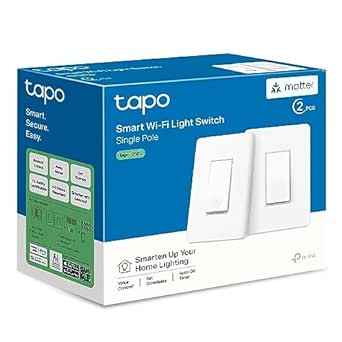 | Best Overall | Pack size: 2 switches | Switch type: Single pole, one-way | Connectivity: Matter and Wi-Fi | VIEW LATEST PRICE | See Our Full Breakdown |
| GHome Smart Wi-Fi Light Switches, Single Pole, 4-Pack |  | Best Value Multi-Switch Pack | Model: SW5 | Pack size: 4 switches | Switch type: Single pole, on-off | VIEW LATEST PRICE | See Our Full Breakdown |
| GHome Smart Wi-Fi Light Switches, Single-Pole, 2-Pack |  | Best for Straightforward App Scheduling | Model and quantity: SW5; 2 switches | Circuit type: Single-pole, one-way | Connectivity: 2.4 GHz Wi-Fi; no hub required | VIEW LATEST PRICE | See Our Full Breakdown |
| BN-LINK 7-Day Programmable In-Wall Digital Timer Switch |  | Best for Detailed Weekly Programs | Programs: Up to 18 on/off programs | Scheduling: 7-day | Modes: Automatic, manual, random vacation, daylight saving time | VIEW LATEST PRICE | See Our Full Breakdown |
| Minoston Wi-Fi Countdown Timer Switch (MT10W) |  | Best for Short Countdown Timing | Model: MT10W | Switch type: Single-pole, one-way | Timer options: 5, 10, or 30 minutes; 1, 2, or 4 hours; custom app countdown | VIEW LATEST PRICE | See Our Full Breakdown |
| SURAIELEC 20A Outdoor WiFi Smart Timer Switch |  | Best for High-Load Equipment | Model: TW03A01 | Voltage: 120V | Maximum load: 20A | VIEW LATEST PRICE | See Our Full Breakdown |
| TP-Link Kasa Matter Smart Light Switch KS205, Single Pole, Neutral Wire Required | 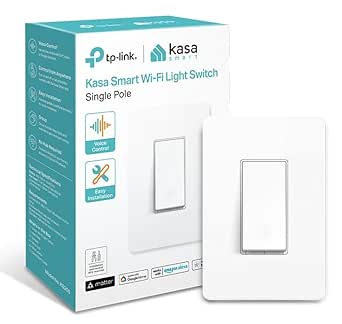 | Best for Matter Smart-Home Flexibility | Model: KS205 | Switch type: Single-pole, one-way | Neutral wire: Required | VIEW LATEST PRICE | See Our Full Breakdown |
| Kasa Smart Light Switch HS200, Single-Pole, Requires Neutral Wire | 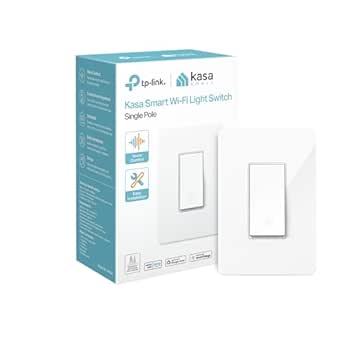 | Best for Straightforward Scheduled Lighting | Model: HS200 | Operation mode: On-off | Switch type: One-way | VIEW LATEST PRICE | See Our Full Breakdown |
| Kasa HS200-2 2-Gang Smart Light Switch, Single-Pole, Neutral Wire Required |  | Best for Two Light Circuits | Model: HS200-2 | Switch design: 2-gang, single-pole | Neutral wire: Required | VIEW LATEST PRICE | See Our Full Breakdown |
| Amazon Basics Single-Pole Smart Light Switch for Alexa |  | Best for Alexa-Only Homes | Model: WS29-01 | Switch type: Single-pole, 1-way | Operating voltage: 120 V | VIEW LATEST PRICE | See Our Full Breakdown |
| GE 7-Day In-Wall SunSmart Digital Timer Switch |  | Best for Astronomical Scheduling Without Wi-Fi | Operating voltage: 120 V | Maximum wattage: 1800 W | Installation: Single-pole or 3-way | VIEW LATEST PRICE | See Our Full Breakdown |
| Kasa Smart Dimmer Switch HS220, Single Pole, Requires Neutral Wire |  | Best for App-Controlled Dimming and Timers | Switch type: Dimmer | Wiring: Single-pole; neutral wire required | Connectivity: 2.4 GHz Wi-Fi | VIEW LATEST PRICE | See Our Full Breakdown |
| Leviton Decora Smart Wi-Fi Switch, D315S-1RW, White |  | Best for Matter and Flexible Three-Way Control | Connectivity: 2.4 GHz Wi-Fi | Smart-home compatibility: Matter, My Leviton, Alexa, Google Assistant, Apple Home/Siri, SmartThings, and Home Assistant | Load capacity: 15 A and 1/3 HP | VIEW LATEST PRICE | See Our Full Breakdown |
| wifi enabled light switches with timer | Connectivity | Neutral wire | Switch type | Model |
|---|---|---|---|---|
| TP-Link Tapo S505 Matter Smart | Matter and Wi-Fi | Required | Single pole, one-way | — |
| GHome Smart Wi-Fi Light Switch | 2.4 GHz Wi-Fi | Required | Single pole, on-off | SW5 |
| GHome Smart Wi-Fi Light Switch | 2.4 GHz Wi-Fi; no hub required | Required | — | — |
| BN-LINK 7-Day Programmable In- | — | Required | — | — |
| Minoston Wi-Fi Countdown Timer | 2.4 GHz Wi-Fi; Bluetooth also listed | Required | Single-pole, one-way | MT10W |
| SURAIELEC 20A Outdoor WiFi Sma | 2.4GHz Wi-Fi | — | — | TW03A01 |
| TP-Link Kasa Matter Smart Ligh | 2.4GHz Wi-Fi | Required | Single-pole, one-way | KS205 |
| Kasa Smart Light Switch HS200 | 2.4GHz Wi-Fi | Required | One-way | HS200 |
| Kasa HS200-2 2-Gang Smart Ligh | — | Required | — | HS200-2 |
| Amazon Basics Single-Pole Smar | 2.4GHz Wi-Fi | Required | Single-pole, 1-way | WS29-01 |
| GE 7-Day In-Wall SunSmart Digi | — | Required | — | — |
| Kasa Smart Dimmer Switch HS220 | 2.4 GHz Wi-Fi | — | Dimmer | — |
| Leviton Decora Smart Wi-Fi Swi | 2.4 GHz Wi-Fi | — | — | — |
More Details on Our Top Picks
TP-Link Tapo S505 Matter Smart Light Switch, Single Pole, 2-Pack
I’d put the Tapo S505 first for buyers who want timed lighting without tying the switch to one smart-home brand. Its Matter support connects it with Apple Home, Alexa, Google Home, and SmartThings, while schedules and timers handle routine on/off control. Local network control is useful when internet access drops, though remote access may still depend on the connected platform. Compared with the GHome SW5 4-Pack, this two-pack offers broader platform compatibility but covers fewer circuits per purchase. It also requires a neutral wire and 2.4 GHz Wi-Fi, so it is not a fit for every wall box. I’d choose it when flexibility and local control matter more than maximizing switch count.
Pros:- Matter support works with Apple Home, Alexa, Google Home, and SmartThings
- Schedules and timers automate regular lighting routines
- Local network control can work without internet access
- Two-year warranty and UL certification
Cons:- Requires a neutral wire and 2.4 GHz Wi-Fi
- Single-pole use does not suit 3-way circuits
- Two switches cover fewer circuits than the GHome SW5 4-Pack
Best for: Households using different smart-home platforms, or buyers who want a two-switch setup with local control and app-based schedules.
Not ideal for: Homes without neutral wiring, or buyers who need switches for several circuits in one purchase.
- Pack size:2 switches
- Switch type:Single pole, one-way
- Connectivity:Matter and Wi-Fi
- Wi-Fi requirement:2.4 GHz
- Neutral wire:Required
- Input voltage:100–120 VAC, 50/60 Hz
- Maximum wattage:600 W
- Compatible platforms:Apple Home, Amazon Alexa, Google Home, Samsung SmartThings
- Certification and warranty:UL certified; 2 years
Our verdict“Choose the Tapo S505 if broad platform support and local control matter more than getting the most switches in a pack.”
GHome Smart Wi-Fi Light Switches, Single Pole, 4-Pack
The GHome SW5 4-Pack is my pick for buyers automating several single-pole circuits at once. It includes four switches and wallplates, and its schedules, timers, and remote control cover the core timing jobs without requiring a hub. Alexa and Google Assistant support adds voice control, but this is a narrower smart-home fit than the Matter-enabled Tapo S505, which supports more platforms and local network control. The GHome’s stated 15 A and 1800 W capacity is also higher than the Tapo’s listed wattage, making load ratings worth checking against the intended circuit. The tradeoff is straightforward: it only supports 2.4 GHz Wi-Fi, needs a neutral wire, and is limited to single-pole wiring.
Pros:- Four switches and wallplates support multi-room installations
- Schedules, timers, and remote control are available through the app
- Alexa and Google Assistant voice control
- UL and FCC listed, with a 24-month warranty
Cons:- Requires neutral wiring and 2.4 GHz Wi-Fi
- Single-pole only, so it does not fit 3-way circuits
- Supports Alexa and Google Assistant rather than the broader platform range of the Tapo S505
Best for: Homeowners with multiple single-pole lighting circuits who use Alexa or Google Assistant and want schedules across several rooms.
Not ideal for: Apple Home or SmartThings households, homes without neutral wires, or anyone replacing a 3-way switch.
- Model:SW5
- Pack size:4 switches
- Switch type:Single pole, on-off
- Connectivity:2.4 GHz Wi-Fi
- Neutral wire:Required
- Voltage:120 V
- Maximum load:15 A, 1800 W
- Voice assistants:Amazon Alexa, Google Assistant
- Certification and warranty:UL and FCC listed; 24 months
Our verdict“Pick this four-pack when you need timed control for several single-pole circuits and use Alexa or Google Assistant.”
GHome Smart Wi-Fi Light Switches, Single-Pole, 2-Pack
For a smaller Alexa- or Google-based setup, I’d choose the GHome SW5 2-Pack over buying four switches you may not need. Its app offers timers, schedules, sunrise/sunset control, and Away Mode, giving routine lighting more options than a basic countdown switch. It also needs no hub, so it is a simpler fit than adding a separate bridge. Against the Tapo S505, though, the GHome supports fewer smart-home platforms and lacks the stated Matter compatibility and local network control. Its wiring limits matter too: it requires a neutral wire and is not compatible with 3-way circuits, dimmers, or smart bulbs. I’d treat it as a practical two-circuit option, not a flexible choice for mixed wiring or ecosystems.
Pros:- App supports timers, schedules, sunrise/sunset, and Away Mode
- Works with Alexa and Google Assistant without a hub
- Two-switch pack suits smaller installations
- UL and FCC listed with overload protection
Cons:- Requires a neutral wire and 2.4 GHz Wi-Fi
- Not compatible with 3-way circuits, dimmers, or smart bulbs
- Offers less platform flexibility than the Matter-enabled Tapo S505
Best for: Alexa or Google Assistant users who want scheduled control for one or two single-pole lighting circuits without a hub.
Not ideal for: Buyers with 3-way circuits, dimmers, smart bulbs, no neutral wire, or a need for Apple Home or Matter support.
- Model and quantity:SW5; 2 switches
- Circuit type:Single-pole, one-way
- Connectivity:2.4 GHz Wi-Fi; no hub required
- Neutral wire:Required
- Voltage and frequency:120 V, 60 Hz
- Maximum load:15 A, 1800 W
- Control features:Remote, group, schedule, timer, sunrise/sunset, Away Mode
- Voice assistants:Amazon Alexa, Google Assistant
- Compatibility limits:Not compatible with 3-way circuits, dimmers, or smart bulbs
Our verdict“Choose the GHome SW5 2-Pack for affordable app scheduling on two compatible circuits, provided your wiring and voice platform match.”
BN-LINK 7-Day Programmable In-Wall Digital Timer Switch
The BN-LINK digital timer is the schedule-first choice here, with up to 18 on/off programs across seven days. Random vacation mode can vary switching patterns, and a backup battery preserves settings during a power outage. Unlike the Wi-Fi models in this group, it does not offer app, voice, or remote control; that makes it a poor fit if you expect to adjust lighting from your phone. Its advantage over the Wi-Fi Minoston MT10W is the more elaborate weekly programming and stated compatibility with single-pole and compatible 3-way setups. Installation still depends on the wiring, including a required neutral. I’d choose it for fixed routines and local timer operation, not for smart-home integration.
Pros:- Up to 18 on/off programs across a seven-day schedule
- Random vacation mode and daylight saving time adjustment
- Works with single-pole and compatible 3-way setups
- Backup battery preserves settings during power outages
Cons:- No Wi-Fi, app, remote, or voice control
- Requires a neutral wire, and compatibility depends on the home’s wiring
- More elaborate programming may be unnecessary for buyers who only need a short countdown
Best for: People who want detailed, recurring weekly schedules and vacation-mode switching without app or voice control.
Not ideal for: Buyers who need Wi-Fi access, phone-based adjustments, voice commands, or a simple preset countdown.
- Programs:Up to 18 on/off programs
- Scheduling:7-day
- Modes:Automatic, manual, random vacation, daylight saving time
- Compatibility:Single-pole and compatible 3-way (SPDT)
- Voltage:125 V AC, 60 Hz
- Maximum wattage:1875 W
- Neutral wire:Required
- Backup battery:Built-in rechargeable
- Safety certification:ETL listed; conforms to UL 60730-1 and 60730-2-7
Our verdict“Choose the BN-LINK when you want extensive local weekly programming and can forgo Wi-Fi and phone control.”
Minoston Wi-Fi Countdown Timer Switch (MT10W)
The Minoston MT10W suits tasks where a light or compatible device should switch off after a set interval, rather than follow a weekly routine. Its preset countdowns range from five minutes to four hours, with a custom countdown available through the app. That makes it more direct for a fan or light left running temporarily than the BN-LINK 7-Day Timer, whose strength is recurring programs rather than Wi-Fi control. The Minoston also supports Alexa, Google Assistant, Smart Life, and its own app, but it remains limited to a single-pole circuit and requires neutral wiring plus 2.4 GHz Wi-Fi. It is a focused timer, not a broad Matter-style switch like the Tapo S505.
Pros:- Preset countdowns from five minutes to four hours, plus custom app timing
- Works with Alexa and Google Assistant
- Compatible with Smart Life and Minoston apps
- Amber button lighting can be adjusted or turned off
Cons:- Requires a neutral wire and 2.4 GHz Wi-Fi
- Single-pole only, unlike the compatible 3-way option offered by BN-LINK
- One-year warranty is shorter than the Tapo S505’s two-year coverage
Best for: People who want a wall switch with short preset or custom countdowns for lights, fans, or other compatible devices.
Not ideal for: Buyers seeking multi-day weekly programming, 3-way compatibility, or a switch that works without neutral wiring and 2.4 GHz Wi-Fi.
- Model:MT10W
- Switch type:Single-pole, one-way
- Timer options:5, 10, or 30 minutes; 1, 2, or 4 hours; custom app countdown
- Connectivity:2.4 GHz Wi-Fi; Bluetooth also listed
- Neutral wire:Required
- Voice assistants and apps:Amazon Alexa, Google Assistant; Smart Life and Minoston apps
- Voltage and load:120 VAC, 60 Hz; 1800 W resistive load
- Certifications:ETL and FCC
- Warranty:1 year
Our verdict“Choose the MT10W when a short, adjustable countdown is more useful than weekly schedules or broad smart-home compatibility.”
SURAIELEC 20A Outdoor WiFi Smart Timer Switch
For a pool pump, water heater, or other equipment-heavy circuit, I’d put the SURAIELEC TW03A01 ahead of the household switches here. Its 20A capacity and hardwired design suit loads that exceed the 600W ratings listed for the single-pole Kasa HS200 and TP-Link KS205. Timer options go beyond basic on/off schedules: circulation, countdown, vacation, and astronomical modes can match operation to equipment routines or changing daylight. Smart Life/Tuya control plus Alexa and Google Assistant adds remote operation without limiting voice control to one ecosystem. The tradeoff is fit: this is a dedicated hardwired timer, not a straightforward replacement for an ordinary wall light switch. It also needs 2.4GHz Wi-Fi and may call for qualified installation.
Pros:- 20A maximum load suits compatible equipment beyond the listed 600W Kasa HS200 and TP-Link KS205 ratings.
- Offers schedules, countdowns, circulation, vacation, and astronomical timer modes.
- Works with Smart Life/Tuya, Alexa, and Google Assistant for app and voice control.
- Remote control can make equipment schedules easier to adjust without accessing the switch.
Cons:- Hardwired installation is less approachable than setting up a plug-in timer.
- Requires a 2.4GHz Wi-Fi network.
- Its equipment-focused form and functions may be excessive for a basic lighting circuit.
Best for: Homeowners automating a pool pump, water heater, or other compatible high-load 120V equipment with app-based schedules.
Not ideal for: Shoppers replacing a standard indoor wall switch, or anyone unable to install hardwired equipment or connect it to 2.4GHz Wi-Fi.
- Model:TW03A01
- Voltage:120V
- Maximum load:20A
- Connectivity:2.4GHz Wi-Fi
- App compatibility:Smart Life / Tuya
- Voice assistants:Alexa, Google Assistant
- Installation:Hardwired
- Timer settings:5
Our verdict“Choose the SURAIELEC when a compatible high-load 120V circuit needs flexible Wi-Fi timer modes, rather than a conventional wall switch.”
TP-Link Kasa Matter Smart Light Switch KS205, Single Pole, Neutral Wire Required
The Kasa KS205 is my pick for a home where platform choice matters as much as timed lighting. Matter support connects it with Apple Home, Alexa, Google Home, and SmartThings, while its schedules, timers, and Away Mode cover the everyday automation needs shared with the Kasa HS200. The KS205 earns its place over that simpler Kasa option through broader ecosystem compatibility and LAN control, which allows local operation when internet access is unavailable. That flexibility is useful, but it does not remove wiring constraints: a neutral wire is required, and the switch still depends on 2.4GHz Wi-Fi. Compared with the Alexa-only Amazon Basics switch, the KS205 is a better fit for mixed-platform households, though setup and Matter features may be more than a single-platform user needs.
Pros:- Matter compatibility spans Apple Home, Alexa, Google Home, and SmartThings.
- LAN control allows operation when internet access is unavailable.
- Schedules, timers, and Away Mode support routine and away-from-home lighting.
- In-app guided installation can help users follow setup steps.
Cons:- Requires a neutral wire, which some existing switch boxes lack.
- Requires a 2.4GHz Wi-Fi connection.
- Single-pole design does not suit multi-location switching setups.
Best for: Households using Apple Home, Alexa, Google Home, or SmartThings that want scheduled lighting and room to change platforms.
Not ideal for: Homes without neutral wiring, or Alexa-only buyers who want a simpler switch and do not need Matter or LAN control.
- Model:KS205
- Switch type:Single-pole, one-way
- Neutral wire:Required
- Input voltage:100–120 VAC, 50/60 Hz
- Operating voltage:120 V
- Wattage:600 W
- Connectivity:2.4GHz Wi-Fi
- Smart-home compatibility:Matter, Apple Home, Amazon Alexa, Google Home, Samsung SmartThings
- Warranty:2 years
Our verdict“Pick the KS205 for timed lighting across multiple Matter-compatible platforms, provided the switch box has a neutral wire.”
Kasa Smart Light Switch HS200, Single-Pole, Requires Neutral Wire
If the goal is simple timed control of one lighting circuit, the Kasa HS200 covers the basics without adding Matter setup or a two-circuit layout. Through the Kasa app, users can set schedules, timers, countdowns, and Away Mode, with Alexa and Google Assistant available for voice control. It shares the 600W rating and neutral-wire requirement of the TP-Link KS205, but the KS205 makes more sense for buyers who need Matter, wider platform support, or LAN control. The HS200 is the more direct choice for an Alexa- or Google-based household that wants familiar timer functions. Its limits are equally clear: single-pole operation, a required neutral wire, and 2.4GHz Wi-Fi rule out some wiring setups and networks.
Pros:- Provides schedules, timers, countdowns, and Away Mode for flexible light automation.
- Works with the Kasa app, Amazon Alexa, and Google Assistant.
- UL certified and rated for up to 600W.
- Compact, lightweight switch body is listed at 4.8 oz without its panel.
Cons:- Requires neutral wiring, limiting compatibility with some existing switch boxes.
- Needs a 2.4GHz Wi-Fi network.
- Lacks the Matter and LAN-control features offered by the TP-Link KS205.
Best for: Homeowners replacing a single-pole light switch who want app schedules and timers with Alexa or Google Assistant control.
Not ideal for: Buyers who need Matter support, a two-circuit switch, no-neutral installation, or operation on a Wi-Fi network without 2.4GHz.
- Model:HS200
- Operation mode:On-off
- Switch type:One-way
- Operating voltage:120 V
- Wattage:600 W
- Connectivity:2.4GHz Wi-Fi
- Neutral wire:Required
- Voice assistants:Amazon Alexa, Google Assistant
- Safety certification:UL certified
Our verdict“Choose the HS200 for basic timed control of one compatible light circuit when Matter and multi-platform flexibility are not priorities.”
Kasa HS200-2 2-Gang Smart Light Switch, Single-Pole, Neutral Wire Required
When one wall position needs to control two separate light circuits, the Kasa HS200-2 offers a practical alternative to installing two individual switches. Its schedules, timers, and Away Mode bring the same core timed-lighting functions found on the single-circuit Kasa HS200, while Alexa, Google Assistant, and SmartThings provide voice-control options. The listed 1800W rating is higher than the HS200’s 600W rating, but buyers should still check that their specific wiring and loads are compatible. This model saves wall space relative to separate controls, yet it is not a shortcut around installation requirements: it needs a neutral wire, 2.4GHz Wi-Fi, and may warrant an electrician. Compared with the Matter-ready TP-Link KS205, its standout is two-circuit control rather than broad Matter platform support.
Pros:- Controls two light circuits in a single 2-gang switch.
- Supports schedules, timers, and Away Mode through the Kasa app.
- Works with Alexa, Google Assistant, and SmartThings.
- Listed 1800W rating exceeds the single-circuit Kasa HS200’s 600W rating.
Cons:- Requires neutral wiring and 2.4GHz Wi-Fi.
- Two-circuit installation can be more involved and may require an electrician.
- Does not list Matter support, unlike the TP-Link KS205.
Best for: Homeowners who want scheduled control of two compatible light circuits from one wall-mounted 2-gang switch.
Not ideal for: Buyers with no neutral wire, a single circuit to control, or a need for Matter compatibility and LAN control.
- Model:HS200-2
- Switch design:2-gang, single-pole
- Neutral wire:Required
- Wi-Fi:2.4GHz
- Operating voltage:120 V
- Wattage:1800 W
- Voice assistants:Amazon Alexa, Google Assistant
- Compatible platforms:Amazon Alexa, Google Assistant, Samsung SmartThings
- Certification:UL-certified
Our verdict“Choose the HS200-2 when two compatible circuits need separate timed control in one wall-mounted switch, and the wiring requirements are met.”
Amazon Basics Single-Pole Smart Light Switch for Alexa
The Amazon Basics WS29-01 keeps timed lighting focused on Alexa: users can control compatible lights by voice and create schedules through Alexa routines, without adding a separate hub. That narrow scope makes it easier to place than the TP-Link KS205 in a household already built around Alexa, but it is a meaningful limitation for anyone using Apple Home, Google Home, or SmartThings. Unlike the Kasa HS200, the supplied details point to Alexa routines rather than a separate switch app with listed countdown and Away Mode functions. It still requires a neutral wire and 2.4GHz Wi-Fi, so it is not a fit for every switch box or network. I’d choose it for a simple Alexa setup, not for cross-platform flexibility or richer timer options.
Pros:- Supports Alexa voice control and routines for scheduled lighting.
- Does not need a separate hub.
- Guided installation resources are available.
- ETL certification is listed.
Cons:- Works only with Amazon Alexa, unlike the multi-platform Kasa KS205.
- Requires a neutral wire.
- Requires 2.4GHz Wi-Fi and does not list timer modes beyond Alexa routines.
Best for: Alexa-centered households that want scheduled control of one compatible light circuit without a separate hub.
Not ideal for: Users of Apple Home, Google Home, or SmartThings, and buyers seeking listed countdown timers, Away Mode, or broad platform compatibility.
- Model:WS29-01
- Switch type:Single-pole, 1-way
- Operating voltage:120 V
- Connectivity:2.4GHz Wi-Fi
- Controller:Amazon Alexa
- Neutral wire:Required
- Dimensions:2.91 × 4.64 × 1.62 in
- Weight:0.11 kg
- Certification:ETL
Our verdict“Pick the Amazon Basics switch for simple Alexa-routine lighting in a home with neutral wiring and no need for other smart-home platforms.”
GE 7-Day In-Wall SunSmart Digital Timer Switch
I’d choose the GE SunSmart when the main goal is predictable, automatic timing rather than app control. Its seven-day schedules and region-adjusted sunrise and sunset settings can track changing daylight without requiring manual seasonal resets. Compared with the Wi-Fi-enabled Kasa HS220, it lacks remote access, voice commands, and app-based scheduling, but it doesn’t depend on a Wi-Fi connection for its programmed routine. A random security mode also varies switching times, while the countdown function adds a straightforward option for temporary use. The tradeoff is installation flexibility: it needs a neutral wire, and although it supports single-pole or 3-way wiring, buyers must supply a wallplate. Choose it for reliable local schedules; skip it if controlling lights from a phone is central to your setup.
Pros:- Supports up to seven weekly on/off programs
- SunSmart adjusts sunrise and sunset settings for the region
- Random security mode varies programmed switching times
- Compatible with LED, CFL, incandescent, and halogen bulbs, plus several hardwired fixture types
Cons:- Does not offer Wi-Fi, app, or voice control
- Requires a neutral wire
- Wallplate is not included
Best for: Homeowners who want weekly lighting schedules that adjust to local sunrise and sunset times without relying on Wi-Fi or a smart-home app
Not ideal for: Buyers who want remote app or voice control, or homes without a neutral wire at the switch box
- Operating voltage:120 V
- Maximum wattage:1800 W
- Installation:Single-pole or 3-way
- Neutral wire:Required
- Display:Backlit LCD
- Supported bulbs:LED, CFL, incandescent, and halogen
- Included faceplates:White and light almond; wallplate not included
Our verdict“Choose the GE SunSmart if changing daylight schedules and local timer operation matter more than phone-based control.”
Kasa Smart Dimmer Switch HS220, Single Pole, Requires Neutral Wire
The Kasa HS220 is the strongest fit here for someone who wants timers alongside adjustable light levels. Its app supports schedules, countdown timers, and away mode, while gentle fade-off makes lights less abrupt at bedtime. Compared with the non-connected GE SunSmart, it adds remote and voice control through Alexa or Google Assistant, but it depends on a 2.4 GHz Wi-Fi network rather than running as a standalone programmable timer. It also dims lights, a useful distinction from the on/off-only Leviton D315S. The constraints are real: this is a single-pole dimmer, not a 3-way replacement, and it requires neutral wiring. I’d pick it for app-managed rooms with compatible dimmable loads, but look elsewhere for multi-location control or broader load capacity.
Pros:- App-based scheduling, countdown timer, and away mode
- Supports Alexa and Google Assistant voice control
- Dimming with a gentle fade-off feature
- Hub-free operation over 2.4 GHz Wi-Fi
Cons:- Requires both a neutral wire and single-pole wiring
- Depends on a 2.4 GHz Wi-Fi connection for smart features
- 300 W maximum load is lower than the Leviton D315S’s listed 15 A capacity
Best for: Households with single-pole lighting circuits that want app-based schedules, voice control, and dimming from one switch
Not ideal for: Buyers needing 3-way wiring, a switch that works without Wi-Fi, or control of loads beyond its 300 W rating
- Switch type:Dimmer
- Wiring:Single-pole; neutral wire required
- Connectivity:2.4 GHz Wi-Fi
- Voice assistants:Amazon Alexa and Google Assistant
- Operating voltage:120 V AC
- Maximum wattage:300 W
- Included components:Switch, wall plate, wire nuts, wire label sheet, and quick installation guide
- Warranty:2 years
Our verdict“Pick the HS220 for a single-pole room where app timers and dimming matter more than 3-way support or high load capacity.”
Leviton Decora Smart Wi-Fi Switch, D315S-1RW, White
I’d put the Leviton D315S first for buyers who want scheduled Wi-Fi control that can fit a wider smart-home setup. It supports Matter alongside My Leviton, Alexa, Google Assistant, Apple Home/Siri, SmartThings, and Home Assistant, making it more flexible across platforms than the Kasa HS220, which is a dimmer tied to Alexa and Google Assistant compatibility. The Leviton also supports a broad mix of lighting and motor loads, with a listed 15 A and 1/3 HP capacity. For three-way circuits, it offers wired or wire-free control, though companion switches are sold separately. Unlike the GE SunSmart, scheduling is part of a Wi-Fi smart-switch setup, not a dedicated astronomical timer with region-adjusted sunrise and sunset. It also requires a neutral wire.
Pros:- Matter support plus compatibility with several major smart-home platforms
- Remote control and scheduling through the My Leviton app
- Supports LED, CFL, incandescent, fluorescent, and motor loads
- Offers wired or wire-free three-way control
Cons:- Requires a neutral wire
- Three-way companion switches are sold separately
- Provides on/off switching rather than dimming
Best for: Smart-home owners who want scheduled on/off lighting, Matter compatibility, and the option to configure a three-way circuit
Not ideal for: Buyers without a neutral wire, those seeking a dimmer or dedicated sunrise-and-sunset timer, or anyone wanting three-way control without buying companion switches
- Connectivity:2.4 GHz Wi-Fi
- Smart-home compatibility:Matter, My Leviton, Alexa, Google Assistant, Apple Home/Siri, SmartThings, and Home Assistant
- Load capacity:15 A and 1/3 HP
- Supported loads:LED, CFL, incandescent, fluorescent, and motor loads
- Three-way control:Wired or wire-free; companion switches sold separately
- Wiring requirement:Neutral wire required
- Dimensions:1.09 x 1.8 x 4.12 inches
- Warranty:1-year limited
Our verdict“Choose the Leviton D315S for broad smart-home compatibility and flexible three-way scheduling, provided you have neutral wiring.”

How We Picked
I compared the 13 switches by how well their control options match the promise of Wi-Fi switching with useful timing. I looked at scheduling style—weekly routines, countdown shutoff, or app-based automation—along with installation limits such as neutral-wire requirements, single-pole wiring, dimming compatibility, and indoor or outdoor use. I also weighed smart-home support, controls at the wall, and whether a product serves one switch location or several.
The ranking favors options that combine practical timers with broad day-to-day usability, then places more specialized or less connected models according to the buyers they serve. That is why the Tapo S505 and Kasa KS205 lead the smart-switch choices, while timer-only BN-LINK and GE models remain useful for buyers who value local programming. A product is not ranked higher just for having more features: a dimmer, outdoor controller, or multi-gang switch earns its place when its specific job is clear. Before buying, verify the electrical configuration and the manufacturer’s current compatibility details for your home.
| wifi enabled light switches with timer | Switch type |
|---|---|
| TP-Link Tapo S505 Matter Smart | Single pole, one-way |
| GHome Smart Wi-Fi Light Switch | Single pole, on-off |
| GHome Smart Wi-Fi Light Switch | — |
| BN-LINK 7-Day Programmable In- | — |
| Minoston Wi-Fi Countdown Timer | Single-pole, one-way |
| SURAIELEC 20A Outdoor WiFi Sma | — |
| TP-Link Kasa Matter Smart Ligh | Single-pole, one-way |
| Kasa Smart Light Switch HS200 | One-way |
| Kasa HS200-2 2-Gang Smart Ligh | — |
| Amazon Basics Single-Pole Smar | Single-pole, 1-way |
| GE 7-Day In-Wall SunSmart Digi | — |
| Kasa Smart Dimmer Switch HS220 | Dimmer |
| Leviton Decora Smart Wi-Fi Swi | — |
Factors to Consider When Choosing Wifi Enabled Light Switches With Timers
Choosing among Wi-Fi switches and programmable timers is less about collecting features and more about matching the control method to the job. I’d settle the wiring, load, and scheduling questions before comparing apps or voice assistants; a mismatch in any of those can make an otherwise appealing switch unsuitable.
Decide Whether You Need Wi-Fi or a Wall-Programmed Timer
A Wi-Fi switch lets you change settings remotely and may connect with voice assistants or broader smart-home routines. A digital timer such as the BN-LINK or GE SunSmart can run schedules from the wall without depending on an app or home network. That difference matters most when internet access is unreliable, the switch is for a shared space, or you want schedules controlled locally. Don’t assume a programmable timer is a Wi-Fi product just because it automates lights. If remote control is a firm requirement, confirm the product’s connectivity rather than relying on the word “smart” in a listing. If the schedule is fixed and simple, a wall-programmed timer may avoid app setup you do not need.
Check Wiring, Pole Type, and Switch-Box Space First
Many smart switches in this roundup require a neutral wire, and several are designed for single-pole circuits rather than multi-way switching. Older homes may lack a neutral in a switch box, so inspect the wiring or ask a qualified electrician before ordering. A switch intended for one location may not work as a direct replacement in a circuit controlled from multiple wall positions. Also check the box depth: smart switches often occupy more space than a conventional toggle, especially when wires and connectors are crowded. A bundled pack does not remove these installation requirements at each location. Treat wiring compatibility as a pass-or-fail filter, not a feature to sort out after purchase.
Match the Timer to How the Light Is Used
Weekly schedules suit lights that follow a regular routine, while countdown timers work better when you want a device to shut off after a set interval. App-based schedules can be useful for changing routines or coordinating lights with other smart-home actions. Dusk-to-dawn or sun-based behavior has a different purpose from a fixed clock schedule, so check whether the timer’s programming matches the location and season. For travel or irregular hours, look for scheduling controls that can be changed remotely and confirm what happens if the network goes offline. Avoid choosing a switch based only on the presence of a timer label; the timer’s range and control method determine whether it fits your routine.
Confirm the Load and Location Are Supported
Indoor light switches, dimmers, and outdoor timer switches are not interchangeable. Check the rated load and the type of lights or equipment being controlled, including whether the circuit uses LED bulbs or a motorized load. A dimmer such as the Kasa HS220 needs compatible dimmable lighting; a regular on/off switch is the safer choice when brightness control is not needed. Outdoor use calls for a product rated for the installation environment and the connected load, not simply a Wi-Fi connection. The SURAIELEC model is positioned for outdoor timer use, but buyers still need to verify the specific installation and load requirements. When specifications are unclear, confirm them with the manufacturer or an electrician.
Choose Smart-Home Compatibility for the Devices You Own
Wi-Fi control does not automatically mean broad compatibility with every smart-home platform. Matter support on models such as the Tapo S505 and Kasa KS205 can be useful when you want a switch to work across supported ecosystems, but you should still check the exact platform and feature support. Alexa-focused models may be a sensible fit for a home already built around Alexa, yet less suitable if you rely on a different assistant. Consider who will manage the app and whether household members need reliable controls at the wall. A switch that works well in one ecosystem can be a poor choice if it forces a separate app or hub into your routine. Verify current compatibility details before making a multi-switch purchase.
Pay for the Function You Will Use, Not a Bigger Bundle
Multi-packs can make sense when several compatible single-pole switches need replacing, but they can also leave you with unused units if wiring differs from room to room. A two-gang switch serves two circuits in one wall location; it is not the same as buying two separate switches. A dimmer adds value only when brightness control is useful and the bulbs support it. Outdoor ratings, Matter support, and more involved scheduling may justify choosing a specialized model, while a basic on/off switch can be enough for a simple light routine. Compare the installation and control needs at each location before standardizing on one model. This approach helps avoid paying for features that do not solve a real problem in your home.
Frequently Asked Questions
Can a Wi-Fi light switch run its schedule if my internet goes out?
That depends on the switch and how it stores schedules, so check the manufacturer’s documentation for offline behavior before buying. Some products may keep an existing schedule locally, while others can rely more heavily on an app or cloud service. A wall-programmed timer such as the BN-LINK or GE SunSmart avoids Wi-Fi dependence for its programmed routine, though it does not offer the same remote controls. If keeping lights on a predictable schedule during an outage is a priority, choose a model with clearly documented local scheduling. Also ask what manual control remains available from the wall when connectivity is lost.
How can I tell whether I need a single-pole or multi-way switch?
A single-pole switch typically controls a light from one wall location; a multi-way circuit lets the same light be controlled from two or more locations. If the light has multiple controlling switches, don’t assume a single-pole smart model will replace the circuit on its own. Check the product’s wiring diagram and support for your circuit type before ordering, since the options differ by model. The presence of two switches controlling one light is a good reason to pause and confirm the setup with an electrician. Buying a bundle does not make a single-pole switch suitable for a multi-way circuit.
Should I choose a Wi-Fi switch or a programmable timer if I only need lights to follow a schedule?
If you want a recurring schedule set at the wall and do not need remote access, a programmable timer can be a simpler fit. Choose Wi-Fi when you expect to adjust schedules from your phone, use voice commands, or connect the light to wider smart-home routines. The BN-LINK and GE SunSmart options serve the wall-programming use case, while Wi-Fi models such as the Tapo and Kasa switches offer app-connected controls. Think about who will change the schedule and whether network access is dependable where the switch is installed. The right choice is the least complex control method that still covers your routine.
Will a smart switch work with my existing LED bulbs?
Many ordinary on/off smart switches can control LED lighting, but the switch’s electrical requirements and the bulb or fixture specifications still matter. For a dimmer such as the Kasa HS220, the LEDs must be dimmable and compatible with the dimmer; otherwise, flickering or poor dimming performance may result. Check load limits and any compatibility guidance supplied for the specific switch and lights. If the fixture includes an integrated LED driver, confirm that the switch supports that type of load. When replacing several switches, verify each circuit rather than assuming all rooms use the same bulbs or wiring.
Is a two-gang switch the same as a two-pack?
No. A two-pack contains two separate switches that are usually installed at different switch locations, while a two-gang model combines controls for two circuits in one wall plate or box. The Kasa HS200-2 is the two-gang option in this roundup; the GHome and Tapo packs provide multiple individual switches. Check how many circuits you need to control and the number of spaces available in the wall box. Also confirm that the box has room for the device and wiring, since a combined switch can be more demanding on box space. This distinction can prevent ordering a pack that does not solve a crowded-wall or two-circuit setup.
Conclusion
For a broadly useful Wi-Fi pick, I’d choose the TP-Link Tapo S505, with the Kasa KS205 as a strong alternative for buyers who want Matter support in the Kasa line. For value across several suitable single-pole locations, compare the GHome 4-pack with the two-pack, but confirm wiring and app fit before buying multiple units. Beginners who want familiar app-based on/off control can look at the Kasa HS200 or the Alexa-focused Amazon Basics switch; those who prefer schedules set at the wall should choose the BN-LINK or GE SunSmart instead. I’d reserve the Kasa HS220 for compatible dimmable lights, the Kasa HS200-2 for two circuits at one location, the SURAIELEC for an appropriate outdoor load, and the Minoston MT10W for countdown timing. The best fit comes down to wiring first, then timer style and smart-home compatibility.
Fall yard work Picks

WORX Trivac WG588 40V Cordless 3-in-1 Leaf Blower, Vacuum, and Mulcher
As an affiliate, we earn on qualifying purchases.