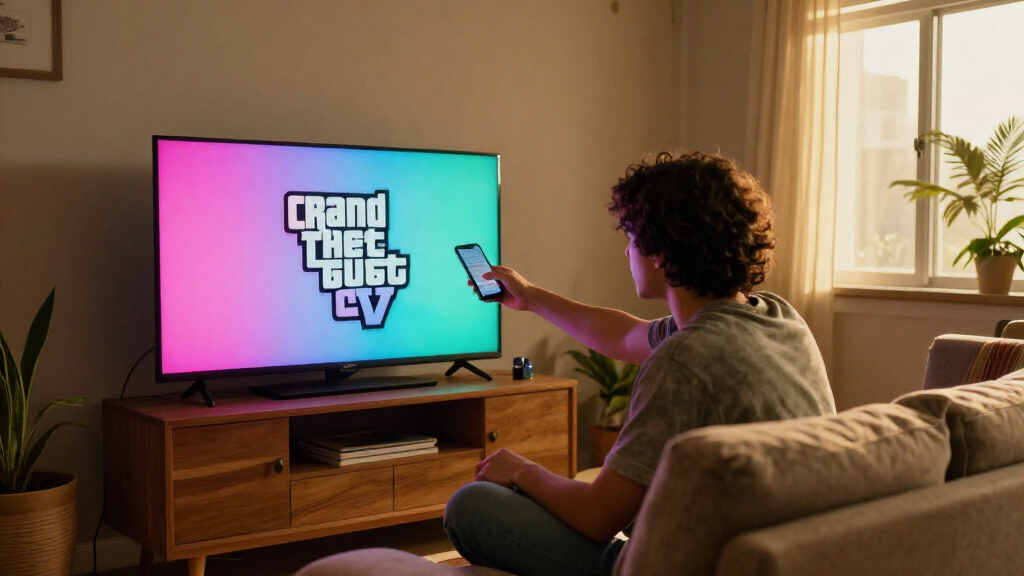

TL;DR
A Matter Alpha guide outlines ways to create a Vice City-inspired room using TV screen-sync kits, camera-based backlights and additional smart lamps. Matter can help compatible lights from different brands share basic controls, but live screen effects generally rely on each maker’s own system.
Matter Alpha has published a guide to smart lighting for Grand Theft Auto VI, comparing HDMI sync boxes and camera-based TV backlights that can echo the game’s colors around a room. The guide says Matter can connect compatible lights for basic controls, but screen-matching effects still depend largely on each manufacturer’s own lighting system.

Get home appliances delivered free with Prime
- Fast, free delivery on millions of items
- Prime Video, Amazon Music and more included
- Member-only deals all year
The guide presents the Philips Hue Play HDMI sync box 8K as an option for players who want direct HDMI capture. The box supports passthrough up to 4K at 120Hz or 8K at 60Hz, according to the report, and works with compatible Hue lights. Hue’s Play gradient strip covers the top and sides of a television; other Hue lamps can extend the color into the room. The report says the newer box can synchronize one compatible strip without a Hue Bridge, while a Bridge is useful for larger Hue entertainment setups and Matter integration. The combined cost of the box, strip and potentially a Bridge makes this a more expensive route.
For another HDMI-based setup, the guide lists Govee AI Sync Box Kit 2, which it says supports up to 4K at 144Hz or 8K at 60Hz, plus VRR and ALLM. Its strip can show segmented colors, and Govee DreamView can extend effects to compatible lights. The kit supports Matter for basic smart-home control; the report says AI features and screen synchronization remain within Govee’s own ecosystem. The extra box and wiring are practical trade-offs.
Camera-based alternatives include Govee TV Backlight 3 and 3 Pro and Nanoleaf 4D. A camera reads the screen, so the console does not have to pass through a sync box and the system can work with built-in TV apps. The guide says this may make camera kits more accessible, though reflections, room lighting and calibration can affect color matching. Nanoleaf 4D uses camera-based mirroring and can work with some compatible decorative lights through Sync+. Nanoleaf’s AI scenes are separate creative lighting tools, not a GTA VI gameplay-recognition feature.
Choosing a Setup for Vice City
The main choice is between direct HDMI capture and camera-based matching. HDMI systems read the video signal and avoid a camera’s view of the room, but they add equipment and connections between the source and television. Camera systems are less intrusive to the video path and can capture content from built-in TV apps, but their results can be affected by reflections and lighting conditions.
Players considering Matter should distinguish basic device control from live effects. In the guide’s account, Matter can make compatible products from different brands easier to operate together, but it does not itself deliver the real-time screen-color synchronization. That feature remains tied to the manufacturers’ apps and ecosystems. This matters for shoppers planning a mixed-brand setup: a lamp may respond to basic smart-home commands without joining a game’s synchronized lighting scene.
Room lights can broaden the effect without requiring every fixture to be screen-reactive. The report suggests floor lamps, cabinet strips and wall-directed spotlights to carry color beyond the television. Placement matters: indirect light can add atmosphere while avoiding a beam aimed into players’ eyes. The best fit depends on the TV, console or streaming setup, existing lights and budget, rather than on a single product being right for everyone.
Products Worth Considering

EGO Power+ 56V Cordless Leaf Blower, 880 CFM, with Two 4.0Ah Batteries

EGO POWER+ NEXUS 1400W Portable Power Station with Two 56V 6.0Ah Batteries and Charger

EGO POWER+ LB7654 Cordless Leaf Blower with 5.0Ah Battery
As an affiliate, we earn on qualifying purchases.
How Screen-Synced Lighting Works
The guide’s recommendations fall into two broad categories. An HDMI sync box analyzes video sent through it and signals compatible lights to change color. This can provide a direct feed for screen effects, but makes the box part of the home entertainment wiring. A camera-based kit instead watches the display and uses the sampled colors to control a strip behind the screen. It avoids routing the video source through an additional box, but depends on camera placement and viewing conditions.
The report also describes addressable LEDs, which let different sections of a strip display different colors at once. That capability helps reproduce changing colors around the screen. Matter’s role is narrower in the examples provided: it offers common smart-home controls such as power, brightness and color for supported products. The guide cautions that screen mirroring and manufacturer-specific features are not automatically shared across brands through Matter.
Beyond the TV kits, Matter Alpha names Aqara’s Floor Lamp T1, Govee RGBICWW Floor Lamp Pro and Nanoleaf Floor Lamp as options to explore for extending light into the room. Compatibility and the range of available controls vary by product, so shoppers should check the particular device and its integration requirements before buying.
Compatibility and Performance Questions
The supplied report is a product guide, not an independent comparative test. It does not provide measured latency, color accuracy, prices or side-by-side performance results for the listed systems. It also does not establish how any kit will perform with a specific television, console, receiver or streaming device. Buyers should check current specifications and compatibility for their own equipment.
The source does not say when GTA VI will be released or identify a game-specific lighting integration. Its suggestions are ways to mirror screen colors or create a themed scene; they should not be read as confirmation that the game has native smart-lighting support. Matter support also differs across products, and the report says some effects remain exclusive to brand-specific systems.
Check Your Setup Before Buying
For now, the practical next step is to match the lighting method to the entertainment system: check the TV size, HDMI requirements, refresh-rate needs and whether the source is a console, another HDMI device or a built-in TV app. Then confirm which lamps and strips can join the chosen brand’s synchronization feature, rather than relying on Matter support alone.
As product specifications and GTA VI details develop, buyers can revisit compatibility information before building a setup. The guide offers options for an atmospheric room, but it does not identify a universal best choice or confirm a dedicated lighting feature in the game itself.
Key Questions
Does GTA VI include built-in smart-lighting support?
The supplied guide does not confirm a native GTA VI lighting integration. Its recommendations use screen-color synchronization or themed smart-light scenes to create a Vice City-inspired effect.
What is the difference between an HDMI sync box and a camera kit?
An HDMI sync box reads video sent through the box, while a camera kit samples colors from the TV screen. A camera can avoid adding a device to the HDMI path and may work with built-in TV apps, but reflections and calibration can affect its results.
Does Matter synchronize lights with the game?
Not by itself, according to the report. Matter supports basic controls for compatible devices, while live screen effects generally depend on the lighting maker’s own system.
Which products does the guide discuss?
It covers the Philips Hue Play HDMI sync box 8K, Govee AI Sync Box Kit 2, Govee TV Backlight 3 and 3 Pro, and Nanoleaf 4D, along with floor lamps and other room lights.
Source: matteralpha.com