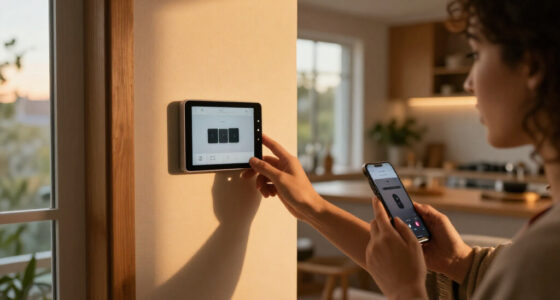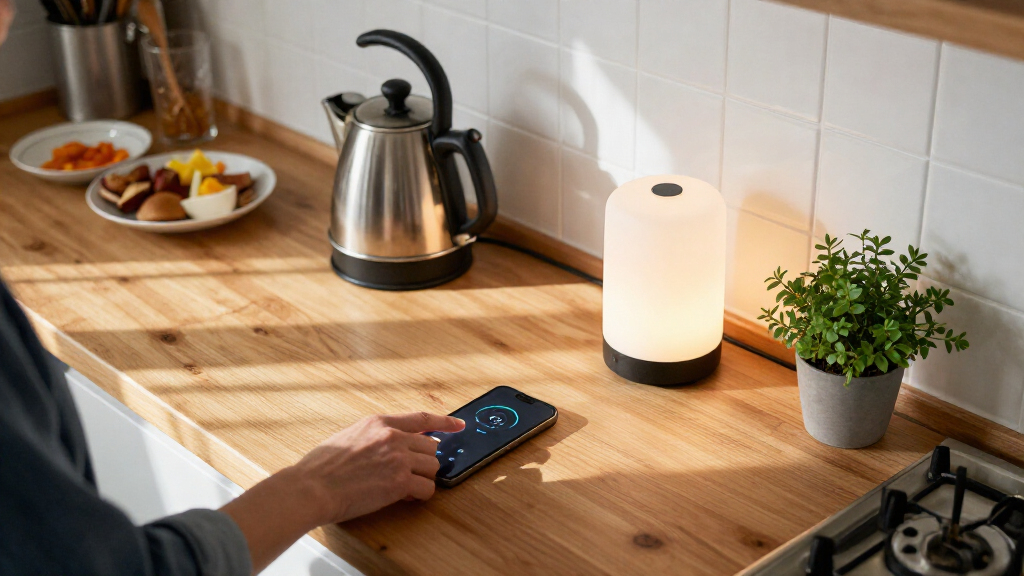

When people compare smart home timers, they are often choosing between two different approaches: adding a smart plug with app-based schedules to an existing appliance, or using a timer built into the appliance itself. The first offers centralized control and, on many models, remote operation; the second avoids an extra device and can keep working without a Wi-Fi connection. Which makes more sense depends on the appliance, the reliability you need, and whether you want control from outside the home.

Get home appliances delivered free with Prime
- Fast, free delivery on millions of items
- Prime Video, Amazon Music and more included
- Member-only deals all year

Kasa Smart Wi-Fi Plug Mini EP10P2, 2-Pack
- ✔ Model: EP10P2
- ✔ Package quantity: 2 plugs
- ✔ Connectivity: 2.4 GHz Wi-Fi
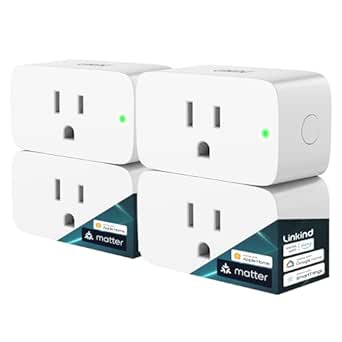
Linkind Matter Smart Plug, 4-Pack
- ✔ Model: LC09003256
- ✔ Quantity: 4 plugs
- ✔ Connectivity: 2.4 GHz Wi-Fi; IPv6 required
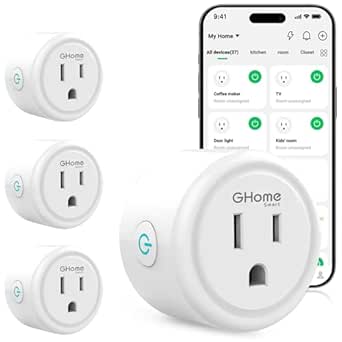
GHome Smart WiFi Plug, 4-Pack
- ✔ Model: WP3
- ✔ Quantity: 4 plugs
- ✔ Connectivity: Wi-Fi, Bluetooth
Smart plugs are usually the more adaptable option for lamps and other compatible devices that switch on safely when power returns. Built-in timers are a better fit when timing is a native feature of the appliance or when you want a straightforward local control. A timer cannot make an appliance safe for unattended operation if its manufacturer does not allow it. The comparisons below focus on that practical distinction.
At a Glance
| Criteria | Smart plugs with app-based schedules | Devices with built-in timers | Winner |
|---|---|---|---|
| Works with multiple appliances | One plug can schedule a compatible appliance; moving it to another device may require setup changes. | Usually controls only the appliance it is built into. | A |
| Remote control and automation | Often supports app control and recurring schedules; features vary by brand and model. | Generally offers local scheduling; remote control is available only on connected models. | A |
| Operation without internet | Schedules may continue locally on some models, but remote access and cloud features need connectivity. | Often works locally without internet, depending on the device. | B |
| Setup and everyday use | Requires pairing, app setup, and a suitable outlet; schedules are managed in the app. | No separate hub or plug; controls may be simpler, though menus can vary. | Depends |
| Device compatibility and safety | Only suitable for appliances whose power and operating behavior match the plug and manufacturer guidance. | Designed for the appliance, but timing features and safe unattended use depend on its instructions. | Depends |
| Cost and value | Adds a purchase cost, but can serve more than one compatible appliance over time. | May cost nothing extra if already included; connected models can carry a price premium. | Depends |
Kasa Smart Wi-Fi Plug Mini EP10P2, 2-Pack
For a household that wants dependable-looking scheduling basics without adding a hub, the Kasa Smart Wi-Fi Plug Mini EP10P2 is our most balanced pick. It supports schedules and timers through Kasa or Tapo, plus voice and remote control through Alexa and Google Assistant. Away Mode adds a distinct use: connected devices can be set to switch on and off while we are away, which is more purpose-built than a basic repeating timer.Compared with GHome, Kasa includes two plugs rather than four, but its listed 1800 W maximum is higher than GHome’s 1200 W. That makes the stated capacity a useful differentiator for buyers checking appliance compatibility. Linkind also lists 1800 W and adds Matter platform options, but asks more of the network and may require a certified hub. Kasa is the simpler route if our timer needs fit its Alexa, Google, or Kasa/Tapo ecosystem.The compact body is designed to leave the second wall outlet available, a small but meaningful advantage when sockets are scarce. The limitations are the 2.4 GHz Wi-Fi requirement and the absence of a hub in the package; it is a Wi-Fi plug, not a standalone timer. We should also avoid assuming it suits a high-draw appliance merely because it is a smart plug: the device must remain within its stated 1800 W maximum and any applicable appliance guidance.
Pros:
- Supports schedules, timers, and Away Mode
- Compact shape is designed to leave the second outlet available
- Works with Alexa, Google Assistant, Kasa, and Tapo
- Lists an 1800 W maximum and UL certification
Cons:
- Requires 2.4 GHz Wi-Fi
- Does not include a hub and is limited to a two-plug package
Best for: We want a two-plug set for routine lamp or appliance schedules, with Away Mode and Alexa or Google Assistant control.
Not ideal for: We need four plugs in one pack, Apple Home compatibility, or a timer that works without a Wi-Fi connection.
Bottom line: We would choose Kasa for straightforward everyday scheduling when two Wi-Fi plugs and its listed smart-home platforms cover the job.
“We would choose Kasa for straightforward everyday scheduling when two Wi-Fi plugs and its listed smart-home platforms cover the job.”
Linkind Matter Smart Plug, 4-Pack
When the goal is to put scheduled plug-in devices into a broader smart-home setup, the Linkind Matter Smart Plug offers the most platform options in this group. It lists Apple Home, Alexa, Google Home, SmartThings, and AiDot compatibility, along with remote control, voice commands, schedules, and timers. Its defining advantage over Kasa and GHome is Matter support and local-network communication: the supplied description says compatible devices can communicate locally during internet outages.That flexibility comes with setup conditions. Apple Home, Alexa, Google Home, and SmartThings control require a Matter-certified hub, and the plug also specifies 2.4 GHz Wi-Fi and IPv6. Kasa is the easier fit for a buyer who just wants standard scheduling through Alexa or Google Assistant, while GHome emphasizes group control across a four-plug pack. Linkind makes more sense when ecosystem choice and local-network capability are central to our timer setup and we already have—or are prepared to add—the required hub.At four plugs per pack and a listed 1800 W capacity, Linkind can cover several scheduled devices without giving up the higher stated maximum found on Kasa. Its described short-circuit and overload protection, plus fire-resistant materials, add relevant safety features, but do not remove the need to verify appliance compatibility. We should also distinguish local communication from complete independence: the product information supports local-network operation during internet outages, but does not establish every schedule’s offline behavior or how setup works without the relevant hub.
Pros:
- Lists compatibility with Apple Home, Alexa, Google Home, SmartThings, and AiDot
- Supports timers, schedules, remote control, and voice commands
- Local-network communication can continue during internet outages
- Four plugs, 1800 W listed capacity, and overload protection
Cons:
- A Matter-certified hub is required for the listed major platform integrations
- Requires 2.4 GHz Wi-Fi and IPv6, which adds network checks
Best for: We use, or plan to use, a Matter-compatible smart-home platform and want four scheduled devices with broad ecosystem options.
Not ideal for: We want the simplest possible timer setup, lack IPv6 or a required certified hub, or do not need Matter features.
Bottom line: We would pick Linkind when Matter flexibility and local-network communication are worth the added hub and network requirements.
“We would pick Linkind when Matter flexibility and local-network communication are worth the added hub and network requirements.”
GHome Smart WiFi Plug, 4-Pack
The GHome Smart WiFi Plug 4-Pack is aimed at buyers who have several devices to put on schedules. Four plugs and app-based group control make it easier to manage a set of lamps or other compatible devices together, while shared access lets family members control them too. Schedules and timers are available through the GHome, Smart Life, or Tuya app, and Alexa or Google Assistant adds voice control after setup.Compared with Kasa’s two-plug set, GHome gives us twice as many outlets in the package and group management for coordinated use. Kasa, however, lists a higher maximum wattage—1800 W versus GHome’s 1200 W—and includes Away Mode. Linkind also has four plugs and a higher listed capacity, but adds Matter and its hub and IPv6 requirements. GHome’s distinct appeal is therefore practical multi-device coverage through familiar app and voice controls, rather than the highest stated power capacity or broadest platform integration.Setup requires a stable 2.4 GHz network and the GHome app before voice assistants can be used. That extra initial step matters if we expect Alexa or Google Home to be the main way we control timers. No hub is required, which keeps the setup simpler than Linkind’s major Matter integrations, but GHome still depends on Wi-Fi and app configuration. We should skip it for devices that exceed the listed 1200 W maximum or if we need Apple Home or Matter compatibility.
Pros:
- Four plugs support schedules across several devices
- Group control and family sharing support coordinated use
- Works with Alexa and Google Assistant after GHome app setup
- No hub is required
Cons:
- Lists a lower 1200 W maximum than Kasa and Linkind
- Requires stable 2.4 GHz Wi-Fi and initial GHome app setup for voice control
Best for: We want to schedule several compatible devices, group plugs for shared control, and use Alexa or Google Assistant after app setup.
Not ideal for: We need a listed capacity above 1200 W, Matter or Apple Home support, or a setup with no 2.4 GHz Wi-Fi.
Bottom line: We would choose GHome when covering multiple lower-load devices in one app matters more than Matter support or a higher listed wattage.
“We would choose GHome when covering multiple lower-load devices in one app matters more than Matter support or a higher listed wattage.”
As an Amazon Associate we earn from qualifying purchases.
Key Differences
The main difference is where the timing control lives. A smart plug adds a scheduling layer between the outlet and a compatible appliance. That makes it useful for bringing several lamps or other suitable devices into one app, but it also means adding another piece of hardware and relying on its compatibility. The plug controls power; it does not automatically understand the appliance’s own settings or make an unsuitable device safe to operate unattended.
A built-in timer is tied to one appliance, but that can be an advantage when timing is part of how that product is meant to work. It often has fewer setup steps and can operate locally. A connected built-in timer may offer remote access too, so the label alone does not settle the choice: check the specific model’s features and instructions. For a household scheduling ordinary compatible lamps, a smart plug is usually more flexible. For an appliance with a purpose-built timer, its integrated controls are usually the simpler choice.
Detailed Comparison
Works with multiple appliances (Smart plugs with app-based schedules wins — moderate)
Smart plugs win by a moderate margin for households that want schedules on several compatible devices. A plug can be moved or replaced and often joins other plugs in the same app, though schedules may need adjustment when it is reassigned. A built-in timer normally serves one appliance. That is perfectly adequate for a single timed device, but less convenient when the goal is to build a broader routine across rooms.
Remote control and automation (Smart plugs with app-based schedules wins — moderate)
Smart plugs usually win by a moderate margin because remote switching and app schedules are common reasons to buy them. Some support voice assistants, scenes, or integrations, but capabilities vary. A basic built-in timer usually follows a fixed local schedule; connected appliances can narrow the gap or match the plug. Check that the specific app supports the schedule and integrations you want before buying.
Operation without internet (Devices with built-in timers wins — moderate)
Built-in timers often have a minor-to-moderate advantage when they operate locally. A mechanical or appliance-based schedule may continue without Wi-Fi, though its behavior depends on the device. Smart plugs differ: some store schedules and run them locally, while others depend more on cloud access. Remote control will normally require a working connection. If the schedule must keep running during an outage, check the manufacturer’s documentation for offline behavior rather than assuming.
Setup and everyday use (Devices with built-in timers wins — minor)
Built-in timers usually win by a minor margin for a single appliance because there is no separate plug to pair or outlet to occupy. Smart plugs involve app setup and may need a dependable wireless signal. Once installed, an app can make schedule changes easier to manage across devices; integrated controls can be less convenient if they use small buttons or nested menus. The simpler choice depends on whether you value a quick local setup or one place to manage several schedules.
Device compatibility and safety (major difference)
There is no universal winner; the specific appliance decides. A built-in timer is designed for its own product, but that does not mean every timed use is safe. A smart plug must match the appliance’s electrical load and operating behavior, and the manufacturer must permit that kind of switching. Some appliances need manual activation after power returns or should not be interrupted mid-cycle. Follow both manufacturers’ instructions, especially for heaters, cooking appliances, pumps, and other equipment where unattended switching could create hazards.
Cost and value (moderate difference)
The winner depends on what is already included and how many devices need schedules. A built-in timer costs nothing extra if the appliance already has one. A smart plug adds an upfront purchase, but can be good value if it adds useful scheduling to multiple compatible devices. Paying extra for a connected appliance timer only makes sense when its app control, status information, or appliance-specific functions matter to you. Compare the total cost with the features you will actually use.
Smart plugs with app-based schedules: Pros and Cons
Pros:
- Can add app schedules and remote switching to many compatible appliances.
- One app may manage schedules for several plugs and rooms.
- Can be reused with another suitable appliance if needs change.
Cons:
- Costs extra and occupies an outlet.
- Requires setup, connectivity for remote features, and app support.
- Compatibility and safe use depend on the appliance, load, and manufacturer guidance.
Devices with built-in timers: Pros and Cons
Pros:
- No separate timer hardware is needed when the feature is already built in.
- Often offers simple local control and may keep schedules without internet.
- Designed around the appliance’s own controls and operating modes.
Cons:
- Usually schedules only the appliance it belongs to.
- May have less convenient controls than a well-designed app.
- Remote access and automation are limited to connected models.
Who Should Choose What
Choose Smart plugs with app-based schedules if:
- You want to schedule multiple compatible lamps or devices through one app.
- Remote switching or app-based schedule changes would be useful.
- Your appliance manufacturer permits external power switching and the plug matches its electrical requirements.
Choose Devices with built-in timers if:
- The appliance already has a timer that covers your schedule.
- You prefer local controls and want timing to work without depending on a network.
- The appliance’s own timer supports a specific mode or cycle that a plug cannot control.
Skip both if: Neither approach fits if the appliance is not approved for unattended timed operation, needs continuous power, or must be activated manually after a power interruption. Follow its instructions and use a control method the manufacturer supports.
Value for Money
A smart plug is worth paying for when it gives you useful control over more than one compatible device, or when remote access makes schedule changes materially easier. Its value falls if you need only one simple schedule and the appliance already has an adequate timer. A built-in timer is the better value when it comes with the appliance and does the job without additional hardware. Paying a premium for a connected appliance timer makes sense only if its appliance-specific control or remote features solve a real need; otherwise, the included local timer is enough.
Final Verdict
For ordinary compatible lamps and other appliances approved for external switching, choose a smart plug when you want flexible schedules, app control, or a shared smart home routine. Choose the built-in timer when the appliance already handles timing well, local operation matters, or you want the fewest setup steps. The biggest deciding factor is compatibility and safe operation, followed by whether remote control is worth the extra cost. Most households adding schedules to several suitable devices will get more flexibility from smart plugs; for a single appliance with a good integrated timer, keep it simple and use the built-in control.
Frequently Asked Questions
Can a smart plug replace any appliance’s built-in timer?
No. A smart plug switches power at the outlet; it may not control an appliance’s internal modes or start sequence. Some appliances need manual activation after power is restored. Check the appliance instructions and use external switching only where the manufacturer permits it.
Will a smart plug schedule work if the internet goes down?
It depends on the plug. Some store schedules and run them locally, while others rely more on cloud services. Remote access generally needs a working connection. Check the model’s offline behavior before relying on it for a schedule.
Is a smart plug better than a built-in timer for a lamp?
For a compatible lamp, a smart plug is usually more flexible if you want app control, remote switching, or schedules alongside other devices. If you need one fixed local schedule and already have a suitable timer, the built-in option may be simpler and cost nothing extra.
Is it worth paying more for a connected built-in timer?
Pay more when the connected features let you change schedules remotely or control appliance-specific functions you will use. If the included timer already meets your needs and remote access adds little, the price premium is hard to justify.