TL;DR

Get home appliances delivered free — and shop member deals
- Fast, free delivery on millions of items
- Access to Prime Big Deal Days deals on October 6–7
- Prime Video, Amazon Music and more included
Smart home automation timers switch devices on, off, or to another state at set times or after a delay. Start with one low-risk routine, such as turning off a lamp at bedtime, then check the timer’s load rating, platform compatibility, and behavior during an internet or power outage.
A lamp left glowing in an empty room can run for hours simply because nobody remembered the switch. Smart home automation timers give that small, recurring task a schedule, so your home can respond at set times without you having to remember every switch.
You can use a timer to turn off a bedside lamp, adjust a morning routine, or vary lights while you’re away. Here’s how the main timer types work, where they help, and what to check before you connect one to an appliance.
Start with one simple schedule on a low-risk device, such as a lamp.
Use fixed times for steady habits, countdowns for short tasks, and sunrise or sunset triggers when daylight shifts through the year.
A timer saves electricity only when it removes run time the device would otherwise use.
Check the timer’s electrical rating and the appliance maker’s instructions before connecting a load; never use an unsuitable timer for a heater or critical dev…
Find out whether schedules keep running through internet and power outages, and test manual control and recovery behavior.
What smart timers can do for your daily routine
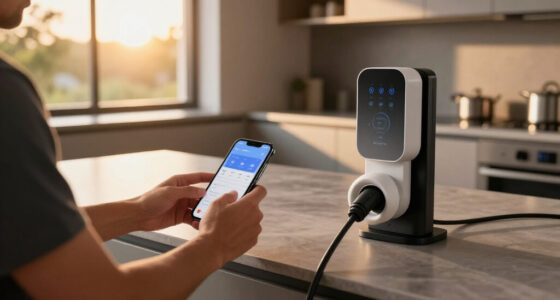
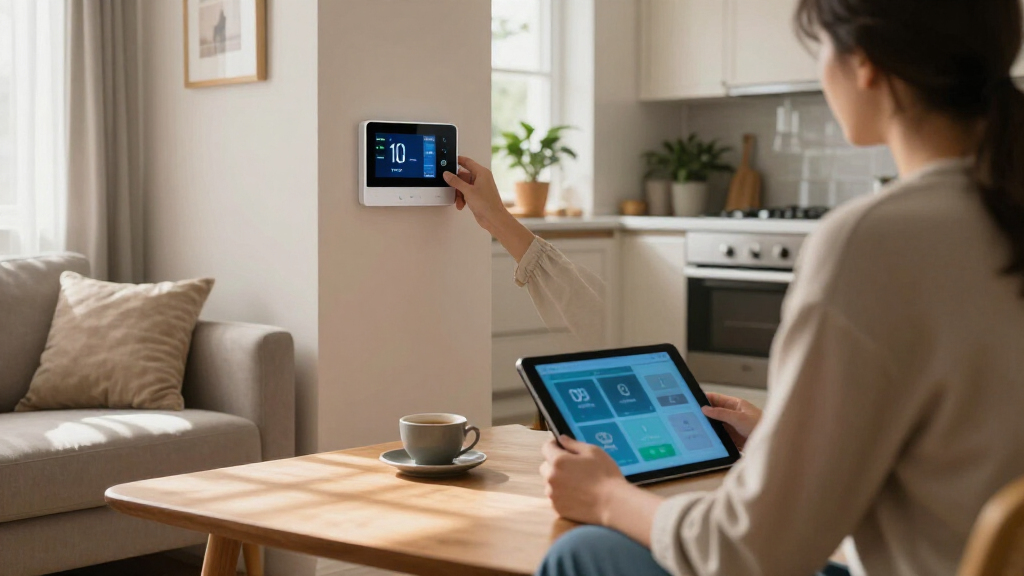
Smart home automation timers make a device turn on, turn off, or change state at a set time or after a delay. You can use one for a single light or outlet, or build a routine that coordinates several compatible devices. The key benefit is simple: repeated tasks happen on schedule, even when you’re busy.
A basic schedule might turn a hall lamp off at 11 p.m. A broader routine could brighten the kitchen lights in the morning and lower the thermostat at bedtime. Think of timers like a dependable kitchen timer for your whole home: they handle the repeatable part while you get on with your day.
For example, if you read in bed and often fall asleep with the lamp on, a countdown timer can switch it off after 30 minutes. A fixed schedule can do the same every night at a chosen time. Pick the option that fits your habit, then make sure the lamp still has a clear manual switch.
As an affiliate, we earn on qualifying purchases.
Choose a schedule that fits the way you live
Smart home automation timers work best when the schedule reflects what you actually do, rather than an ideal routine you rarely follow. Fixed schedules suit habits that happen at roughly the same time each day, while countdown and sunlight-based schedules respond better to changing plans or daylight. The right choice can save you a string of small reminders.
Say you leave for work at 8 a.m. on weekdays but sleep in on Sunday. Set a lamp or suitable device to switch off at 8:15 a.m. Monday through Friday, then give Sunday its own schedule. If sunset moves noticeably through the seasons, a sunset trigger can spare you from repeatedly editing a fixed evening time.
Common options include:
- Fixed schedules: Turn a device on or off at chosen times and on selected days.
- Countdown timers: Change its state after a set interval, such as switching a light off 30 minutes later.
- Sunrise or sunset schedules: Use your location to follow seasonal daylight.
- Randomized schedules: Vary lighting times within a window while you’re away.
- Conditional routines: Combine time with a sensor event, temperature, or occupancy setting, if your devices and platform support it.
Implementing these routines effectively requires understanding their implications. For example, fixed schedules are straightforward but inflexible—if your routine changes unexpectedly, the schedule may no longer serve your needs. Countdown timers offer flexibility, but if your routines vary in length, they might cause unintended behavior, such as turning off a device prematurely or too late, leading to energy waste or inconvenience. Sunlight-based schedules align your lighting with natural conditions, which can significantly reduce energy consumption, but they depend on accurate location data and may be less precise during overcast days or seasons, potentially causing lights to turn on or off at suboptimal times. Conditional routines can automate complex behaviors based on multiple inputs, but they introduce complexity that can lead to troubleshooting challenges if sensors malfunction or produce false triggers. Balancing these options involves considering your daily habits, the tradeoffs between energy savings and convenience, and the reliability of your hardware. Making informed choices about scheduling methods ensures your automation is both effective and dependable, avoiding frustration or unintended consequences.
As an affiliate, we earn on qualifying purchases.
Set up your first timer in five clear steps
To set up a smart timer, choose a low-risk device, confirm it works with your controller, create one schedule, and test what happens when the network is unavailable. This lets you learn how your setup behaves before you rely on it for a larger routine. A table lamp is a sensible first choice because you can see and manually check the result.
- Choose the device. Pick a lamp or another non-critical device whose maker allows scheduled power control.
- Check the match. Confirm that the timer, app, hub, and device work together. Check any hub requirements and Wi-Fi band, too.
- Read the electrical rating. Compare the timer’s voltage, current, and wattage limits with the appliance’s instructions.
- Create one simple schedule. For instance, switch a living-room lamp off at 11 p.m. on weekdays.
- Test it and try manual control. Watch the scheduled change, then make sure someone at home can still operate the device directly.
Keep the first routine easy to explain to everyone in the household. If you set up a lamp for a family member, show them the physical switch or app control as well; an automatic schedule shouldn’t make ordinary use harder.
As an affiliate, we earn on qualifying purchases.
Know when a timer can help lower energy use
A timer can reduce electricity use when it switches off a device that would otherwise keep running. It cannot make an appliance more efficient by itself, and the savings depend on the device’s power use and how much run time the schedule removes. Understanding the implications of scheduling is crucial because it directly impacts your energy costs and environmental footprint. For example, scheduling a porch light to turn off at dawn prevents unnecessary illumination during daylight hours, saving energy and reducing light pollution. Similarly, turning off a rarely used room lamp shortly after you leave saves only a small amount of energy but contributes to overall efficiency. The key is recognizing that timers are not magic solutions; their effectiveness depends on choosing the right devices and timing routines that target actual waste. Overusing timers or misaligning schedules with your habits can lead to minimal savings or even increased energy use if, for example, a device turns on unnecessarily or runs longer than needed. Therefore, understanding your household’s energy pattern and applying timers thoughtfully can maximize benefits, allowing you to reduce waste without sacrificing comfort.
For example, a porch light left on overnight can be scheduled to turn off at dawn, effectively eliminating hours of unnecessary energy consumption. A bedside lamp used only during evening hours can be set to turn off automatically, removing the chance of leaving it on accidentally. These small adjustments, when applied strategically, contribute to lower energy bills and a more sustainable lifestyle. Combining timers with energy monitors or smart plugs that display real-time power consumption helps you identify which routines yield the most savings, enabling more targeted and effective automation. Ultimately, timers are tools that, when used wisely, can help you achieve a balance between convenience and conservation, but they require awareness of your actual usage patterns and ongoing assessment to stay effective.
As an affiliate, we earn on qualifying purchases.
Check compatibility, outages, and electrical safety first
Before relying on a smart timer, check that it supports your devices, carries the right electrical rating, and keeps working in the conditions you expect. Product descriptions often use the same word for different features: one timer may offer only basic schedules, while a connected platform can combine schedules with sensors and other devices. Features depend on the specific product and setup.
Compatibility standards such as Matter are intended to help compatible devices work across participating smart-home systems. Support does not mean every advanced routine transfers between brands, though; the controller, device, and software version all matter. If a schedule depends on a particular feature, check that feature directly in the product documentation.
Pay close attention to electrical limits. A smart plug cuts power, but an appliance may not safely restart when power returns, and high-power or motor-driven devices can need special consideration. For example, some appliances like refrigerators or HVAC units have components that can be damaged by frequent power cycling. Never connect a heater, medical device, or other critical appliance unless its manufacturer permits that control and the timer is explicitly rated for the load. Using an incompatible or undersized timer can result in overheating, damage, or even fire. For electrical work beyond plugging in a rated device, use a licensed professional; switch off power and use suitable protective equipment before any permitted hands-on electrical work. Recognizing these limitations helps prevent accidents and ensures your automation functions reliably over time.
Also look for what happens after a router failure, internet outage, or power cut. A locally stored schedule may keep running without internet, while a cloud-dependent routine may stop or lose remote control. Check the maker’s stated recovery behavior, confirm your time zone and location, and review account security, app permissions, and software-update support. This awareness is vital because relying solely on cloud services can leave your home vulnerable during outages, potentially affecting safety-critical functions. Ensuring your devices can operate safely and predictably during such events is essential for long-term reliability and peace of mind.
Use away-from-home lighting as a modest extra cue
Varied lighting schedules can make a home look less predictably empty while you’re away, but timers are not a security system. A randomized schedule can switch lights within a time window instead of repeating the same on-time each night. This variation can create a more convincing illusion of occupancy, but it’s important to understand its limitations. While randomized lighting can deter casual intruders by mimicking natural activity, it does not replace comprehensive security measures. Sophisticated intruders may recognize the pattern or realize the lights are automated, especially if the routine is overly predictable or runs on a simple cycle. Therefore, use this technique as part of a layered security approach—combine it with cameras, alarms, and other physical security measures. It’s a useful tool for enhancing the perception of activity, but relying solely on automated lighting can give a false sense of security. Properly managing expectations and integrating multiple security strategies ensures your home remains protected without overestimating the effectiveness of lighting cues alone.
For example, setting a living-room lamp to turn on randomly between 7 and 9 p.m., along with other lights following different patterns, can create a more natural and less predictable appearance. However, always remember that this is a supplementary measure, not a standalone security solution. Be cautious about overusing automated lighting routines, and remain aware that experienced intruders can sometimes detect or bypass such cues. Combining lighting automation with traditional security practices offers a more reliable way to discourage intruders and maintain peace of mind during your absence.
Keep routines predictable when brands and schedules overlap
Multiple smart timers work smoothly when each device has a clear schedule and your system has a predictable way to resolve simultaneous commands. Problems often start when two routines control the same light or appliance at the same time. One schedule may turn a lamp off just as a motion routine turns it back on, leading to flickering or conflicting commands that can frustrate users and reduce automation reliability.
Suppose your hallway light follows both a 10 p.m. bedtime schedule and a motion sensor. If both routines trigger simultaneously, the light might flicker or behave unpredictably. To prevent this, decide which routine should have priority—perhaps the motion sensor overrides the schedule when motion is detected, or vice versa—and set this explicitly in your system. Testing these interactions at night helps you identify conflicts before they become disruptive. Giving each routine a clear, descriptive name helps household members understand what each does, reducing confusion and accidental overrides.
Support for cross-brand routines varies; some controllers support complex priority rules, while others don’t. Always verify that the specific functions you need work as expected after setup and after any updates. Understanding how overlapping routines interact is vital because uncoordinated commands can leave your home either unlit when needed or in a state of constant switching, which can be both annoying and energy-wasting. Clear naming conventions, routine priorities, and regular testing help maintain a predictable, user-friendly environment that enhances the convenience and safety of your smart home system.
Frequently Asked Questions
Can a smart timer work without Wi-Fi or internet?
Sometimes. A schedule stored and run locally may continue without internet, while cloud-dependent routines can stop or lose remote control. Check the product instructions and test its offline behavior before relying on it.
What is the difference between a smart timer and a smart plug?
A smart plug is the controllable outlet, and its app or connected platform may provide schedules and countdowns. A dedicated timer may offer built-in controls, but capabilities vary by product. Check the features you need rather than relying on the name.
Can smart timers save electricity?
They can reduce wasted run time when they turn off devices that would otherwise stay on. The amount depends on the appliance’s power use and how much time the schedule removes. A timer does not make every device more efficient.
Are smart timers safe for heaters or other high-power devices?
Only use a timer if it is specifically rated for the appliance and load and the appliance maker permits that type of control. Check the instructions and electrical ratings, and never exceed the timer’s limits. Using an incompatible or undersized timer can lead to overheating, damage, or fire. For high-power or critical devices, consult a licensed electrician to ensure safe installation and operation.
What happens to a smart timer after a power outage?
Behavior varies: some timers retain their schedules and resume operation automatically, while others may reset or require manual intervention. Check the manufacturer’s recovery instructions and test your setup to understand how it will behave during outages, ensuring safety and reliability during such events.
Conclusion
Start with one useful, low-risk schedule and check its compatibility, electrical rating, and outage behavior before you depend on it. When the setup fits your habits, the hallway light clicks off on its own, and one more small task disappears from your evening.
NFL season / tailgating Picks
team gear
As an affiliate, we earn on qualifying purchases.