
TL;DR
Listen free for 30 days with Audible
Thousands of audiobooks and originals — cancel anytime.
Start your free trialAs an affiliate, we earn on qualifying purchases.
Syncing multiple light timers ensures your home lights turn on and off in harmony, improving security and saving energy. Using smart timers and automation hubs makes this process seamless and reliable.
Ever tried to set multiple timers for your holiday lights or outdoor fixtures, only to find they drift out of sync after a few days? It’s frustrating. But with a little know-how, you can get all your timers working in perfect harmony, like a well-choreographed dance. Whether you’re lighting up your driveway, garden, or entire house, syncing timers saves you time, energy, and head-scratching adjustments.
In this guide, you’ll learn practical methods to coordinate multiple timers, from simple manual tricks to advanced smart home setups. You’ll see how modern technology makes it easy to keep everything in sync—no matter how many timers you have or how complex your lighting scene.
Smart timers connected via hubs or apps make syncing across multiple devices quick and reliable.
Manual synchronization is simple but prone to drift; regular checks prevent surprises.
Choose timers compatible with your home automation ecosystem for seamless control.
Firmware updates and proper wiring keep your timers in sync longer and safer.
Planning your setup with compatibility and future expansion in mind saves headaches down the line.
How to Sync Multiple Light Timers Across Your Home
TL;DR: Syncing multiple light timers keeps your lights turning on and off in harmony, improving security, saving energy, and eliminating the slow schedule drift that makes porch, garden, driveway, and holiday lights feel out of step.
“Use one reliable clock source, one shared routine, and one ecosystem whenever possible.”
Choose the Timer Type Before You Sync
The easiest synchronization starts with the right hardware. Simple timers can work for a few fixtures, but larger lighting scenes benefit from networked control, automatic updates, and compatibility with your smart home platform.
Simple but Prone to Drift
Dial-based timers are inexpensive and familiar, but each unit must be set by hand. They work best for occasional use or a small number of lights.
Better Precision, Still Manual
Digital timers offer cleaner schedules and multiple on/off windows, but each device still needs programming, checking, and daylight saving adjustments.
Centralized and Scalable
Wi-Fi, Zigbee, and Z-Wave timers can follow app routines or hub scenes, making them the strongest choice for whole-home synchronization.
Manual Sync: The Old-Fashioned Method
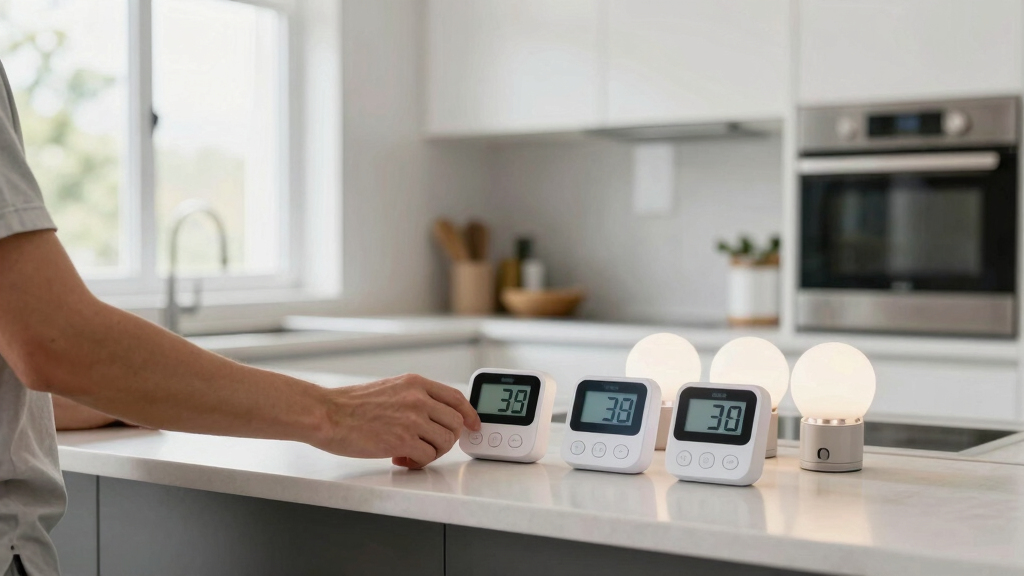
If you are not using Wi-Fi or a hub, treat every timer like a clock that needs the same reference time and the same schedule. Precision at setup reduces mismatched lighting later.
Pick a Clock
Use your phone as the reference time for every timer.
Set Time
Match each timer down to the minute before programming.
Program
Enter the same on/off schedule on every device.
Verify
Recheck displays, modes, and active days after setup.
Resync
Adjust after power outages or daylight saving changes.
Compare Your Synchronization Options
Manual setup gives you direct control, but smart hubs and network automation reduce human error and keep complex lighting scenes consistent across larger homes.
| Method | Ease of Use | Reliability | Best For | Drift Control |
|---|---|---|---|---|
| Manual Setting | ✗ Low | Variable | Few timers, occasional use | ~ Requires checks |
| Single Smart Hub | ✓ High | High | Multiple timers, regular routines | ✓ Automatic |
| Network-Based Automation | ✓ Very High | Very High | Large homes, complex scenes | ✓ Real-time sync |
| Master-Slave Configuration | ~ Medium | Medium to High | Systems that support device following | ~ Depends on platform |
Reliability Rises with Central Control
A smart home ecosystem lets porch, backyard, driveway, and holiday lights follow one routine. Mesh networking can improve reach across dozens of devices, while firmware updates help preserve compatibility.
Setup Complexity vs. Long-Term Effort
Smart hubs take more planning upfront, but they reduce repeated adjustments after schedule edits, outages, seasonal time changes, and device additions.
Keep Timers in Sync Over Time
Synchronization is not just a one-time setup. Good maintenance prevents drift, missed routines, and surprise lighting behavior.
Use a Central System
Connect timers to a hub or automation app so schedules update from one place.
Check After Outages
Power interruptions can reset clocks or disable routines on older timers.
Update Firmware
Smart timer updates often improve synchronization, security, and platform support.
Plan Compatibility
Choose devices that match your ecosystem, wiring, voltage, and future expansion plans.
Trace the Ideal Whole-Home Flow
The cleanest setup connects every lighting zone to a shared routine, then lets the automation layer handle timing, seasonal changes, and synchronized switching.
Choose the Right Type of Light Timer for Easy Syncing
The first step is picking the right timer. Mechanical timers are simple but tricky to sync across many units—they lack the flexibility and precision needed for consistent automation, especially when you need multiple devices to operate in perfect harmony. Digital timers offer more accurate timekeeping and programmable schedules, making it easier to align multiple units, but they still require manual setup and adjustments, which can be time-consuming and prone to human error. Smart timers connect via Wi-Fi or protocols like Zigbee/Z-Wave, allowing centralized control through apps or hubs. They enable you to synchronize multiple devices effortlessly, often supporting automatic updates and adjustments based on your routines or environmental factors. The tradeoff is that smart timers typically cost more and require a stable internet connection or compatible hub, but the benefits in reliability and convenience often outweigh these considerations. Choosing the right timer depends on your specific needs: for simple setups, digital timers may suffice; for complex, integrated systems, smart timers provide a scalable, future-proof solution that ensures your schedule remains consistent across all devices.
As an affiliate, we earn on qualifying purchases.
How to Manually Synchronize Timers the Old-Fashioned Way
- Set each timer to the exact same time—down to the minute. Use a reliable clock or your phone as a reference. This initial step is crucial because even a few seconds’ discrepancy can cause noticeable mismatches in your lighting schedule, especially over longer periods. Precise alignment at this stage minimizes the need for frequent adjustments later.
- Program the on/off schedule carefully. For example, lights turn on at 6:00 PM and off at 11:00 PM. Make sure to double-check the schedule on each timer after programming, as small errors can propagate and cause inconsistencies.
- Double-check all timers after initial setup, especially if they’re mechanical or digital without network sync. Confirm that they all display the same time and follow the same schedule, because even minor discrepancies can lead to lights turning on or off at unintended times.
- Adjust as needed when clocks change for daylight saving time or power outages. Remember, manual timers require you to revisit and reset schedules periodically, which can be labor-intensive but ensures control over each device’s operation.
This method works but can be tedious, especially if you have many timers or frequently change your schedules. The main limitation is that manual adjustments tend to drift over time due to slight inaccuracies in clocks or manual errors, which can lead to misaligned lighting scenes. Regularly reviewing and re-synchronizing your timers, particularly after seasonal time changes or power interruptions, helps maintain consistent operation and avoids surprises when your lights don’t turn on or off as planned.

BN-LINK Outdoor 7-Day Programmable Timer Outlet, 2 Outlets
- Programmable Scheduling: Up to 8 on/off programs for two outlets
- Easy Setup: Select individual or preset days, DST mode
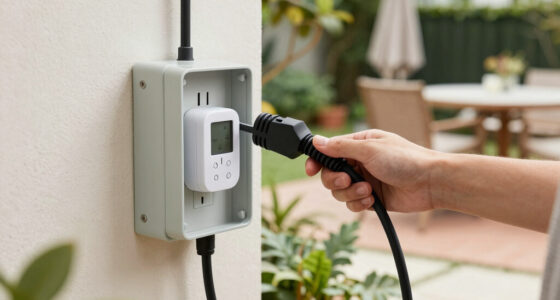
- Weatherproof Design: Durable, waterproof cover for outdoor use
As an affiliate, we earn on qualifying purchases.
As an affiliate, we earn on qualifying purchases.
Use a Central Hub or App to Sync Multiple Smart Timers
Smart timers connected through a home automation hub or app make synchronization not only effortless but also highly reliable. Most systems allow you to create scenes or routines where multiple lights turn on or off simultaneously, regardless of their physical location or individual timer settings. This centralized control ensures that all devices operate in perfect harmony, eliminating the guesswork and manual adjustments that often cause drift over time.
Imagine setting a weekly schedule where porch, backyard, and driveway lights all turn on at sunset and turn off at a specified time. Instead of configuring each timer individually, you program this routine once in the app or hub. The system then manages all connected devices, keeping them synchronized even if schedules change due to daylight saving time or power outages. This method reduces human error, saves time, and provides a scalable solution for larger or more complex lighting setups.
Popular platforms like SmartThings, Hubitat, or Apple HomeKit support multiple timers and complex scene creation. The key is choosing timers compatible with your ecosystem and ensuring they support your hub’s protocols, such as Zigbee or Z-Wave. By leveraging these centralized systems, you create a reliable, scalable, and easy-to-manage lighting automation setup that adapts to your home’s needs and future expansions.

SikSog Smart Recessed Lighting 4 Inch RGBCW Color Changing 12W LED Downlight with Junction Box,1080 Lumen Recessed Ceiling Light Compatible with Alexa,Dimmable by Bluetooth Control -12Pack
- Voice Control Compatibility: Works with Alexa for voice commands
- RGB+CCT LED Downlight: 16 million colors, adjustable temperature
- Dimmable and Color Changing: Adjust brightness and colors from 1%-100%
As an affiliate, we earn on qualifying purchases.
As an affiliate, we earn on qualifying purchases.
Compare Synchronization Options in a Handy Table
| Method | Ease of Use | Reliability | Best For |
|---|---|---|---|
| Manual Setting | Low | Variable | Few timers, occasional use |
| Using a Single Smart Hub | High | High | Multiple timers, regular updates |
| Network-Based Automation | Very High | Very High | Large homes, complex scenes |

DUSKTEC Smart Recessed Lighting 4 Inch Color Changing LED Recessed Lights Compatible with Alexa, 10W RGBW Recess Ceiling Light, Canless Wafer Downlight with Junction Box, 1000LM (6 Pack)
- Voice Control Compatibility: Works with Alexa, Siri, and Google Assistant
- Mesh Network Technology: Bluetooth 5.0 mesh for wide coverage
- Smart Group Control: Control up to 255 lights via HUB
As an affiliate, we earn on qualifying purchases.
As an affiliate, we earn on qualifying purchases.
Tips for Keeping Your Timers in Sync Over Time
- Use timers connected to a central automation system for automatic updates. This reduces manual intervention and ensures your schedules stay aligned even when external conditions change, such as daylight saving adjustments or power fluctuations.
- Set reminders to check and re-sync timers after daylight saving changes or power outages. Regular maintenance prevents drift, which can cause your lighting scenes to become misaligned over time, especially if timers aren’t updated automatically.
- Pick timers that support firmware updates—these often include improvements in synchronization accuracy and compatibility. Keeping firmware current ensures your timers benefit from the latest features and bug fixes, reducing the risk of synchronization issues.
- For outdoor or holiday setups, consider timers with backup power or manual override options. This ensures your lighting remains consistent during weather events or power disruptions, maintaining security and aesthetic appeal.
- Regularly review your schedules in the app to catch any drift or errors. Periodic checks help you identify discrepancies early, so you can adjust settings before they impact your lighting automation.
One homeowner found that updating firmware on her smart timers every few months kept everything perfectly aligned, saving her hours of manual adjustments. Investing time in these practices pays off by maintaining a seamless lighting experience and avoiding unexpected surprises.
What to Watch Out for When Syncing Multiple Timers
Compatibility issues can significantly hinder your synchronization efforts. Mixing timers from different brands or protocols, such as Zigbee and Z-Wave, can introduce delays or failures because they may not communicate seamlessly. For example, a Zigbee timer might not sync perfectly with a Z-Wave device due to protocol differences, leading to inconsistent operation or delays that compromise your lighting scenes. Understanding the protocols and ensuring all devices are compatible within your ecosystem is crucial to prevent such misfires, especially in complex setups.
Wiring problems or incorrect installation can also throw off your schedule. Faulty wiring, loose connections, or improper grounding can cause timers to reset or fail to trigger at the right times, impacting security and aesthetic goals. Always turn off power before wiring timers and follow safety guidelines or hire a licensed electrician for hardwired systems. Proper installation not only ensures safety but also preserves synchronization integrity over time.
Firmware and app updates are essential for maintaining reliable operation. Outdated devices may lose synchronization or become incompatible with newer hubs or apps, causing unexpected failures. Regularly check for updates and apply them promptly to keep your system running smoothly.
Finally, be mindful of time zone changes and daylight saving time. Manual timers often need manual adjustment twice a year, risking human error, while smart timers can handle automatic adjustments. Neglecting these details can lead to lights turning on or off at inconvenient times, reducing security and energy efficiency. Recognizing these pitfalls and planning for automatic updates or manual reprogramming ensures your lighting automation remains dependable and effective.
Frequently Asked Questions
Can I sync my existing timers without replacing them?
Yes. If they’re digital timers with similar schedules, you can manually set them to match. For more reliability, consider replacing some with smart timers that sync via a central app or hub.What’s the easiest way to keep timers synchronized long-term?
Use timers connected through a smart home hub or automation platform. These systems automatically update schedules and reduce manual adjustments, keeping everything in sync over time.Are there risks or safety concerns when wiring multiple timers?
Always turn off power before wiring or adjusting timers. For hardwired systems, hiring a licensed electrician is safest. Proper wiring and adherence to electrical codes prevent hazards and ensure reliable operation.How do I handle daylight saving time changes?
Smart timers and automation hubs typically adjust automatically. Manual timers require you to reset the clocks or reprogram schedules twice a year.Can I sync timers for outdoor lighting in rain or extreme weather?
Yes, but choose timers rated for outdoor use with weatherproof enclosures. Regularly check connections and update firmware to maintain synchronization and durability.Conclusion
Syncing your home’s light timers isn’t just about convenience. It’s a smart move that enhances security, cuts energy costs, and adds a touch of automation magic. With the right tools—be it a simple app or a robust smart home hub—you can make your lighting work perfectly in harmony.
Start by assessing your current timers and goals. Then, pick the system that suits your home best. Before long, you’ll enjoy lights that turn on and off exactly when you want—without a second thought or manual fuss.
Back to school Picks
back to school
As an affiliate, we earn on qualifying purchases.