TL;DR

Get home appliances delivered free with Prime
- Fast, free delivery on millions of items
- Prime Video, Amazon Music and more included
- Member-only deals all year
Smart plugs generally work best when plugged directly into wall outlets. Using them with power strips is risky unless the strip is designed for smart devices. Always follow manufacturer safety guidelines to avoid overloads and fires.
Imagine you’re trying to control multiple lamps or devices from your couch, and you think, “Why not plug a smart plug into a power strip?” That’s a common question, but here’s the truth: most smart plugs aren’t designed for that. Using them with power strips can be risky — safety hazards, connectivity hiccups, or even damage.
If you want your smart home to work smoothly and safely, it’s important to understand how smart plugs and power strips interact. This guide covers the essentials, busts myths, and shows you smarter ways to automate with confidence.
Most smart plugs are designed for direct wall outlet use, not power strips.
Using smart plugs with power strips can overload circuits, causing overheating or fires.
Always check the current rating of your smart plug and the power strip before use.
Smart power strips are safer and more flexible for controlling multiple devices remotely.
Follow manufacturer instructions to keep your smart home setup safe and reliable.
Why Most Smart Plugs Don’t Play Nice with Power Strips
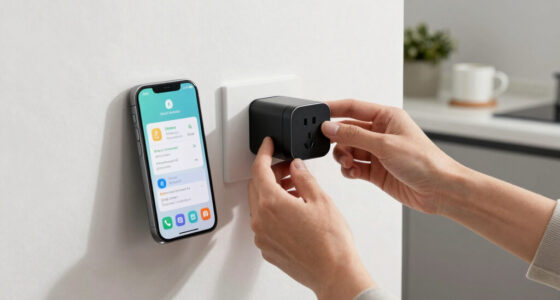
Smart plugs are built to plug into wall outlets, not into power strips. When you connect a smart plug to a power strip, you risk overloading the strip or the smart device itself. Many smart plugs have safety features that might trip or shut down if they detect irregular power flow, which can happen when used with a power strip.
For example, if your power strip is rated for 15 amps but you plug in multiple devices, including a smart plug, the total load could exceed safe limits. This isn’t just about tripping a circuit breaker; it can lead to persistent overheating, damage to your devices, or even electrical fires. Understanding the importance of proper load management is crucial because exceeding safe current limits compromises the insulation and safety mechanisms built into your devices. It’s a tradeoff between convenience and safety — sacrificing the latter can have serious consequences, including property damage or injury. Always check the smart plug’s maximum current — most are around 10-15 amps — and compare it to your strip’s ratings to prevent these risks.
As an affiliate, we earn on qualifying purchases.
Safety First: What Happens When You Use a Smart Plug with a Power Strip
Using a smart plug with a power strip isn’t just about compatibility — it’s about safety. Overloading a strip can cause it to overheat, especially if it’s old or cheap. Overheating can lead to electrical fires, which nobody wants in their home.
For instance, imagine plugging a smart plug into a power strip that’s already loaded with several chargers and a space heater. The combined current draw might surpass the strip’s safety limits, and the smart plug’s built-in safety features could trip, but in some cases, the overheating might go unnoticed until damage occurs. This can weaken the insulation and safety mechanisms over time, increasing the risk of fire or electric shock. To mitigate these dangers, it’s essential to match your devices’ power needs with the strip’s capacity and avoid overloading. Recognizing the implications of overloading helps you make informed decisions that prioritize safety and prolong the lifespan of your devices.
smart power strip with multiple outlets
As an affiliate, we earn on qualifying purchases.
As an affiliate, we earn on qualifying purchases.
Best Practices for Using Smart Plugs Safely
- Use smart plugs directly in wall outlets whenever possible. This minimizes the risk of overloads and ensures the device operates within its designed safety parameters.
- Check the maximum current rating of your smart plug before connecting to any power strip. Understanding the load capacity helps prevent accidental overloads that could cause overheating or damage.
- Choose high-quality, surge-protected power strips rated for the load — ideally, ones specifically designed for smart home use. Investing in quality equipment reduces the risk of electrical faults and prolongs device lifespan.
- Avoid plugging multiple high-wattage devices into the same strip with a smart plug. Distributing power load across multiple outlets prevents excessive current flow, maintaining safety and device integrity.
- Consider smart power strips if you need control over multiple devices — these are built for safety and convenience, with individual outlet control and overload protection. They offer a balanced approach, combining automation with safety.
For example, if you want to automate a series of lamps, a smart power strip with individual outlets gives you control without risking overloads or safety issues. Proper setup and understanding of load limits are essential for safe and effective automation.
As an affiliate, we earn on qualifying purchases.
Smart Power Strips: Safer and Smarter for Multiple Devices
Smart power strips are like the Swiss Army knives of home automation. They have multiple outlets, each controllable via app or voice, and often feature surge protection and overload safety. These built-in safety features are critical because they actively monitor the current load and shut down outlets if an overload occurs — preventing potential fires or damage.
For example, a smart power strip can control your TV, sound system, and gaming console separately, all from your phone. This not only enhances convenience but also ensures that each device is protected from overcurrent conditions. The ability to control individual outlets allows you to optimize energy use and reduce risks associated with simultaneous high-wattage device operation, especially important when managing multiple devices in a smart home environment.
As an affiliate, we earn on qualifying purchases.
How to Choose the Right Power Strip for Your Smart Devices
| Feature | What to Look For |
|---|---|
| Rating | At least 15 amps, surge protection, overload safety — these ensure the strip can handle the total load safely and respond to overloads promptly, reducing fire risk. |
| Number of Outlets | Match your needs — 3, 6, or more outlets — but remember, more outlets mean more potential overload points. Distribute your devices wisely to maintain safety. |
| Smart Compatibility | Check for app control and voice assistant support. Compatibility ensures seamless integration into your automation setup, but also verify that the device supports safety features like individual outlet control and overload detection. |
| Build Quality | Heavy-duty plastic, good insulation, safety certifications — these are indicators of durability and safety. A well-built strip reduces the risk of electrical faults or fire hazards. |
| Design Features | Individual outlet control, remote control, energy monitoring — these features enhance safety by allowing you to manage load and monitor device health, preventing overloads and potential hazards. |
Choosing the right strip isn’t just about capacity; it’s about understanding how its safety features and build quality contribute to a safer, more reliable smart home setup. Prioritize safety features and proper ratings to ensure your automation doesn’t come at the expense of safety.
Alternatives to Using Smart Plugs with Power Strips
If your goal is to control multiple devices remotely, don’t rely on plugging a smart plug into a power strip. Instead, opt for a smart power strip designed for multiple outlets. These devices have built-in safety features and are specifically engineered to handle the load of multiple devices without risking overheating or damage.
For example, instead of trying to control your entire entertainment center with individual smart plugs, a single smart power strip can do the job safely and efficiently. This approach reduces the risk of overloads, simplifies your setup, and ensures safety by design. It also allows for more granular control over each device, which can be critical for energy management and safety monitoring.
What You Need to Know Before Plugging Anything In
Always read the manufacturer’s instructions. Most smart plugs explicitly recommend against using power strips or extension cords because these can introduce additional points of failure or overload. Ignoring this advice can void warranties and, more critically, create serious safety hazards such as overheating, electrical shorts, or fires.
Check the device’s maximum current rating, and ensure your power strip matches or exceeds this. Additionally, inspect your strip for signs of wear, damage, or overheating before plugging in. Recognizing these factors helps prevent potential hazards and ensures your setup remains safe and reliable over time. Understanding these details underscores the importance of respecting manufacturer guidelines, as improper use can compromise safety and device longevity.
Frequently Asked Questions
Can I plug a smart plug into a power strip?
Most smart plugs aren’t designed for that. It’s generally not recommended because of safety risks like overloads and overheating. Always check the manufacturer’s guidelines before trying this.
Are all power strips unsafe for smart plugs?
No, but many standard power strips aren’t rated for the high loads or safety features smart plugs need. Look for strips with surge protection and a 15-amp rating for safer use.
What are the risks of using a smart plug with a power strip?
The main risks include overheating, electrical fires, and damage to the smart device. Overloading a strip or using an incompatible setup can turn your smart home into a safety hazard.
Is there a safer way to control multiple devices remotely?
Yes, use a smart power strip designed for multiple outlets. These strips offer individual control, safety features, and are built to handle multiple high-wattage devices safely.
How can I tell if my smart plug and power setup is safe?
Check the device ratings, manufacturer instructions, and ensure your power strip matches or exceeds the smart plug’s current requirements. When in doubt, consult an electrician.
Conclusion
Smart home automation is a game-changer — but safety comes first. If you want to control multiple devices, invest in a smart power strip built for that purpose. Otherwise, stick to plugging smart plugs directly into wall outlets to keep your home safe and your automation seamless.
Think of your home’s electrical system as a delicate dance — a little caution today keeps your smart home dancing smoothly tomorrow.
Cold & flu season Picks
humidifiers
As an affiliate, we earn on qualifying purchases.