TL;DR
Outlet timers can automate coffee makers and fans, but compatibility and safety matter. Use simple timers for basic devices, check wattage limits, and consider smart options for more control. Proper setup ensures convenience and energy savings.
Ever wished your coffee brewed just as you wake up or your fan kicked in before the afternoon heat hits? Using outlet timers can turn that dream into reality, saving you time, energy, and even a little stress. But not all timers and appliances get along equally well. Knowing what works—without risking your electronics—is the key.
In this guide, you’ll learn which appliances are compatible, how to pick the right timer, and safety tips that keep everything running smoothly. Whether you want to automate your morning routine or keep your home cooler without constant attention, this advice makes it simple and safe.
Always match your timer’s wattage rating to your appliance’s power needs to prevent overloads.
Simple mechanical timers work well for basic devices like fans and coffee makers without digital displays.
Smart timers offer remote control, scheduling flexibility, and energy monitoring for more advanced automation.
Avoid using timers with heat-generating or complex electronics unless specified as compatible.
Test your setup before relying on it daily to confirm safe and correct operation.
What types of appliances work best with outlet timers?
Most simple appliances like a basic drip coffee maker or a straightforward box fan play nicely with outlet timers. They have minimal electronics and turn on/off with the switch. If your coffee maker just heats water and brews without digital controls, it’s usually safe.
But beware of devices with digital clocks, display screens, or warming plates—these can malfunction if their power is interrupted. For example, a coffee maker with a digital display might lose its time setting or refuse to turn on properly after power is cut. This can lead to inconvenience or even damage if the device attempts to operate with inconsistent power, potentially shortening its lifespan or causing safety issues.
In contrast, a basic box fan with a simple on/off switch is straightforward. It only needs a timer that handles its wattage, and you’re good to go. The key is matching your appliance’s simplicity with the timer’s capabilities—using a timer designed for electronics with digital components can cause unnecessary malfunctions or even electrical hazards.

BN-LINK Indoor Countdown Timer with Repeat Function, Heavy Duty Accurate Compact Size for Charger Vacation Security, 3-Prong Grounded Outlet, 15A/1875W ½ HP ETL Listed
✓ FULLY ADJUSTABLE: Up to 6 hours countdown, the repeat function will run your previous setting again
As an affiliate, we earn on qualifying purchases.
As an affiliate, we earn on qualifying purchases.
How to pick the perfect outlet timer for your needs
- Check the wattage: For a typical coffee maker using 900-1500 watts, pick a timer rated at least 1800 watts to avoid overload. This ensures the timer can handle the appliance’s power draw without overheating or risking failure, which could lead to electrical fires or damage to the timer and appliance. Choosing a timer with a margin above your appliance’s wattage provides a safety buffer, especially for devices with variable power consumption during startup.
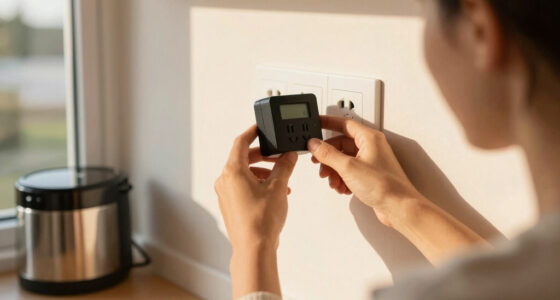
- Decide on the type: Mechanical timers are reliable for simple tasks because they have fewer electronic parts that can fail, but they lack scheduling flexibility. Digital timers offer advanced scheduling options, allowing you to set multiple on/off cycles per day, which is useful for complex routines. Smart timers give you remote control and automation features, integrating with your home network to adapt to your lifestyle and save energy. The tradeoff is cost and complexity—more features often mean higher price and a learning curve.
- Verify compatibility: Ensure the timer is compatible with your appliance’s power needs and features, especially if it has digital components. Some timers might not support devices with digital displays or motors with high inrush currents. Check manufacturer instructions for both the timer and your appliance to avoid damage or malfunctions.
- Consider safety features: Look for surge protection, overload shutoff, and quality build to prevent hazards. These features can prevent electrical surges from damaging your devices or causing fires, especially during power spikes or outages. Investing in a timer with these safety features adds an extra layer of protection for your home and appliances.
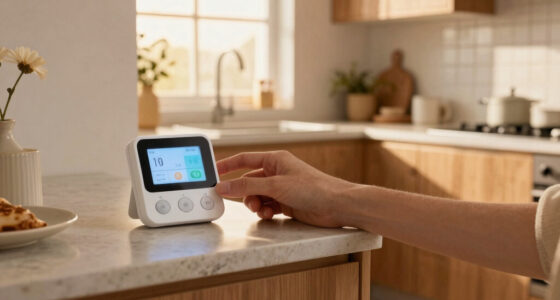
- Match your routine: Set the timer to turn on your coffee just before your alarm or your fan during peak heat hours for maximum benefit. Think about your daily schedule and energy conservation goals to optimize timing. Properly timed operation not only adds convenience but can significantly reduce energy waste, lowering your utility bills and environmental impact.
For example, a homeowner might choose a digital timer rated for 1800 watts, program it to turn on their coffee maker 10 minutes before waking, and ensure it has surge protection for safety. This setup allows waking up to fresh coffee without manual effort and minimizes risk of electrical issues.

Intermatic EI220W-1 in-Wall Countdown Timer Switch, Whole House Fan, White
NO PROGRAMMING REQUIRED — Preset countdown times are activated by pressing a single button, so the connected fan…
As an affiliate, we earn on qualifying purchases.
As an affiliate, we earn on qualifying purchases.
Compare simple vs. smart timers for home automation
| Feature | Mechanical Timer | Digital Timer | Smart Timer |
|---|---|---|---|
| Control | Manual dial | Programmable schedule | Remote via app, voice control |
| Flexibility | Limited, fixed on/off times | Multiple daily cycles, custom settings | Automate based on conditions, integrate with smart home systems |
| Cost | Lower | Moderate | Higher |
| Best for | Simple appliances, basic routines | Complex schedules, remote control | Connected home, energy monitoring |
Choosing between them depends on your needs. For a basic coffee maker, a mechanical timer suffices because it reliably handles simple on/off cycles without complexity. For more control—like adjusting schedules from your couch or automating based on environmental conditions—smart timers are worth the investment, providing the flexibility and remote access that modern homeowners desire. Consider your routine, budget, and comfort with technology to pick the best fit for your home.

TP-Link 𝗧𝗮𝗽𝗼 Smart Plug Wi-Fi Mini, Energy Monitoring, Compatible with Alexa & Google Home & Samsung SmartThings, Timer, 15A/1800W Max, ETL Certified, 2.4G Wi-Fi Only, Tapo P115(4-Pack)
【Insightful Energy Tracking】Track your plug's energy use with clear and easy-to-understand statistics and intuitive charts, helping you optimize…
As an affiliate, we earn on qualifying purchases.
As an affiliate, we earn on qualifying purchases.
Safety tips for using timers with your appliances
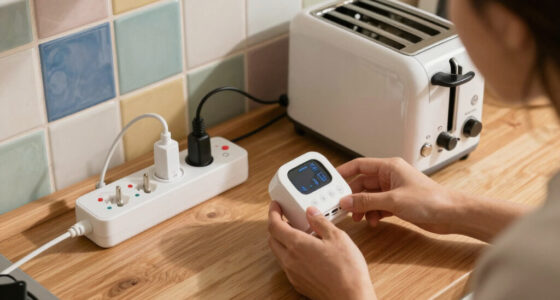
- Always match wattage: Use timers rated for your appliance’s power draw—overloading causes fire risk and can damage both the timer and your device. An underrated timer may overheat, leading to potential electrical fires or failure that could damage connected appliances. Ensuring proper ratings prevents these hazards and prolongs the lifespan of your equipment.
- Avoid heat-generating devices: Timers not rated for appliances with heating elements or motors may overheat or fail prematurely. Devices like space heaters or appliances with motors have high inrush currents which can exceed the timer’s capacity, risking malfunctions or fires. Use timers specifically designed for such loads or keep these devices on dedicated circuits with appropriate protection.
- Check wiring: Ensure good connections, and if you’re unsure about electrical work, hire a licensed electrician. Proper wiring reduces the risk of shorts, sparks, or electrical fires, especially when setting up timers that will be used regularly. Faulty wiring can negate safety features and lead to dangerous situations.
- Don’t overload outlets: Keep total load within outlet limits—plugging multiple high-wattage devices into one outlet can cause overheating or tripping breakers. Distributing your devices across different outlets and circuits prevents overloads that could lead to fires or damage to your wiring.
- Test before regular use: Run the setup once to confirm everything turns on/off correctly and safely. This initial test helps identify wiring issues, timing errors, or device incompatibilities, giving you peace of mind and avoiding surprises during daily operation.
For example, a homeowner might set their coffee maker on a timer, then watch it brew to ensure it powers on without issues before relying on it daily. This proactive check helps prevent potential safety hazards and ensures consistent operation.

BN-LINK 24 Hour Heavy Duty Mechanical Timer, Outdoor Timer Outlet Waterproof with 30 Minutes Intervals, 2 Grounded Outlets for Christmas Lights Pool Pump,15A 1/2HP, ETL Listed
【Simple 48-Pin Mechanical Control】Set 48 pins for 30-min intervals. No buttons needed. This mechanical outlet timer repeats daily,…
As an affiliate, we earn on qualifying purchases.
As an affiliate, we earn on qualifying purchases.
Latest tech: smart timers and energy-saving features
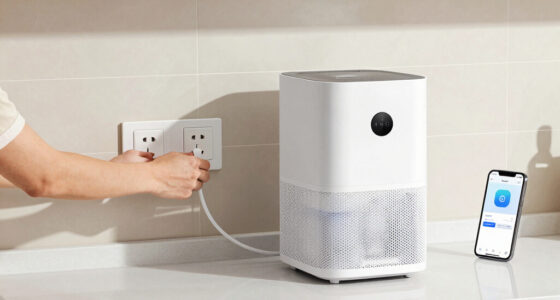
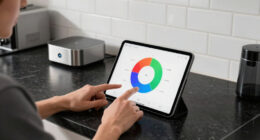
Smart timers have revolutionized how we automate appliances. With Wi-Fi connectivity, you can schedule your coffee to brew as you wake up or your fan to turn on during the hottest part of the day—without leaving your couch. Many models include energy monitoring, showing you exactly how much power each device consumes, which can help you identify and eliminate unnecessary energy waste. This real-time insight allows for smarter energy management, reducing your utility bills and environmental footprint.
For instance, a smart outlet can detect when your room reaches a certain temperature and automatically turn on your fan or air conditioner. This adaptive control not only enhances comfort but also prevents energy from being wasted when cooling isn’t needed. Additionally, some smart timers can learn your routines over time, suggesting optimal schedules that maximize efficiency without sacrificing convenience.
According to Timer One, these devices are becoming more affordable and reliable, making automation safer and more accessible for homeowners. The integration of energy-saving features with ease of use means you can enjoy smarter homes with less effort and greater peace of mind.
Are outlet timers safe for appliances with digital displays?
Outlet timers are generally safe for digital appliances if the device is designed for intermittent power. However, turning off a digital clock or display repeatedly can reset settings, cause malfunctions, or damage sensitive electronics. Digital devices often rely on continuous power to maintain their internal memory and clock settings; interrupting this cycle can lead to inconvenience or even hardware issues over time. Always check the manufacturer’s instructions before connecting devices with digital displays to ensure compatibility and avoid voiding warranties.
For example, a coffee maker with a digital clock might lose its time setting if powered off repeatedly, requiring reconfiguration each time. In some cases, frequent power cycling can cause internal components to degrade faster or lead to erratic behavior. In such scenarios, using a smart timer that provides a scheduled or continuous power supply can mitigate these issues, maintaining device integrity while still offering automation benefits.
Always verify compatibility to avoid frustrating surprises—safety and functionality depend on it. When in doubt, opt for timers explicitly rated for digital electronics or those that can provide uninterrupted power to sensitive devices.
What’s the biggest mistake people make with timers?
The most common mistake? Overloading the timer or using it with incompatible appliances. Many users also forget to verify the wattage rating or assume all timers work with everything. This oversight can lead to serious consequences such as electrical fires, damage to appliances, or system failures. For example, plugging a 2000-watt space heater into a timer rated for 1500 watts can cause the timer to overheat, fail, and potentially start a fire if not detected early. Such mistakes highlight the importance of understanding your devices’ power requirements and matching them carefully with the timer’s specifications.
Another frequent error is neglecting to read and follow safety instructions or ignoring the importance of proper wiring and testing. Rushing to set up timers without verifying ratings or performing initial tests increases the risk of malfunction or hazards, especially with high-wattage or heat-generating appliances. Being cautious and diligent in your setup process—double-checking ratings, following manufacturer instructions, and testing—can prevent costly or dangerous mistakes, ensuring your automation is both effective and safe.
In essence, respecting the electrical limits and understanding your devices’ needs is key to avoiding these pitfalls and protecting your home and appliances.
Conclusion
Automation with outlet timers is a practical way to save energy and add convenience. But the secret is choosing the right timer and knowing your appliances’ limits. When in doubt, stick to simple, rated devices and always prioritize safety.
Imagine waking up to freshly brewed coffee or stepping into a cool, breezy room—all thanks to a timer working quietly in the background. That’s the simple magic of smart, safe automation. Your home can do more for you—just make sure it’s set up right.