TL;DR
Open a free Amazon Business account
Business pricing, bulk buying and tax-exempt orders.
Create a free accountAs an affiliate, we earn on qualifying purchases.
Smart plugs connect to your Wi-Fi, allowing remote control and automation of connected devices via an app or voice. They help save energy and add convenience without costly upgrades.
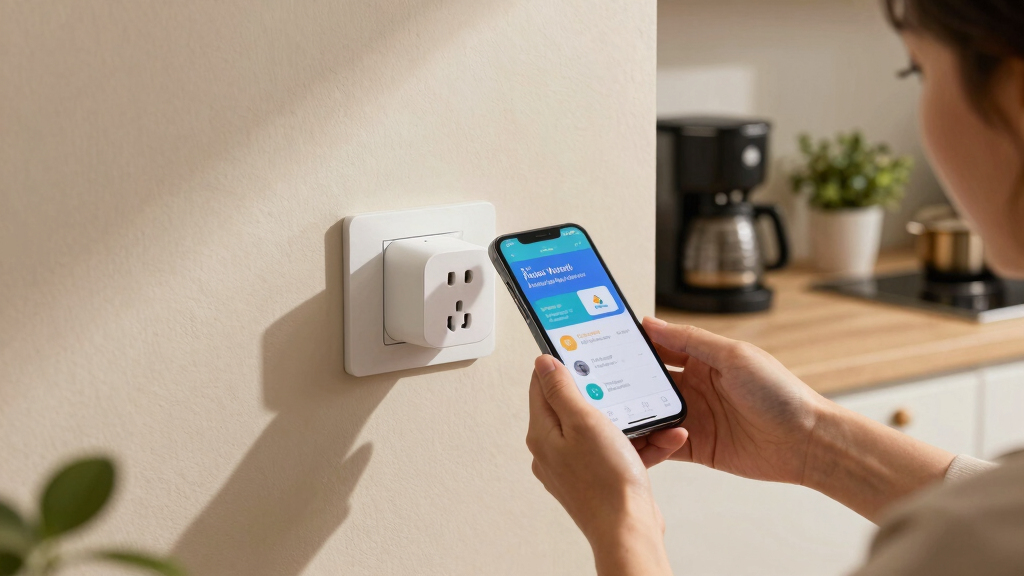
Ever wonder how you can turn off your lamp from your phone or schedule your coffee maker to wake you up? That’s the magic of smart plugs. They’re simple devices that plug into your regular outlet, then let you control connected gadgets with just a tap or a voice command.
In this guide, you’ll learn exactly how smart plugs work — in plain English. No jargon, no fluff. Just straightforward info so you can make your home smarter, safer, and more energy-efficient.
Smart plugs turn regular outlets into smart control hubs through Wi-Fi, enabling remote and scheduled control of connected devices.
They contain a microcontroller and relay inside, which interpret signals from your app or voice and switch power on or off.
Latest models include energy monitoring, security upgrades, and better compatibility with smart home ecosystems.
Smart plugs are reliable but depend heavily on your Wi-Fi strength; some offer local control or backup options.
Choosing a compatible, secure smart plug allows you to automate your home easily and save energy effortlessly.
How Smart Plugs Work: A Plain-English Guide for Homeowners
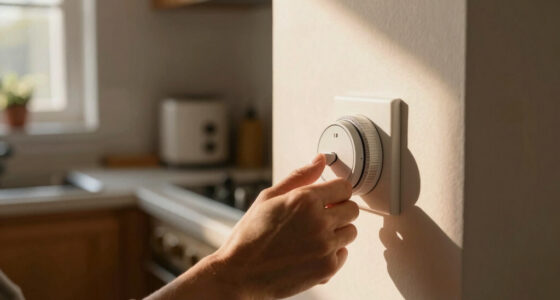
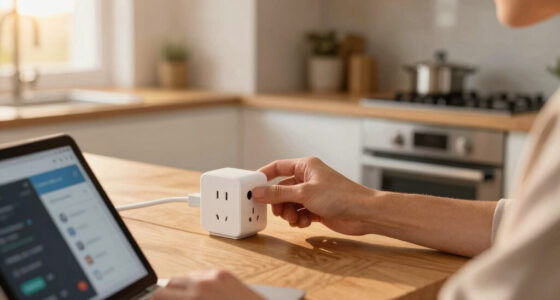
Smart plugs sit between your wall outlet and everyday devices, then use Wi-Fi, an app, and a tiny internal switch to turn power on or off. The result: remote control, schedules, voice commands, energy monitoring, and smarter routines without replacing your lamps, fans, or coffee maker.
Regular outlets become app-controlled power hubs in minutes.
Plug in, join Wi-Fi, pair with the app.
GHz Wi-Fi is often used for better range.
A microcontroller listens; a relay switches power.
to moderate-power devices like lamps, fans, and small appliances.
A small adapter that gives one outlet a brain
A smart plug does not make the appliance itself smarter. It controls whether electricity reaches that appliance, then layers on scheduling, automation, voice control, and remote access.
Tap from anywhere
Use a phone app to turn a connected lamp, fan, or coffee maker on or off when your phone has internet access.
Run on a schedule
Set lights to switch on at sunset, shut down devices overnight, or start a morning routine automatically.
Cut wasted power
Energy monitoring and timers help reveal power-hungry devices and reduce unnecessary standby drain.
What happens when you tap “on”
The command moves from your phone through the network to the plug. Inside, a tiny controller interprets the command and flips an electrical switch.
App or voice
You tap a button or ask Alexa, Google Assistant, or Siri to control the device.
Wi-Fi signal
The command travels over your home network, usually through 2.4 GHz Wi-Fi.
Microcontroller
The plug’s small computer checks the instruction and decides what the relay should do.
Relay switch
The relay opens or closes the circuit, letting electricity reach the appliance or cutting it off.
Strong Wi-Fi is the quiet hero
Most smart plug problems are network problems: weak signal, outdated firmware, app logouts, or ecosystem mismatch. Better brands reduce those issues with safer hardware and regular updates.
Trust checklist
Pick a reputable brand, check the electrical rating, keep firmware updated, use a strong Wi-Fi password, and avoid using standard smart plugs with high-load appliances unless the model is rated for them.
The latest plugs do more than switch power
Newer models focus on safety, compatibility, privacy, and insight. That matters because a smart plug is both an electrical device and a network device.
Better encryption
Improved protocols help protect your home network from weak device access.
Energy data
Real-time usage reports show which devices draw the most power.
Wider support
Many plugs work with Alexa, Google, Apple, SmartThings, and IFTTT.
Smaller bodies
Compact shells reduce outlet blockage and improve heat dissipation.
Multi-user voice
Family members can share control without passing one phone around.
Match the plug to the job
A good smart plug is compatible, secure, properly rated, and easy for your household to use every day.
| Question | Best Answer | Watch Out For | Decision Signal |
|---|---|---|---|
| Will it work with my assistant? | ✓ Choose labels like Works with Alexa, Google Home, or Apple Home. | ~ Some models need an extra app or hub. | Buy for the ecosystem you already use. |
| Can I use it away from home? | ✓ Yes, if your phone has internet and the plug stays online. | ~ Remote features usually depend on Wi-Fi and cloud access. | Look for alert and routine options. |
| What if Wi-Fi goes out? | ~ Manual button control often still works. | ✗ Remote control may stop until the network returns. | Prefer local-control features for critical devices. |
| Is it safe for every appliance? | ~ Good for low to moderate loads. | ✗ Space heaters, ovens, and high-load devices need special care. | Check amp and watt ratings before use. |
From plain outlet to smarter routine
The value comes from connecting simple pieces: power switching, network commands, schedules, monitoring, and safer habits.
Outlet
Standard wall power.
Smart plug
Relay plus controller.
Wi-Fi
Command pathway.
Automation
Schedules and routines.
Savings
Less wasted energy.
What Exactly Is a Smart Plug — and Why Should You Care?
A smart plug is a tiny device that slips into your wall outlet, turning it into a smart outlet. It connects to your Wi-Fi network and acts like a remote control for anything plugged into it—lamps, fans, even your coffee maker.
Imagine plugging in your desk lamp. With a smart plug, you can turn it on or off from your couch or schedule it to dim at sunset. It’s like giving your regular outlets a brain.
This simple gadget can save you energy, boost convenience, and even extend the life of your appliances by preventing overuse or overheating.

TP-Link Tapo Smart Plug Mini, Matter Compatible, Compatible with Alexa, Google Home & Samsung SmartThings, Energy Monitoring, 15A, UL Certified, 2.4G Wi-Fi Only, Tapo P110M(4-Pack)
- Matter-Certified Compatibility: Works with major smart home platforms
- Energy Monitoring: Tracks and visualizes energy consumption
- Cost Estimation & Scheduling: Provides energy cost insights and scheduling
As an affiliate, we earn on qualifying purchases.
As an affiliate, we earn on qualifying purchases.
How Do Smart Plugs Connect to Your Home — and What Happens When You Do?
Smart plugs connect to your Wi-Fi network—usually the 2.4 GHz band for better range. When you control the plug via an app, it sends a signal over your Wi-Fi to the device, telling it to turn on or off.
Picture this: You’re out running errands. Your phone’s app sends a command through your Wi-Fi, reaching the smart plug. Instantly, your lamp flicks on, lighting up your living room — even though you’re miles away.
Once connected, the smart plug listens for commands from your phone or voice assistant, then switches the power to your device accordingly.

GHome Smart Plug, WiFi Smart Plugs Compatible with Alexa and Google Home, Smart Outlet Timer with APP Remote Control, 2.4GHz Wi-Fi Only, No Hub Required, ETL FCC Listed, White
- Stable WiFi Connection: Supports quick, stable 2.4GHz WiFi connection
- Voice Control Compatibility: Works with Alexa and Google Assistant
- Remote App Control: Control outlets remotely via app from anywhere
As an affiliate, we earn on qualifying purchases.
As an affiliate, we earn on qualifying purchases.
The Nuts and Bolts: What Makes a Smart Plug Work?
Inside, a smart plug has a tiny computer — a microcontroller — that interprets signals from your app or voice commands. It’s wired to a relay, which acts like a switch controlling the flow of electricity.
When you press ‘turn on’ in your app, the microcontroller energizes the relay, opening the circuit and powering your device. When you turn it off, the relay disconnects the circuit, cutting power.
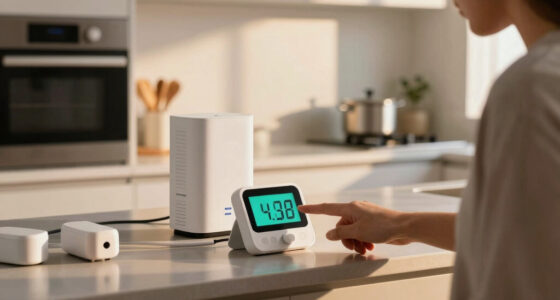
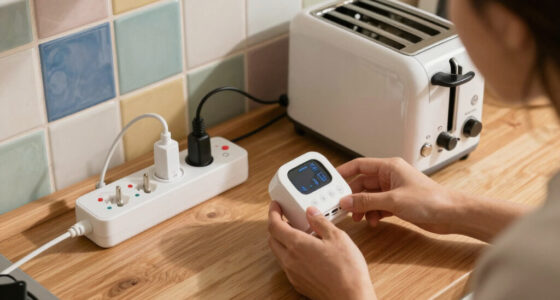
Many smart plugs include energy meters that track how much power your devices consume — helping you cut down waste and save money.
Understanding these components is crucial because they determine how quickly the device responds, how accurately it monitors energy, and how safe it is to use with various appliances. For example, a high-quality relay ensures reliable switching without electrical noise or sparks, which could be dangerous. The microcontroller’s programming also impacts how well the plug integrates with your smart home ecosystem and whether it can handle complex routines or energy tracking.

Syantek Remote Control Outlet Wireless Light Switch for Household Appliances, Expandable Remote Light Switch Kit, Up to 100 ft Range, FCC Certified, ETL Listed, White (5 Outlets + 2 Remotes)
- Wireless Remote Control: Control various household appliances easily
- 100 Ft RF Range: Operates through walls and doors
- Compact Design: Saves space with minimal outlet usage
As an affiliate, we earn on qualifying purchases.
As an affiliate, we earn on qualifying purchases.
What Are the Latest Features Making Smart Plugs Smarter?
Today’s smart plugs are evolving fast. Here’s what’s new:
- Enhanced Security: Better encryption keeps hackers at bay.
- Energy Monitoring: Real-time data shows how much juice your appliances gulp down.
- Better Compatibility: Works seamlessly with Alexa, Google, Apple, and other ecosystems.
- Smaller & Safer Designs: Compact, heat-dissipating shells for safety and style.
- Multi-User Voice Control: Multiple family members can control devices without fuss.
These features matter because they directly impact your home’s safety, energy efficiency, and ease of use. For instance, improved security protocols protect your network from potential breaches, which is vital as more devices connect online. Energy monitoring allows you to see which devices are energy hogs, helping you make smarter choices. Compatibility ensures your smart plug integrates smoothly into your existing setup, avoiding frustration. Smaller designs mean less clutter and better heat dissipation, reducing fire risks. Multi-user voice control makes managing devices simpler for everyone in the household, encouraging more consistent use and energy savings.

EIGHTREE Smart Plug WiFi Outlet Works with Alexa & Google Home, 15A, 1-Pack
- Voice Control Compatibility: Works with Alexa and Google Home
- Easy Setup: Connects via Smart Life App and Bluetooth
- Remote Control & Timer: Control remotely with scheduling features
As an affiliate, we earn on qualifying purchases.
As an affiliate, we earn on qualifying purchases.
How Reliable Are Smart Plugs — and Can You Trust Them With Your Home?
Smart plugs are generally safe and reliable when you pick reputable brands. They’re tested for electrical safety and usually come with built-in overcurrent protection.
However, their performance hinges on your Wi-Fi. A weak network can cause delays or disconnects. That’s why a strong, stable Wi-Fi connection is your best friend here.
According to Timer One, 85% of users report smooth operation over months, with few hiccups, especially when firmware updates are kept current.
Trustworthiness also depends on the quality of the device’s hardware and software. Cheaper models may cut corners on safety features or security, increasing risks. Regular firmware updates from manufacturers fix bugs and security vulnerabilities, which is why choosing trusted brands and keeping your devices updated is key to long-term reliability and safety.
Can You Control Smart Plugs When You’re Not Home? Yes, and Here’s How.
Yes, you can control your smart plugs from anywhere — as long as your phone has internet. This means you can turn off a forgotten iron or turn on a heater before you arrive home.
Just ensure your smart plug stays connected to Wi-Fi, and your app is logged in. Some models even let you set up alerts or routines, like turning on lights at sunset automatically.
This remote control ability makes smart plugs perfect for busy households or frequent travelers.
Beyond convenience, this remote access can enhance security by allowing you to turn off appliances that might pose hazards if left on unattended. It also helps in managing energy use more proactively, preventing unnecessary power drain when you’re away.
Are Smart Plugs Compatible With Voice Assistants? Most Are — Here’s What You Need to Know
Most smart plugs play nicely with Alexa, Google Assistant, and Siri. Compatibility depends on the brand and your existing smart home setup.
For example, if you already use Alexa, pick a plug labeled ‘Works with Alexa.’ It’s a quick way to control your devices with just your voice, like telling Alexa to turn off the living room lamp.
Double-check before buying — some models require an extra app or hub for full integration.
Compatibility is important because it determines how seamlessly your smart plug integrates into your daily routines. A compatible device allows you to control multiple appliances with simple voice commands, reducing the need for manual switches. However, incompatibility or additional setup steps can introduce delays or frustrations, so understanding your existing ecosystem helps ensure smooth operation.
What Happens When Wi-Fi Goes Out? Will Your Smart Plug Still Work?
If your Wi-Fi drops, many smart plugs lose remote control. They typically rely on internet to receive commands. However, some models feature local control options or backup power, so you can still manually turn devices on or off.
For example, a smart plug with a physical button lets you control it directly even if Wi-Fi is down. That’s a handy backup, especially if you rely on schedules or remote control often.
Understanding these backup options is crucial because it affects how reliable your smart home setup is. Devices with local control or backup power provide peace of mind during outages, ensuring you can still manage critical appliances and avoid inconvenience or potential safety issues.
Always check the specs before buying if consistent control is critical for you.
Simple Tips to Get the Most Out of Your Smart Plug
- Pick a smart plug that plays well with your existing smart home setup.
- Secure your Wi-Fi with a strong password and regular updates.
- Use scheduling features to turn devices off during peak energy hours.
- Monitor energy use to identify waste and cut costs.
- Place smart plugs in visible spots so you remember to set or check them regularly.
Your Smart Home, Made Simple: The Power of Smart Plugs
Smart plugs are a straightforward way to make your home more convenient, energy-efficient, and connected. With just a few taps or a quick voice command, you can control lights, appliances, and more.
Understanding how they work helps you use them wisely — saving energy, reducing waste, and adding a layer of smart control you never had before.
Ready to get started? The future of home automation is just a plug away.
Frequently Asked Questions
Are smart plugs safe to use with high-power appliances?
Smart plugs are best suited for low to moderate power devices like lamps or fans. For high-power appliances such as space heaters or ovens, look for models specifically rated for higher loads and always follow safety guidelines. Using the wrong type can pose fire risks or damage your devices.
How secure are smart plugs against hacking?
Security varies by brand. Reputable models use encryption and regular firmware updates to protect your network. Always keep your Wi-Fi password strong, and avoid using outdated or cheap models to reduce hacking risks.
Can I set schedules for my smart plugs?
Absolutely. Most smart plugs have scheduling features in their apps, allowing you to set timers or routines. For example, schedule your porch light to turn on at sunset every evening or your coffee maker to start brewing in the morning.
Do smart plugs work without Wi-Fi?
Most rely on Wi-Fi for remote control. Some models offer local control buttons or backup power options, but without Wi-Fi, you lose remote management. Check your chosen model’s features if constant access matters to you.
Conclusion
Smart plugs are a simple step toward a smarter, more energy-conscious home. They put control at your fingertips, whether you’re home or away. Just remember: a good Wi-Fi connection is your best ally.
Start small. Automate your lamps, schedule your fans, and watch your energy bills drop. The future of home comfort is just a plug away — so plug in and power up your smart home journey.
Flea & tick season Picks
flea and tick prevention
As an affiliate, we earn on qualifying purchases.