TL;DR
Vacation mode on a timer temporarily suspends scheduled operations, preventing devices from running when you’re away. It’s easy to activate and saves energy, making your home smarter and safer during extended absences.
Imagine coming home after a week away, and your house looks exactly as you left it—lights off, no running appliances, no energy waste. That’s the power of vacation mode on a timer. It’s a simple feature that can make a big difference for your home’s safety, energy bills, and peace of mind.
Whether you’re heading out for a long trip or just want to give your devices a break during off-hours, understanding how vacation mode works will help you use your timers smarter. This guide breaks down what vacation mode is, how to activate it, and how it can streamline your home management without fussing over every device manually.
Vacation mode temporarily suspends scheduled device operations, preventing waste and saving energy.
Most digital timers and smart plugs support easy activation of vacation mode, often remotely.
Always double-check your timer’s settings before leaving to ensure vacation mode is active.
Using vacation mode can extend device lifespan by reducing unnecessary operation.
Combine vacation mode with smart home systems for maximum control and savings.
What Exactly Is Vacation Mode on a Timer?
Vacation mode on a timer is a feature that lets you pause or temporarily disable your scheduled device operations without deleting your entire setup. Think of it as a pause button for your home’s automated routines. This capability is especially important because it allows you to prevent unnecessary device activity during extended absences without the hassle of reprogramming schedules when you return.
For example, if you have outdoor lights programmed to turn on at sunset and off at midnight, activating vacation mode can keep them off during your trip, ensuring they don’t accidentally stay on and waste power, which could lead to higher energy bills or safety concerns like overheating or fire hazards. The ability to toggle this feature on and off provides flexibility, allowing you to maintain security and energy efficiency without permanently altering your routines. This strategic pause helps balance convenience with safety, but it also requires awareness—forgetting to deactivate vacation mode upon return might leave your home in an unlit or unheated state longer than intended, or cause confusion if devices don’t operate as usual.

Kasa Smart Plug HS103P2, Smart Home Wi-Fi Outlet Works with Alexa, Echo, Google Home, No Hub Required, 15 Amp,UL Certified, (Pack of 2) White
Voice Control: Add voice control to any outlet. Enjoy the hands-free convenience of controlling any home electronic appliances…
As an affiliate, we earn on qualifying purchases.
As an affiliate, we earn on qualifying purchases.
How to Activate Vacation Mode in 3 Easy Steps
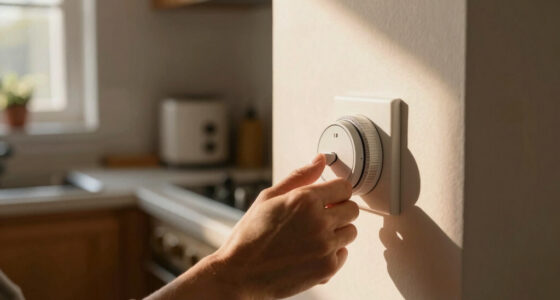
- Locate the vacation mode button or setting in your timer’s interface or app. This might be a dedicated button, a toggle switch, or an option in the menu. Recognizing this feature is crucial because it’s often overlooked, yet it can significantly simplify your routine when leaving home.
- Activate vacation mode before you leave—make sure your timer confirms the change. Some models show a blinking light or a message indicating it’s active. Understanding how your specific device signals this state helps prevent accidental oversights, which could lead to devices running unnecessarily or not running when needed.
- Double-check your connected devices to verify they’re off or in the preferred vacation state. When you return, simply turn vacation mode off to resume normal scheduling. This step ensures that your home’s devices are ready for your return, avoiding surprises like lights staying off or appliances not operating as usual, which could be confusing or inconvenient.
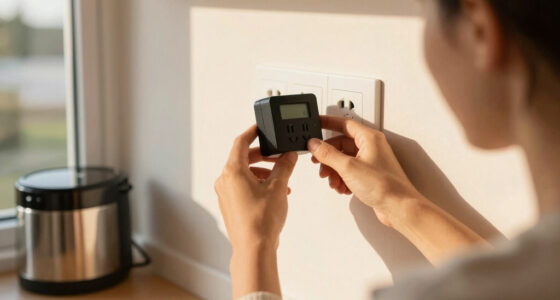
For example, if you’re using a smart outlet timer, open the app, tap “Vacation Mode,” and confirm. Many modern timers even allow remote control, so you can activate or deactivate vacation mode from anywhere—saving you time and providing peace of mind if plans change unexpectedly.

SJJSKY 17.2" Large Digital Timer Wall Clock with Remote Control, Count Down Up Digital Timer, Auto DST LED Big Digital Clock for Bedroom Kitchen Living Room Office Gym Home Decor, RGB
ALL-IN-ONE LARGE DIGITAL TIMER & CLOCK – It is not only a large wall clock but also a…
As an affiliate, we earn on qualifying purchases.
As an affiliate, we earn on qualifying purchases.
Compare Mechanical vs. Digital Timers for Vacation Mode
| Feature | Mechanical Timers | Digital Timers |
|---|---|---|
| Ease of Use | Limited; manual switches, less flexible | Highly intuitive; touchscreen, app control options |
| Vacation Mode Availability | Rare; usually requires manual intervention | Common; often with dedicated vacation mode settings |
| Customization | Basic; set fixed on/off times | Advanced; multiple modes, schedules, remote control |
| Remote Control | Generally no | Yes, via smartphone app |
Choosing between a mechanical and digital timer depends on your needs. For vacation mode, digital timers win for flexibility and remote control, especially for extended absences or complex schedules. Their ability to be programmed with multiple modes and remotely activated means you can manage your home more efficiently and respond to changing plans quickly, which is especially valuable during unpredictable trips or when planning for different scenarios.

Linkind Matter Smart Plug, Work with Apple Home, Siri, Alexa, Google, SmartThings, Smart Home Smart Outlet Timer 15A/1800W, APP Remote Control & Schedule, 2.4G Wi-Fi Only, 4 Pack
【Easy Setup, One Control】With Matter, Skip the step of downloading and registering multiple manufacturers' apps every time you…
As an affiliate, we earn on qualifying purchases.
As an affiliate, we earn on qualifying purchases.
Maximize Energy Savings with Vacation Mode
Vacation mode isn’t just about convenience—it’s a strategic approach to reducing your home’s energy consumption during absences. By suspending device operations that are typically unnecessary when you’re away, such as outdoor lighting, heating, or cooling systems, you can significantly cut costs and lessen your environmental impact. This is especially relevant as energy prices rise and the push for sustainable living intensifies.
Proper use of vacation mode directly correlates with energy savings because it prevents devices from running idle or needlessly consuming power. For example, outdoor lights left on overnight or heating systems maintaining temperature levels when no one is home contribute to waste. When you activate vacation mode, you’re effectively telling your devices to stay silent during these times, which not only saves money but also extends the lifespan of appliances by reducing wear and tear from constant operation. This tradeoff—temporarily pausing routines for long-term benefits—makes vacation mode a vital tool for eco-conscious homeowners.
Imagine leaving your holiday lights off during a week-long trip, saving enough electricity to pay for a fancy dinner. Or setting your irrigation system to pause during rainstorms, avoiding unnecessary watering and water bills. These small adjustments add up fast and have meaningful implications for your household budget and environmental footprint.
Pro tip: Combine vacation mode with smart home systems to control multiple devices remotely, further boosting savings and peace of mind. This integration allows for more granular control, ensuring you’re only using energy when needed, and can adapt quickly to changing conditions or plans.

Electricity Saving Box Energy Power Savings Device to Reduce Electric Bill Power Energy Electricity Factor Saver Smart Intelligent Plug in Home Office Surge Protector Strips Voltage Outlet
Safe Energy Saving Device: This energy saving device is built with flame retardant ABS housing and internal leakage…
As an affiliate, we earn on qualifying purchases.
As an affiliate, we earn on qualifying purchases.
Troubleshooting and Tips for Using Vacation Mode Effectively
Before you leave, double-check that vacation mode is properly set. Nothing’s worse than coming home to a dark house because the timer was never activated or was accidentally turned off. Ensuring your timer is in the correct mode is crucial for energy efficiency and security, as it prevents unnecessary device operation or security vulnerabilities.
Here are some quick tips:
- Set a reminder a day before leaving to activate vacation mode. This helps avoid last-minute forgetfulness, especially if you’re busy or distracted.
- Test your setup by activating vacation mode and observing if devices behave as expected. This pre-emptive check can reveal issues like misconfigured schedules or connectivity problems, allowing you to fix them before you’re away.
- Keep your timer’s manual handy in case you need to troubleshoot or reset. Familiarity with your device’s controls can save time and frustration during critical moments.
- If your timer supports remote access, use it to activate/deactivate from afar. This flexibility ensures you can make adjustments even if plans change unexpectedly or you forget to set it before leaving.
Remember, safety first: if your devices handle electricity or gas, follow all safety procedures, especially if you’re doing any wiring or adjustments. Proper precautions help prevent accidents and ensure your home remains secure during your absence.
Your Essential Checklist Before Leaving for Vacation
- Activate vacation mode on all timers connected to exterior or unnecessary devices. Confirm that each is properly engaged to prevent accidental energy waste.
- Confirm that all devices are in their off or standby state, ensuring they won’t operate unnecessarily during your absence.
- Test remote controls or smartphone apps to verify control access, so you can make adjustments if needed while away.
- Review safety protocols, especially for appliances that could pose hazards if left on, like gas appliances or heating systems. Properly securing or turning off these devices reduces risk.
- Set a reminder to deactivate vacation mode upon return, so your home’s routines are restored seamlessly.
Following this checklist can prevent surprises, energy waste, or safety hazards, making your trip worry-free and your home ready for your return.
Frequently Asked Questions
How do I activate vacation mode on my specific timer model?
Check your timer’s manual or app for a ‘Vacation Mode’ setting or button. Many modern timers have a dedicated toggle, making activation straightforward—usually just a few taps or switches.Can I schedule different vacation modes for different periods?
Most advanced digital timers and smart plugs let you set specific vacation periods, like a week or two, with customized settings. Verify your device supports multiple schedules or modes for maximum flexibility.Does vacation mode save energy?
Yes, by suspending unnecessary device operation during your absence, vacation mode can reduce power consumption significantly—up to 30% during extended trips, according to energy experts.What if my timer doesn’t have a vacation mode feature?
You can manually turn off or disable scheduled routines before leaving, or use a smart timer that offers remote control options. Always verify your setup before departure.How do I turn vacation mode off when I return?
Simply toggle the vacation mode setting or button off, and your timer will resume its normal schedule. Many timers automatically revert once deactivated.Conclusion
Vacation mode on a timer is the secret weapon for a smarter, safer home. It’s a simple switch that cuts down energy waste and keeps your devices in check while you’re away.
Think of it as giving your home a quick, effective vacation itself—rested, safe, and ready for your return. Activate it confidently and enjoy your trip without worry.