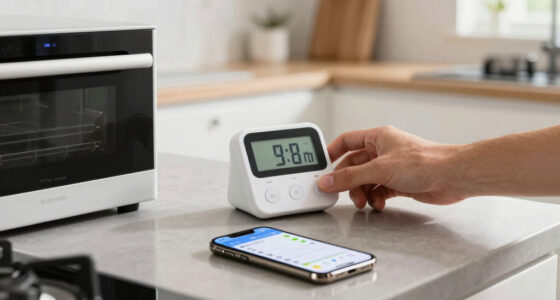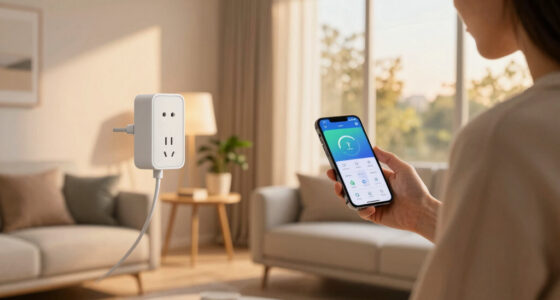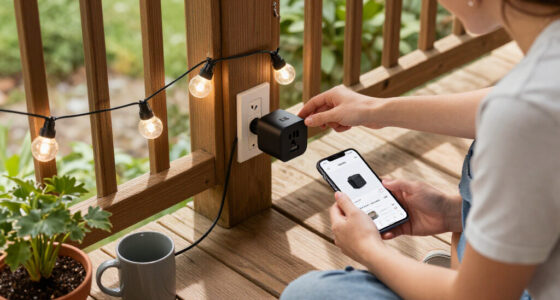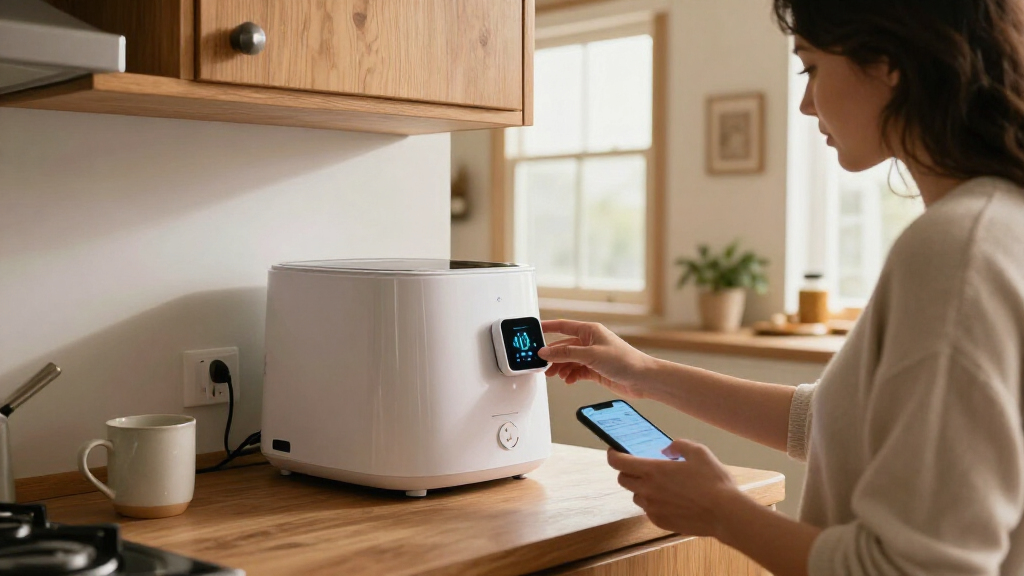

When a lamp, fan, or other household device runs longer than needed, a timer can cut wasted operating hours. The real choice is between a programmable plug-in timer, which follows a schedule set on the device, and a Wi-Fi smart plug, which can be managed through an app and may report energy use. Both can automate an outlet, but they suit different routines and budgets.

Get home appliances delivered free with Prime
- Fast, free delivery on millions of items
- Prime Video, Amazon Music and more included
- Member-only deals all year

Tapo P115 Smart Wi-Fi Plug with Energy Monitoring, 4-Pack, 15 A
- ✔ Quantity: 4 plugs
- ✔ Model: P115
- ✔ Maximum wattage: 1800 W
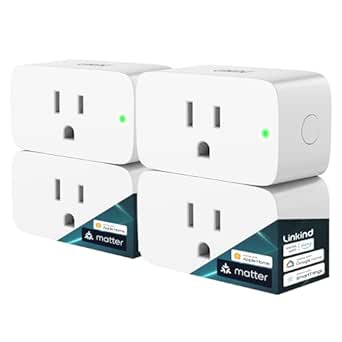
Linkind Matter Smart Plug, 4-Pack
- ✔ Pack quantity: 4
- ✔ Model: LC09003256
- ✔ Plug type: Type A
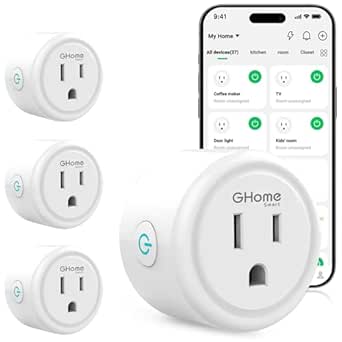
GHome Smart Plug, 4-Pack
- ✔ Pack size: 4
- ✔ Model: WP3
- ✔ Connectivity: 2.4 GHz Wi-Fi
Plug-in timers are the straightforward pick for a small number of predictable schedules and for homes where internet access or app setup is unwelcome. Smart plugs fit better when schedules change, household members want remote control, or measuring consumption could guide decisions. The key tradeoff is simple: pay more and accept extra setup for flexibility and possible energy data, or keep costs and complexity down with a timer that does one job.
At a Glance
| Criteria | Programmable plug-in timers | Wi-Fi smart plugs | Winner |
|---|---|---|---|
| Upfront cost | Usually lower; a basic timer can serve one outlet without a hub or subscription. | Usually higher than a basic timer; some models cost extra for energy reporting or broader features. | A |
| Schedule flexibility | Good for fixed daily or weekly on/off routines; changing a schedule usually requires local adjustment. | Often supports app-edited schedules, timers, and routines; features differ by model. | B |
| Remote control | Generally none; controls are on the timer itself. | Usually available through an app, subject to the plug’s network and service requirements. | B |
| Energy information | Usually no usage reporting; savings depend on the schedule and the device being controlled. | Some models estimate or report energy use; many basic smart plugs do not. | B |
| Setup and daily use | Set the clock and schedule on the unit; displays and buttons vary by model. | Requires app pairing and network setup; everyday changes can be convenient. | Depends |
| Internet dependence | Works locally without Wi-Fi, an account, or an app. | Remote features need a working network; local control and schedules vary by product. | A |
| Device compatibility | Must match the outlet, plug shape, load rating, and device type. | Load limits and supported appliances still matter; check the manufacturer’s guidance. | Depends |
Tapo P115 Smart Wi-Fi Plug with Energy Monitoring, 4-Pack, 15 A
The Tapo P115 earns the top spot because it connects timed control with energy-use statistics and charts. Scheduling can switch a compatible device off when it is not needed; monitoring adds a way to see how much energy that device uses. That visibility can help us prioritize which routines to adjust, instead of relying on guesswork. The plugs also support remote and voice control through the Tapo app, Alexa, Google Assistant, and SmartThings.Compared with the Linkind set, Tapo is the clearer fit when the aim is to track consumption: Linkind emphasizes Matter compatibility and local network control, but its supplied feature list does not mention energy monitoring. Compared with GHome, Tapo adds usage data and overload auto-shutoff, while GHome offers similar basic scheduling with a simpler platform setup. Tapo’s compact shape leaves neighboring outlets accessible, which is useful when several sockets share a wall plate.We should still check device compatibility and electrical requirements before scheduling a load. Tapo specifies 110 V AC and a maximum of 1800 W, and its 2.4 GHz Wi-Fi requirement rules out networks that only provide other bands. Energy charts can inform decisions, but they do not guarantee lower consumption: savings depend on whether we use them to change device schedules and habits. Buyers who only need a basic timer may not need the extra monitoring features.
Pros:
- Energy monitoring provides statistics and charts for connected devices.
- Schedules, remote app control, and voice control support recurring routines.
- Overload auto-shutoff adds a protective feature.
- Compact design keeps neighboring outlets accessible.
Cons:
- Requires a 2.4 GHz Wi-Fi network.
- The listed operating voltage is 110 V AC, so buyers should verify compatibility.
Best for: Households that want schedules plus energy-use data to identify which connected devices may benefit from timed shutoffs.
Not ideal for: Buyers who need a plug for a voltage outside its 110 V AC rating, or who only want basic on/off schedules without monitoring.
Bottom line: For buyers who want to pair automatic shutoffs with visibility into energy use, Tapo offers the most complete energy-saving toolkit in this group.
“For buyers who want to pair automatic shutoffs with visibility into energy use, Tapo offers the most complete energy-saving toolkit in this group.”
Linkind Matter Smart Plug, 4-Pack
Linkind makes the most sense when our timer needs to join an existing multi-platform smart home. Its Matter compatibility spans Apple Home, Alexa, Google Home, and SmartThings, and it supports schedules, timers, and remote control. It can also communicate with devices over the local network during an internet outage, a useful distinction if we want some home control to continue when cloud access is unavailable.That flexibility comes with setup requirements that make Linkind less immediate than GHome. Major platform integrations need a compatible hub or controller, and the Wi-Fi network must be 2.4 GHz and IPv6 capable. The AiDot app can be used without a hub, but buyers should be clear about which control route they intend to use. GHome is more straightforward for Alexa and Google Assistant users who just need schedules, while Tapo is the better match when energy-use charts matter more than Matter integration.Linkind lists a 15 A, 1800 W capacity, plus short-circuit and overload protection. Those are useful specifications to compare against the appliance we plan to connect, not a reason to ignore its own electrical requirements. The listing identifies Type A plugs and copper and fire-resistant materials. Its strengths are connectivity and local control; the notable omission for an energy-saving roundup is energy monitoring. A timer can reduce waste if we schedule the right device, but Linkind does not offer the consumption data that Tapo provides.
Pros:
- Matter support covers several major smart home platforms.
- Schedules, timers, and remote app control support automated routines.
- Local network communication can continue during internet outages.
- Short-circuit and overload protection are listed.
Cons:
- Apple Home, Alexa, Google Home, and SmartThings integrations require a compatible hub or controller.
- Requires 2.4 GHz Wi-Fi and an IPv6 network.
- Energy monitoring is not listed.
Best for: People building a Matter-based setup who want timers and local network control across supported platforms.
Not ideal for: Buyers who want the simplest hub-free path to major smart home platforms, or who want built-in energy-use charts.
Bottom line: Linkind is the strongest choice for platform flexibility and local control, provided we have the required hub and do not need energy-use reporting.
“Linkind is the strongest choice for platform flexibility and local control, provided we have the required hub and do not need energy-use reporting.”
GHome Smart Plug, 4-Pack
GHome is the straightforward pick for buyers who want to put a few devices on a schedule without adding a hub. Through the GHome, Smart Life, or Tuya app, we can set schedules and timers, control plugs remotely, and group them for one-tap operation. Alexa and Google Assistant voice control is also supported after the app and network setup. For a basic energy-saving routine—such as switching a compatible device off at a set time—those controls cover the essentials.Compared with Tapo, GHome gives us less information: it lists timers and schedules but no energy monitoring, so we cannot use consumption charts to decide which appliance to target. It is also less flexible than Linkind for a Matter-centered home, since no Matter support is specified. In return, GHome does not list a hub requirement for its app or Alexa and Google Assistant control. That makes it a more approachable fit for someone starting with Wi-Fi plugs and familiar voice assistants.The main setup constraint is 2.4 GHz Wi-Fi, and voice integration comes after connecting through the GHome app. Its maximum current is 10 A and listed maximum wattage is 1200 W, lower than the 15 A and 1800 W figures given for Linkind and Tapo. Buyers should compare those limits against the device’s requirements and avoid assuming every appliance is appropriate. GHome works best when we need simple schedules for compatible, lower-load devices; shoppers seeking consumption data or higher listed capacity should consider the other sets.
Pros:
- App-based schedules and timers support automatic shutoff routines.
- Works with Alexa and Google Assistant after app setup.
- Grouping and sharing enable coordinated control.
- No hub is required.
Cons:
- Requires a 2.4 GHz Wi-Fi network and app setup before voice control.
- Its listed 10 A and 1200 W maximums are lower than those of the other two sets.
- Energy monitoring and Matter support are not listed.
Best for: New smart plug users who want app timers, group control, and Alexa or Google Assistant support without a hub.
Not ideal for: Buyers who want energy monitoring, Matter integration, or a plug with a listed capacity above 1200 W.
Bottom line: GHome is a sensible starting point for basic timed control, but its lower listed capacity and lack of energy tracking place it behind Tapo and Linkind for more demanding needs.
“GHome is a sensible starting point for basic timed control, but its lower listed capacity and lack of energy tracking place it behind Tapo and Linkind for more demanding needs.”
As an Amazon Associate we earn from qualifying purchases.
Key Differences
The largest difference is control after setup. A programmable timer follows the schedule stored on its controls, so it is dependable for a routine that rarely changes and remains usable without a network. A Wi-Fi smart plug can let someone adjust a schedule or switch an outlet from an app, which is useful when plans shift or the outlet is hard to reach. That convenience depends on model features and network availability.
Energy reporting is a separate feature, not a guarantee of every smart plug. A model that measures consumption can help identify how much a connected device uses, but a usage graph does not itself reduce consumption. Savings come from switching equipment off when it is not needed, and they depend on what the device consumes, how long it would otherwise run, and whether the schedule is followed. For a single lamp with a stable routine, a lower-cost timer may offer better value. For several changing routines or a device whose energy use is unclear, a suitable smart plug can justify its higher price.
Detailed Comparison
Upfront cost (Programmable plug-in timers wins — moderate)
Programmable timers win by a moderate margin. A basic unit generally costs less and does not require an app or hub. Smart plugs cost more because they add connected controls, and energy reporting may carry a further price premium. If the goal is simply to turn one compatible device off at bedtime, paying extra for features that will go unused is poor value. A smart plug may earn its cost when remote access or app-based schedule changes solve a recurring inconvenience.
Schedule flexibility (Wi-Fi smart plugs wins — moderate)
Wi-Fi smart plugs usually win, with a moderate gap. Many let users edit schedules in an app and create multiple routines, though capabilities vary. A plug-in timer can handle a regular pattern, but schedule changes often mean working directly at the outlet. For a porch lamp that follows the same hours each day, that limitation has little practical cost. For a changing work week or a holiday routine, app access can make adjustments easier and reduce the chance of leaving a device running unnecessarily.
Remote control (Wi-Fi smart plugs wins — major)
Wi-Fi smart plugs win by a major margin. A compatible smart plug can usually be switched through an app, while a basic timer is controlled at the unit. This matters when someone wants to turn off a device from another room or revise a schedule while away. It matters less when the outlet is easy to reach and the schedule is settled. App control relies on product capabilities and network conditions, so buyers should check whether remote access needs internet service, an account, or a specific app.
Energy information (Wi-Fi smart plugs wins — major)
Smart plugs win when the selected model includes energy monitoring; the gap is major for buyers who need measurements. A conventional timer switches power but does not usually show consumption. An energy-monitoring plug can provide estimates or usage records that help compare a device’s operating patterns. However, many smart plugs lack this feature, and reported figures do not guarantee lower bills. Choose this capability to inform a real decision, such as whether a frequently used appliance should run less, rather than assuming any smart plug will pay for itself.
Setup and daily use (moderate difference)
The winner depends on the household. A timer avoids app pairing and account setup, which is a minor but real advantage for people who want physical controls. A smart plug takes more effort initially, but routine edits may be easier in an app than at a cramped outlet. The difference is moderate for households that often change schedules and minor for those that set a timer once. Check that the timer display and buttons are understandable, or that everyone who needs control can access the app.
Internet dependence (Programmable plug-in timers wins — moderate)
Programmable timers win by a moderate margin. Their stored schedules work without Wi-Fi, an app, or a cloud service. Smart plugs need a network for app connectivity and remote functions, although some products may retain local schedules or offer local controls during an outage. Those details differ, so a smart plug should not be assumed to stop scheduling when the internet fails—or to keep every feature available. A timer is the simpler choice for a location with unreliable connectivity or for people who prefer offline controls.
Device compatibility (minor difference)
Neither wins across the board; the gap is minor because both have to match the device and electrical load. A plug that fits an outlet can still be unsuitable for a particular appliance. Buyers should check the product’s rated load and manufacturer guidance, along with plug shape, grounding, and any restrictions on motorized or high-power equipment. Smart features do not make an appliance safe to control, and a timer is not automatically compatible just because it is inexpensive. If the device is outside the stated rating or the product guidance is unclear, choose a control method approved for that use.
Programmable plug-in timers: Pros and Cons
Pros:
- Lower purchase cost for basic scheduled control.
- Runs locally without Wi-Fi, app pairing, or an account.
- Well suited to routines that rarely change.
Cons:
- No remote switching on typical models.
- Changing schedules can require adjustments at the outlet.
- Usually provides no energy-use data.
Wi-Fi smart plugs: Pros and Cons
Pros:
- App control can make schedule edits and remote switching easier.
- Some models provide energy-use estimates or records.
- Can suit routines that vary over the week.
Cons:
- Costs more than a basic timer.
- Setup and connected features depend on the model and network.
- Energy monitoring is not included in every smart plug.
Who Should Choose What
Choose Programmable plug-in timers if:
- You need a low-cost schedule for a lamp or other compatible device with a stable routine.
- You prefer physical controls and want the schedule to work without Wi-Fi.
- You do not need remote switching or consumption reports.
Choose Wi-Fi smart plugs if:
- You often adjust schedules or want to control a compatible outlet through an app.
- You need remote switching and accept the network requirements of the model.
- You have a specific use for energy data and select a plug that explicitly supports monitoring.
Skip both if: The appliance is outside the timer or plug’s stated load rating, needs a dedicated control system, or is not suitable for timed outlet switching according to its manufacturer.
Value for Money
A basic programmable timer is usually the better value for one predictable task: it automates a compatible device without charging for features that may sit unused. The smart plug premium is worth paying when app control saves repeated effort, remote switching is useful, or energy monitoring answers a specific question about consumption. Before paying extra for monitoring, confirm the chosen model reports energy use; basic connected control alone does not reveal how much power a device consumes.
Neither option guarantees a lower bill. The value comes from avoiding operating hours that serve no purpose, and the result depends on the device and schedule. If a device already runs only when needed, adding a timer may save little. If it is often left on, either type can help, provided it is compatible and the schedule matches actual use. Buy the least expensive option that reliably provides the control you will use.
Final Verdict
For most households seeking a simple energy-saving schedule for one device, choose a programmable plug-in timer. It costs less, works offline, and handles a fixed routine without app setup. Choose a Wi-Fi smart plug when changing schedules or remote switching will make a concrete difference, and pay more for energy monitoring only when you need the data and the model explicitly includes it.
The biggest deciding factor is whether your routine changes. A stable schedule favors the timer; a variable routine favors the smart plug. In either case, verify the electrical rating and appliance guidance before connecting the device. If neither control is approved for the appliance, skip both and use a control method designed for it.
Frequently Asked Questions
Can a smart plug lower my energy bill?
It can help reduce wasted operating time if you use it to switch off a compatible device that would otherwise stay on. Savings depend on the device’s consumption, the hours removed, and local electricity rates. App control or energy graphs alone do not reduce usage.
Do all Wi-Fi smart plugs measure energy use?
No. Energy monitoring is model-specific. Check the product description for consumption reporting before buying; a smart plug that only supports schedules and switching may not provide usage figures.
Will a smart plug keep working if Wi-Fi goes down?
It depends on the model. Remote app access generally needs a working network, while local switching or stored schedules may continue on some products. Check the manufacturer’s outage behavior if offline scheduling matters to you.
Which is better for a lamp that turns on at the same time every day?
A programmable timer is usually the better value if the lamp and timer are compatible and the schedule stays fixed. A smart plug is more useful if you regularly change the hours or want to control the lamp remotely.